MySivi AI English Speaking App APK
MySivi AIVaries with device · Free · Safe · Verified
Share This App
Scan to Download
Scan with Android camera
Screenshots
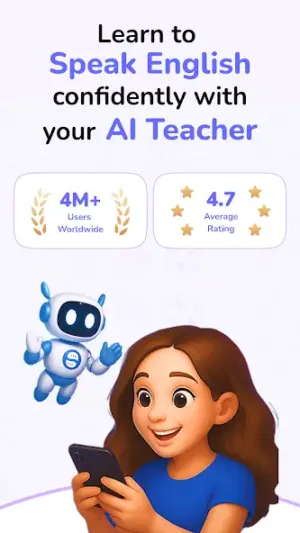
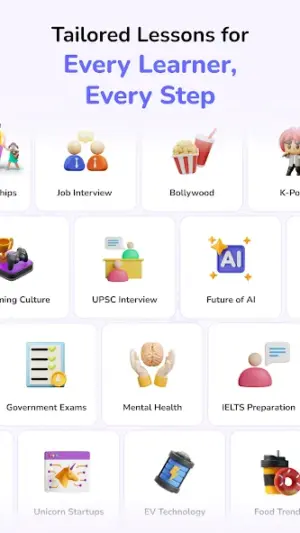
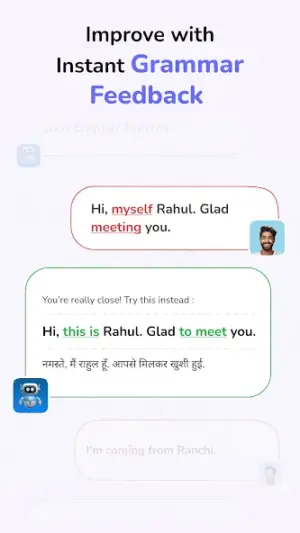
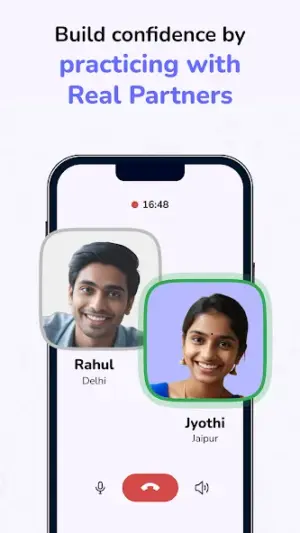
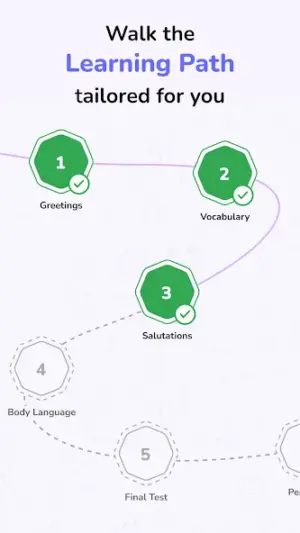
About MySivi AI English Speaking App
Starting your journey to speak fluent English can feel overwhelming, but with the MySivi AI English Speaking App, it's like having a friendly tutor right in your pocket! This app empowers you to practice and improve your spoken English skills effortlessly, making it an ideal companion for beginners.
Related in Education: Udemy – Online Courses · Pydroid 3 – IDE for Python 3 · Talking Tom & Friends: World
| App Name | MySivi AI English Speaking App |
|---|---|
| Version | Latest |
| Developer | MySivi AI |
| Package Name | com.practice.ninja_study |
| Category | Education |
| Size | Varies with device |
| Downloads | N/A |
| Rating | 4.5 |
| Android Version | Varies |
| Updated | Jul 17, 2026 |
Overview
The MySivi AI English Speaking App is designed for anyone looking to enhance their spoken English through a user-friendly platform. With its advanced AI support, this app tailors lessons to fit your learning style, helping you build confidence as you practice speaking. Whether you're a student preparing for exams or a professional seeking better communication skills, this app can adapt to your needs.
Who Is MySivi AI English Speaking App For?
This app is perfect for beginners who are just starting their English-speaking journey. If you're someone who feels nervous about speaking or lacks opportunities for practice, MySivi offers a supportive environment where you can learn at your own pace. It's also suitable for busy individuals looking for flexible learning options.
Real-World Use Cases
- A student needing extra help preparing for oral exams can use this app after school hours without pressure.
- A professional wanting to improve their business communication skills can practice common scenarios relevant to their industry.
- A traveler wishing to converse confidently during trips can engage in practical dialogue simulations within the app.
- A parent seeking resources for their children’s language development can introduce them in a safe and fun manner.<\/ul>
Features
- AI-Powered Lessons: Experience personalized feedback and suggestions from the app’s intelligent algorithms.
- Interactive Speaking Exercises: Engage in voice recognition exercises that ensure you practice speaking out loud.
- Progress Tracking: Easily monitor your improvements over time with built-in analytics.
- Diverse Topics: Explore various conversation topics to expand your vocabulary and comprehension.
- User-Friendly Interface: Navigate effortlessly through lessons designed for all ages.
- Fluency Building Activities: Participate in games and challenges that make learning fun.
- Daily Practice Reminders: Stay motivated with notifications encouraging regular practice.
- Cultural Insights: Gain understanding of the nuances of English in different contexts.
Performance & Battery
MySivi AI performs well across various devices due to its universal architecture. Users have reported smooth navigation and quick loading times, even on lower-end models. Ensure you keep your device updated for optimal performance.
Privacy & Permissions
Currently, specific permissions required by the app aren’t disclosed publicly, which may leave some users wondering about data safety. As a best practice, always download APKs from trusted sources and check user reviews regarding safety before installing any application.
What’s New
While specific updates aren't listed, the MySivi team is committed to continuously improving user experience. You can expect new features that respond to user feedback, keeping the content fresh and relevant.
How to Install
- Enable Unknown Sources: Go to Settings > Security > Unknown Sources and toggle it on. This allows installations from outside the Play Store.
- Download the APK: Visit a trusted source or the developer’s website to download MySivi AI English Speaking App’s APK file.
- Locate the File: Open your device’s file manager and find the downloaded APK in your Downloads folder.
- Tap on the APK File: Click on it to initiate the installation process; your device may prompt you with security warnings—these are normal when installing non-Play Store apps.
- Follow Installation Prompts: Click ‘Install’ when prompted and wait for it to complete. Once done, the app will be available on your home screen!
Pros
- User-friendly interface makes navigation simple
- Personalized lessons tailored by AI
- Engaging activities foster motivation
- Flexible learning adaptable to individual needs
- No complicated payment plans — completely free
Cons
- Lack of detailed permission information may raise concerns
- Updates about new features could be more transparent
- Varies by device might affect consistency in experience
- Online connectivity possibly required depending on features
Download MySivi AI English Speaking App APK
Download MySivi AI English Speaking App vLatest APK
Free · Safe · Opens Google Play / APK source
Frequently Asked Questions
Is my personal information safe with this app?
Always ensure that you download apps from reputable sources; however, specific permission details are currently not provided.
How often should I update the app?
It's advisable to keep your app updated whenever new versions are released for improved features and stability.
Will using this app consume a lot of storage?
The size varies by device but generally remains manageable; it's wise to check storage before downloading.
What if I'm uncomfortable with voice recognition technology?
"Practice makes perfect! The voice recognition feature is designed specifically to help improve your pronunciation over time."
Final Thoughts
MySivi AI English Speaking App remains a practical choice in the Education space. If you need the latest build (Latest) for Android, use the download section below and follow the installation guide.
Related Apps
More apps coming soon.
Disclaimer
AndroidKnight is not affiliated with MySivi AI. All trademarks belong to their respective owners. Download and use APKs at your own risk and respect local laws and app licenses.
All Versions of MySivi AI English Speaking App
Frequently Asked Questions
Yes. MySivi AI English Speaking App is scanned before publishing. Our pipeline verifies each file.
Download the APK, enable 'Install from Unknown Sources' in Settings > Security, then tap the file.
Latest version is Latest.
Requires Android 5.0+.
Yes, completely free.
APKs let you install apps not in your region, use specific versions, or install without Google Play.
MySivi AI English Speaking App Alternative
Apps similar to MySivi AI English Speaking App that you may also like.


User Reviews
Compatibility Checker
MySivi AI English Speaking App requires Android 5.0+ or higher. Select your device version to check.
Write a Review