Grab Driver: App for Partners APK
Grab HoldingsVaries with device · Free · Safe · Verified
Share This App
Scan to Download
Scan with Android camera
Screenshots
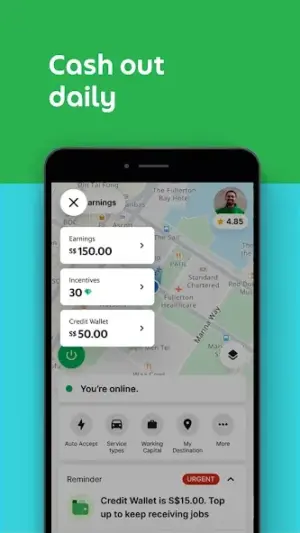
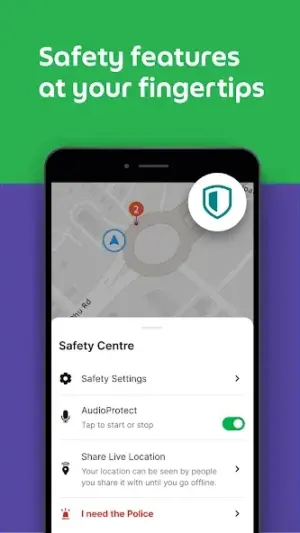
About Grab Driver: App for Partners
Navigating the world of ridesharing requires a tool that's as reliable offline as it is online, and that's where the Grab Driver app comes into play. Designed for drivers, this app offers essential functionalities that support your on-the-go needs, especially in areas with limited connectivity.
Related in Maps And Navigation: Yandex Go: Taxi Food Delivery · Delhi Metro Sarthi App · inDrive. Rides with fair fares
| App Name | Grab Driver: App for Partners |
|---|---|
| Version | Latest |
| Developer | Grab Holdings |
| Package Name | com.grabtaxi.driver2 |
| Category | Maps And Navigation |
| Size | Varies with device |
| Downloads | N/A |
| Rating | 3.9 |
| Android Version | Varies |
| Updated | Jul 20, 2026 |
Overview
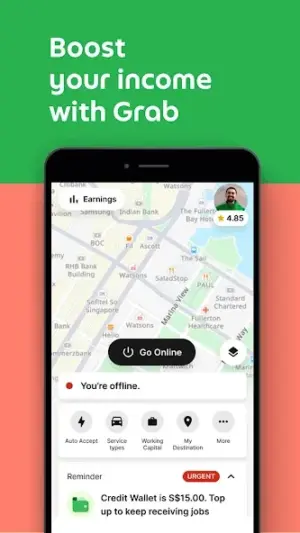
Grab Driver is an app developed by Grab Holdings that caters specifically to partners in the ridesharing ecosystem. This application stands out for its commitment to assisting drivers while they are on the road, highlighting features that optimize both convenience and efficiency. Offering a blend of navigation tools and earnings tracking, it empowers drivers to manage their time and routes effectively, even when internet connectivity might be spotty or non-existent.
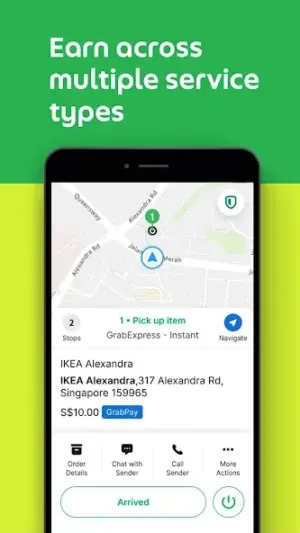
With an intuitive interface, Grab Driver presents information in a streamlined manner. It allows users to view active bookings, navigate to destinations seamlessly using GPS maps, and manage earnings from their rides—all core components crucial for drivers. The application's performance is tailored to minimize data usage during navigation while ensuring vital operational aspects remain accessible offline.
The latest updates bring further enhancements aimed at ensuring a smoother experience for drivers. From updated routing algorithms to minor interface tweaks, each change is designed with usability in mind. Drivers can expect consistent improvements over time as the app evolves based on user feedback and technological advancements.
In terms of requirements, Grab Driver operates across a range of Android devices and variations in size depending on device specifications. While primarily mobile-focused, this universal architecture means it can adapt to different screen sizes without sacrificing quality or functionality.
For those who frequently drive in urban environments or travel between regions with varying network coverage, understanding how Grab Driver performs under different conditions—especially offline—is vital. The application’s offline capabilities make it a practical choice for anyone whose work takes them beyond typical high-connectivity zones.
Who Is Grab Driver: App for Partners For?
Grab Driver is tailored for individuals looking to earn income through driving services within the Grab ecosystem. Whether you're a full-time rideshare driver or someone seeking flexible part-time work options, this app positions itself as an essential tool for managing your driving business effectively.
Real-World Use Cases
- Traveling through rural areas with unreliable data connections; use stored maps for navigation without worrying about signal loss.
- Apart from big cities where traffic patterns rapidly change—grab preloaded route info before hitting the road!
- Navigating during peak hours while simultaneously tracking your earnings without excessive data usage burdens.
- Working part-time, you can rely on offline functionality when commuting between locations known for weak signals.
Features
- Real-time navigation assistance with GPS integration.
- Offline access to previously cached routes and destinations.
- Earnings overview to track daily and weekly income.
- User-friendly interface designed for fast access.
- Ability to accept ride requests while on the go.
- Regular updates enhancing functionality based on user experiences.
- Performance metrics tracking for individual driver improvement.
- Universal design compatible with various Android devices.
Performance & Battery
The Grab Driver application leverages efficient coding practices aimed at minimizing battery consumption while maximizing utility during active use. Despite being reliant on real-time data such as ride requests or routing directions, significant parts of its operations can function seamlessly without constant internet connectivity.
Privacy & Permissions
As with any application that handles location data and personal information, it's important users practice safe APK habits such as downloading only from official sources. While specific permissions weren't disclosed directly within metadata hints, common permissions usually include GPS access and storage access required for optimal performance.
What’s New
While specific details about recent updates are sparse, Grab Driver has seen intermittent enhancements aimed at its core functionalities. The developer regularly implements changes informed by user feedback to improve overall performance and usability.
Updates often include navigation fixes, improved route suggestions, and interface adjustments that reflect driver needs more accurately.
How to Install
- Open the Google Play Store on your Android device.
- Type ‘Grab Driver’ into the search bar at the top of the screen.
- Select ‘Grab Driver: App for Partners’ from the search results.
- Press the ‘Install’ button to begin downloading the app.
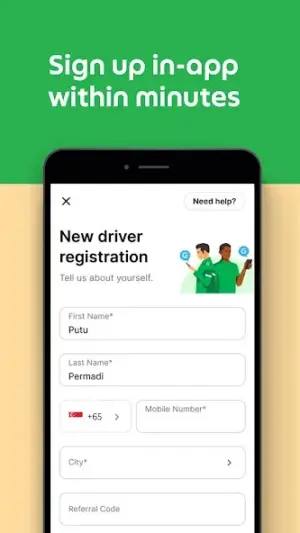
- Once downloaded, open the app and follow on-screen instructions to create your driver account.
- Grant necessary permissions when prompted during setup for optimal functionality.
Pros
- Reliable offline navigation capabilities.
- User-friendly design streamlining daily tasks.
- Regular updates improving functionality.
- Ability to track earnings efficiently.
- Compatible across various Android devices.
Cons
- Limited social features compared to competitors.
- Occasional bugs that may impact user experience.
- Routing algorithms can sometimes suggest suboptimal paths.
- Permissions may raise concerns about privacy.
Download Grab Driver: App for Partners APK
Download Grab Driver: App for Partners vLatest APK
Free · Safe · Verified APK download
Frequently Asked Questions
Can I use Grab Driver without internet?
Yes! While online features enhance usability, you can navigate using previously cached routes.
Is my data safe when using this app?
As long as you download from reputable sources and manage permissions carefully.
How often does the app receive updates?
Updates vary but are typically rolled out regularly based on user feedback.
What do I need to start earning through Grab Driver?
A valid driver's license along with registration in the Grab system.
Do I have control over ride acceptance?
Yes! You can choose which ride requests you'd like to accept.
What if my location services aren't working correctly?
Check if you've granted proper permissions; restarting your device can also help.
Final Thoughts
In summary, Grab Driver emerges as an invaluable resource for drivers who prioritize reliability in challenging connectivity situations while maximizing their earning potential. With its essential features designed around practicality and efficiency—it's well-suited not just for daily commutes but far-reaching travel adventures too!
Related Apps
More apps coming soon.
Disclaimer
This review is independent; we are not affiliated with Grab Holdings or endorse any claims made outside factual summaries.
All Versions of Grab Driver: App for Partners
Frequently Asked Questions
Yes. Grab Driver: App for Partners is scanned before publishing. Our pipeline verifies each file.
Download the APK, enable 'Install from Unknown Sources' in Settings > Security, then tap the file.
Latest version is Latest.
Requires Android 5.0+.
Yes, completely free.
APKs let you install apps not in your region, use specific versions, or install without Google Play.
Related News Articles

Grab Driver: App for Partners Alternative
Apps similar to Grab Driver: App for Partners that you may also like.


User Reviews
Compatibility Checker
Grab Driver: App for Partners requires Android 5.0+ or higher. Select your device version to check.
Write a Review