
Home Workout - No Equipment APK
Leap Fitness GroupVaries with device · Free · Safe · Verified
Share This App
Scan to Download
Scan with Android camera
Screenshots


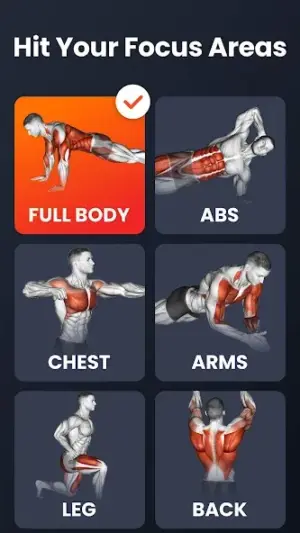
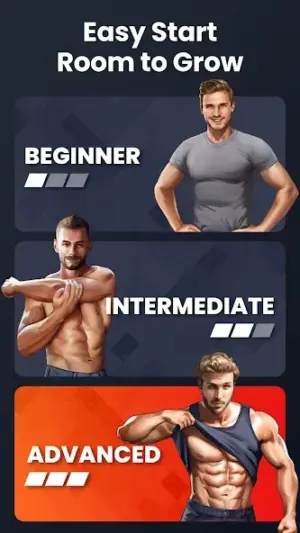
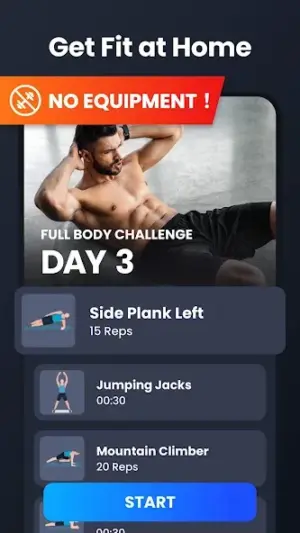
About Home Workout - No Equipment
Home Workout – No Equipment presents a compelling solution for fitness enthusiasts seeking effective workouts without the need for gym equipment. With a high user rating and a focus on home-based exercises, this app is positioned as an essential tool for body conditioning and strengthening routines.
Related in Health And Fitness: boAt Crest · Weight Loss for Women: Workout · FitCloudPro
| App Name | Home Workout – No Equipment |
|---|---|
| Version | Latest |
| Developer | Leap Fitness Group |
| Package Name | homeworkout.homeworkouts.noequipment |
| Category | Health And Fitness |
| Size | Varies with device |
| Downloads | N/A |
| Rating | 4.9 |
| Android Version | Varies |
| Updated | Jul 16, 2026 |
Overview
Developed by Leap Fitness Group, Home Workout – No Equipment offers an extensive array of workout routines designed to cater to various fitness levels. The app’s architecture supports universal accessibility across multiple devices, ensuring that users can embark on their fitness journeys from smartphones or tablets alike. The diverse range of exercises spans different muscle groups and fitness objectives, providing a comprehensive approach to home workouts.
One notable strength of the app is its adaptive workout plans, which adjust according to user progress. This feature allows individuals to experience gradual increases in difficulty as they advance in their training regimes, ensuring sustained engagement and minimizing risk of injury. Moreover, the absence of equipment needed for these workouts makes it particularly suitable for those with limited space or resources.
The app also emphasizes community and motivation through features such as progress tracking and workout reminders. Users are encouraged to stay committed with built-in notifications that prompt them at designated times, fostering a sense of accountability. In addition to this, the visual guidance provided within the app enhances the user experience by showcasing proper exercise techniques clearly and concisely.
With frequent updates, users can expect improvements and new content over time without incurring any cost. The commitment to user satisfaction is reflected in its impressive rating of 4.9 stars, indicative of strong community support for its functionality and effectiveness. Accessibility remains a core tenet of the application’s design philosophy, ensuring inclusivity across varying Android devices.
Ultimately, Home Workout – No Equipment positions itself as a practical choice for those aiming to improve their physical health from the comfort of their own homes while effectively addressing the barriers typically encountered when accessing fitness resources.
Who Is Home Workout – No Equipment For?
Home Workout – No Equipment is intended for individuals seeking effective home workouts without requiring specialized equipment. It is particularly useful for busy professionals, parents managing household responsibilities, or anyone who prefers exercising in a private setting rather than at a gym.
Real-World Use Cases
- A beginner looking to start exercising but unsure where to begin will find structured routines helpful.
- A seasoned athlete aiming to maintain fitness while traveling can utilize various bodyweight exercises offered by the app.
- A working professional with limited time may appreciate quick workout options that fit into tighter schedules.
- A post-rehabilitation patient looking to gradually regain strength through safe exercise regimens can benefit from guided sessions designed specifically for recovery.
Features
- User-friendly interface that facilitates easy navigation
- Adaptive workout plans tailored to individual progress
- No equipment required for diverse exercise routines
- Clear video demonstrations for each exercise
- Progress tracking capabilities to monitor achievements
- Customizable workout reminders through notifications
- A wide range of workouts targeting different muscle groups
- Statistics tracking including calories burned and duration info
- Ability to set personal goals for enhanced motivation
- Universal compatibility across devices ensures flexibility
Performance & Battery
Home Workout – No Equipment runs smoothly across devices due to its well-optimized design tailored for various hardware configurations. Users have reported minimal loading times when switching between exercises or accessing new workout plans, allowing seamless interaction throughout fitness sessions.
Privacy & Permissions
The app does not explicitly list permissions; however, users are advised always to download APKs from trusted sources like official platforms (Google Play Store) to ensure data integrity and privacy safeguards are maintained effectively.
What’s New
While specific details regarding recent updates remain sparse, users can generally anticipate continued enhancements in usability and functionality reflecting community feedback. Regular updates signify ongoing dedication by Leap Fitness Group towards improving user experience through optimized performance and additional content.
How to Install
- Open the Google Play Store on your Android device.
- Search for ‘Home Workout – No Equipment’ in the search bar.
- Select the application from search results.
- Tap on ‘Install’ to download the application.
- Once installed, open the application from your device’s home screen.
- Create an account or log in using existing credentials if prompted.
- Begin exploring workout plans tailored to your preferences!
Pros
- Highly rated by users reflecting overall satisfaction
- Free access without hidden costs
- Wide variety of workouts addressing different objectives
- No dependency on physical equipment necessary
- Strong performance across multiple device types
Cons
- Lack of detailed update logs may leave some users wanting more transparency
- Limited community features can hinder social motivation aspects
- Potentially overwhelming choices could confuse beginners
Download Home Workout – No Equipment APK
Download Home Workout – No Equipment vLatest APK
Free · Safe · Verified APK download
Frequently Asked Questions
Is there any cost associated with downloading Home Workout?
No, Home Workout – No Equipment is completely free.
Do I need an internet connection to use the app?
An internet connection is required initially for downloading content but most exercises can be accessed offline.
Can I tailor my own workouts?
Yes, you can customize your routines based on personal preferences.
What types of exercises are included?
The app includes bodyweight exercises targeting various muscle groups.
How often should I work out using this app?
'It's recommended starting with three times a week and adjusting according to personal comfort.'
Final Thoughts
In summary, Home Workout – No Equipment stands out as an excellent resource for those aiming to achieve their fitness goals at home without significant financial investment or equipment needs. Its comprehensive set of features provides versatility appealing across diverse user profiles—from novices embarking on fitness journeys straight through experienced athletes focusing on maintenance.
Related Apps
More apps coming soon.
Disclaimer
This review is independent; we have no affiliation with Leap Fitness Group or compensation arrangements concerning this APK.
All Versions of Home Workout - No Equipment
Frequently Asked Questions
Yes. Home Workout - No Equipment is scanned before publishing. Our pipeline verifies each file.
Download the APK, enable 'Install from Unknown Sources' in Settings > Security, then tap the file.
Latest version is Latest.
Requires Android 5.0+.
Yes, completely free.
APKs let you install apps not in your region, use specific versions, or install without Google Play.
Related News Articles


More from Leap Fitness Group


Home Workout - No Equipment Alternative
Apps similar to Home Workout - No Equipment that you may also like.


User Reviews
Compatibility Checker
Home Workout - No Equipment requires Android 5.0+ or higher. Select your device version to check.
Write a Review