Google News - Daily Headlines APK
Google LLCVaries with device · Free · Safe · Verified
Share This App
Scan to Download
Scan with Android camera
Screenshots
About Google News - Daily Headlines
In our fast-paced digital world, staying updated with the latest news and events is crucial. Google News – Daily Headlines offers a personalized approach to news consumption, tailoring content to your interests while leveraging Google's robust infrastructure for performance. This review delves into how this app performs under various usage scenarios and what you can expect in terms of speed, battery impact, and overall efficiency.
| App Name | Google News – Daily Headlines |
|---|---|
| Version | Latest |
| Developer | Google LLC |
| Package Name | com.google.android.apps.magazines |
| Category | News And Magazines |
| Size | Varies with device |
| Downloads | N/A |
| Rating | 4 |
| Android Version | Varies |
| Updated | Jul 16, 2026 |
Overview
Google News – Daily Headlines is developed by Google LLC as part of its commitment to keeping users informed about global and local events. With its user-friendly interface and a blend of algorithm-driven personalization and human editorial input, it promises not just any news, but news that matters to you. The app is built to be versatile; it operates seamlessly across different Android devices, adapting to varying hardware configurations without compromising on functionality.
At its core, the app aims at providing a balance between lightweight usage for casual readers and more intensive consumption patterns for avid news followers. As such, users will find that it manages RAM effectively, particularly in Android versions optimized for multitasking. The app generally requires a stable internet connection for best results; however, users can download articles for offline reading — a feature that enhances usability without significant demands on device performance.
With the ability to customize feeds based on personal preferences and interests, the application uses machine learning to refine article suggestions as users interact more with the content. While Google News shines in delivering timely alerts about breaking stories or trending topics tailored specifically to user interests, it falls within the broader scope of Google's ecosystem which emphasizes data integrity and security — important factors given today’s focus on privacy.
The app's design caters well to both heavy users who might engage actively throughout the day as well as light users checking headlines during commutes or breaks. Still, understanding your usage pattern can help optimize your experience further; minimal interaction typically leads to lower resource usage while frequent updates could place additional demands on your battery life if not managed properly.
Who Is Google News – Daily Headlines For?
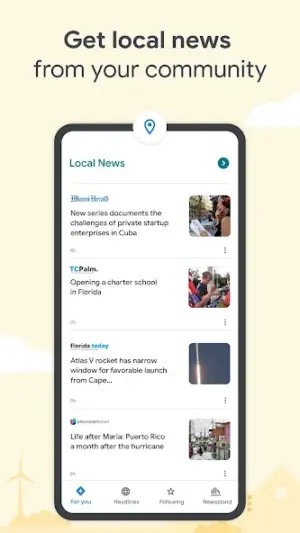
This application serves a diverse audience ranging from casual readers looking for quick updates to dedicated news consumers who desire deeper insights into specific subjects. Whether you're an individual aiming to stay informed about global affairs or someone interested solely in local happenings, Google News caters effectively to varied informational needs.
Real-World Use Cases
- A student seeking timely updates on climate change research developments.
- A professional wanting quick access to business news during work breaks.
- A busy parent keeping track of local community events during their commute.
- A retiree interested in opinion pieces about politics or social issues.
Features
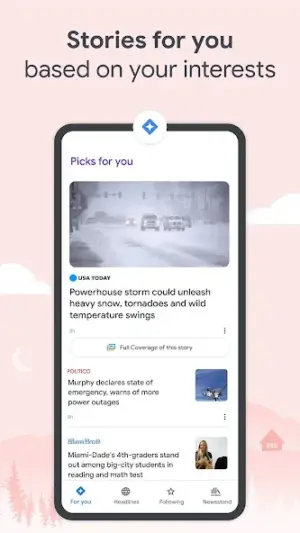
- Personalized news feed based on user interests
- Ability to download articles for offline reading
- Real-time notifications for breaking news
- Integration with various sources including blogs and established media outlets
- User-friendly navigation with organized sections
- Support for multiple languages
- Customizable notifications settings
- Easy sharing options across social platforms
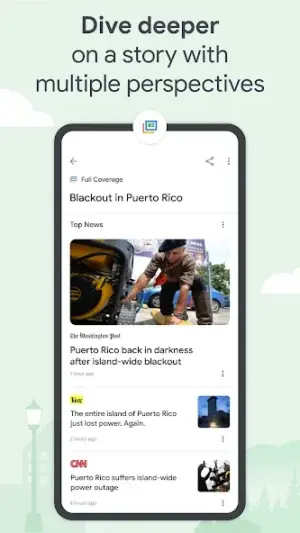
- Thematic collections of articles based on current events
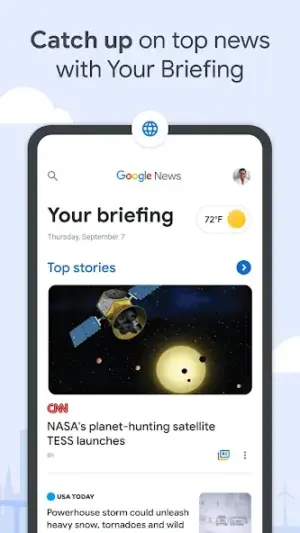
- Curated daily briefing delivered each morning
- Open the Google Play Store on your Android device.
- In the search bar, type ‘Google News’ or ‘Daily Headlines.’
- Select ‘Google News’ from the list of results.
- Click ‘Install’ to begin downloading the app.
- Once installed, open the app from your home screen or app drawer.
- Create an account or log in using your existing Google credentials.
- Customize your news preferences by selecting topics that interest you.
- Highly personalized content delivery based on user preferences
- User friendly interface that encourages easy navigation
- Offline access makes it convenient for reading without connectivity
- Regular updates maintain relevance of content
- Robust integration with other Google services
- Limited customization options compared to dedicated RSS readers
- May require substantial data if used heavily without offline caching
- Variable performance depending on device capabilities
- Notifications can become overwhelming if not configured properly
Performance & Battery
Google News performs reliably across various Android devices with responsive speeds even when handling numerous articles simultaneously. It's optimized for both light daily use—checking headlines or saving articles—and heavier patterns like extensive browsing through multiple topics within a single session. For optimal performance, limiting background activities by closing unused applications may enhance speed without requiring excessive device resources.
Privacy & Permissions
While specific permissions related to Google News are not explicitly listed within metadata provided here, generally speaking, using apps developed by reputable companies like Google ensures higher standards regarding user data protection. Users are encouraged to familiarize themselves with privacy settings available within the app and adjust them according to personal comfort levels regarding data sharing.
What’s New
While specific notes about recent updates have not been detailed, general improvements are expected focusing on refining algorithms that enhance personalized feeds and overall user experience. Regular updates signify Google’s commitment to maintaining high standards in quality and relevance of news delivery.
How to Install
Pros
Cons
Download Google News – Daily Headlines APK
Download Google News – Daily Headlines vLatest APK
Free · Safe · Opens Google Play / APK source
Frequently Asked Questions
Is Google News free?
Yes, Google News is free to download and use.
Can I customize my news feed?
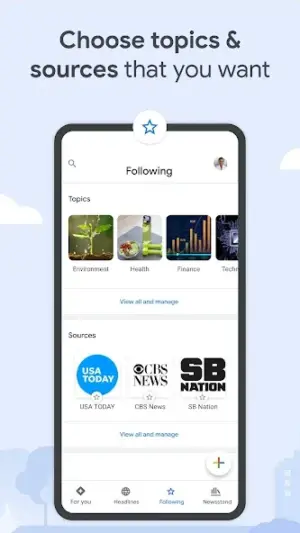
Definitely! The app allows users to choose their preferred topics and sources.
Do I need an internet connection always?
While an internet connection is required initially, articles can be saved for offline reading.
How often does Google update its content?
Content is updated continuously throughout the day.
Is my data safe with this app?
Being from a well-respected developer like Google typically ensures stringent data protection practices.
'Can I share articles easily?'
Yes! Sharing options are readily available through various social media platforms.
Final Thoughts
In conclusion, Google News – Daily Headlines stands out as a reliable source of tailored news coverage that adapts robustly according to individual reader preferences while maintaining commendable speed and efficiency across Android devices. Users looking for convenience blended with smart technology would likely find this app beneficial in navigating today's information landscape.
Related Apps
Disclaimer
[AndroidKnight] is not affiliated with Google LLC or any other third-party entities associated with this APK's development or distribution.
All Versions of Google News - Daily Headlines
Frequently Asked Questions
Yes. Google News - Daily Headlines is scanned before publishing. Our pipeline verifies each file.
Download the APK, enable 'Install from Unknown Sources' in Settings > Security, then tap the file.
Latest version is Latest.
Requires Android 5.0+.
Yes, completely free.
APKs let you install apps not in your region, use specific versions, or install without Google Play.
More from Google LLC


Google News - Daily Headlines Alternative
Apps similar to Google News - Daily Headlines that you may also like.


User Reviews
Compatibility Checker
Google News - Daily Headlines requires Android 5.0+ or higher. Select your device version to check.
Write a Review