
Lightroom Photo & Video Editor APK
AdobeVaries with device · Free · Safe · Verified
Share This App
Scan to Download
Scan with Android camera
Screenshots

About Lightroom Photo & Video Editor
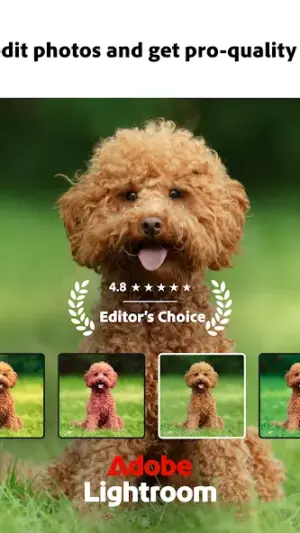
Looking to transform your photography experience on Android devices? Adobe's Lightroom Photo & Video Editor brings professional-grade editing tools right to your fingertips. Whether you’re an amateur looking to enhance your snaps or a seasoned photographer aiming for perfection, this app has you covered.
| App Name | Lightroom Photo & Video Editor |
|---|---|
| Version | Latest |
| Developer | Adobe |
| Package Name | com.adobe.lrmobile |
| Category | Photography |
| Size | Varies with device |
| Downloads | N/A |
| Rating | 4.5 |
| Android Version | Varies |
| Updated | Jul 15, 2026 |
Overview
Lightroom Photo & Video Editor, developed by Adobe, is a powerful application designed specifically for photography enthusiasts. It offers a user-friendly interface that caters to both novices and experts alike, allowing users to create stunning images with ease. The app is part of the broader Adobe ecosystem and provides advanced editing features typically found in desktop applications, but optimized for mobile usage.
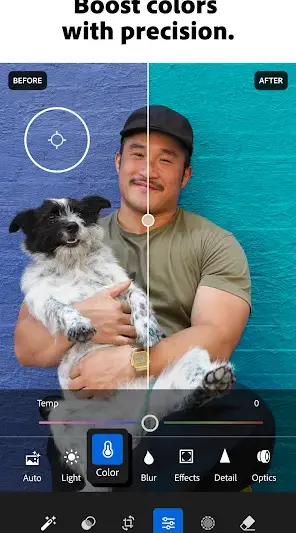
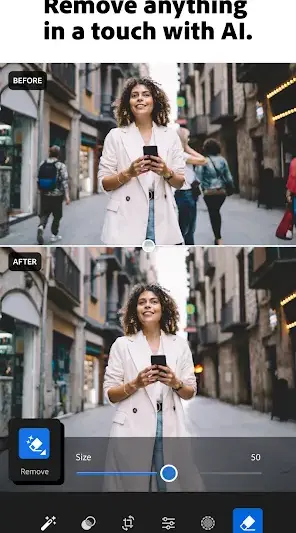
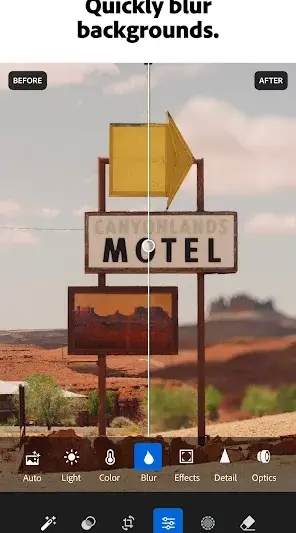
This photography-centric APK seamlessly integrates cloud-based functionalities, enabling users to access their projects across multiple devices. With every update, Adobe enhances the app’s capabilities, ensuring it remains at the forefront of mobile photo editing technology. The versatile toolset includes everything from basic adjustments such as brightness and contrast to more complex features like selective edits and color grading.
In addition to static image editing, Lightroom supports video editing capabilities too, making it an all-in-one solution for content creators. Users can expect a variety of filters that emulate professional looks and features that allow them to create preset effects tailored specifically for their aesthetic requirements. Its comprehensive toolset positions it as one of the most sought-after apps in the photography category within the Google Play Store.
Who Is Lightroom Photo & Video Editor For?
Lightroom Photo & Video Editor is ideal for anyone passionate about photography—whether you're an aspiring photographer or a social media influencer looking to elevate your content. It suits those who demand sophisticated editing tools while being simple enough for beginners exploring their creativity without feeling overwhelmed.
Real-World Use Cases
- A budding photographer edits landscapes captured during travels using advanced color correction tools.
- A food blogger applies customizable presets to food images before sharing them on social media platforms.
- A parent enhances family photos taken at events using selective adjustment options for portrait improvements.
- A travel enthusiast compiles and edits video highlights from their trips using integrated video functionalities within Lightroom.
Features
- User-friendly interface designed for seamless navigation.
- Advanced photo editing tools including curves, HSL sliders, and gradient filters.
- Support for RAW file editing alongside standard image formats.
- Cloud integration allows access across devices with Adobe ID.
- Video editing tools that complement photo adjustments.
- Presets and filters for quick style applications.
- Social sharing options directly through the app.
- The ability to create custom presets tailored to personal editing styles.
Performance & Battery
Lightroom operates smoothly on a variety of Android devices; however, performance may vary based on device specifications and available storage. The app is designed to handle high-resolution files efficiently but optimizing device storage ensures maximum speed while processing edits.
Privacy & Permissions
As of now, specific permission details have not been listed within the app description. However, users should practice safe APK habits by downloading only from reputable sources like the Google Play Store and reviewing permissions during installation. Always be mindful of any data-sharing agreements associated with cloud services linked through Adobe IDs.
What’s New
While specific changelog details are not provided from the latest update on July 15, 2026, Adobe consistently refines its offerings based on user feedback and technological advancements in mobile photography. Expect enhancements in performance speed and additional advanced features aimed at improving overall user experience as part of regular updates.
How to Install
- Open Google Play Store on your Android device.
- Search for ‘Lightroom Photo & Video Editor’.
- Select the app from the search results.
- Tap on ‘Install’ to begin downloading the APK file.
- Wait for the installation process to complete.
- Once installed, locate the app icon in your applications menu or home screen.
- Open Lightroom and sign in with your Adobe ID or create a new account if necessary.
Pros
- User-friendly interface suitable for all skill levels.
- Comprehensive toolset covering both photo and video needs.
- Seamless cloud synchronization across devices.
- Regular updates ensuring cutting-edge features.
- Ability to edit RAW images increases creative flexibility.
Cons
- Some advanced features may require an Adobe subscription.
- Lack of detailed permission disclosure may concern privacy-conscious users.
- Performance can slow down on lower-end devices when handling large files.
Download Lightroom Photo & Video Editor APK
Download Lightroom Photo & Video Editor vLatest APK
Free · Safe · Opens Google Play / APK source
Frequently Asked Questions
Is Lightroom Photo & Video Editor free?
Yes, it is available for free download on the Google Play Store, though some advanced features may require subscriptions.
Can I edit videos with Lightroom?
Yes! The app includes basic video editing capabilities alongside its extensive photo editing tools.
What types of files can I edit with this app?
You can edit various image formats including JPEGs and RAW files directly within Lightroom.
How do I sync my work across different devices?
By signing in with your Adobe ID, you can sync all projects through Adobe’s cloud services.
'Are there any additional costs associated with using this app?'
'While it's free to download and use basic features, certain premium functionalities may require a subscription.'
'Is there community support or resources available?'
'Adobe offers extensive tutorials online as well as forums where users share tips and get support.'
Final Thoughts
'For anyone serious about enhancing their photographic skills or elevating their content creation efforts, Lightroom Photo & Video Editor stands out as a top-tier solution on Android. With its rich feature set tailored towards user satisfaction and improved productivity in mind, it's definitely worth trying.'
Related Apps
More apps coming soon.
Disclaimer
'AndroidKnight is not affiliated with Adobe or any other third-party entities mentioned herein. Users are responsible for ensuring they download software from secure sources.'
All Versions of Lightroom Photo & Video Editor
Frequently Asked Questions
Yes. Lightroom Photo & Video Editor is scanned before publishing. Our pipeline verifies each file.
Download the APK, enable 'Install from Unknown Sources' in Settings > Security, then tap the file.
Latest version is Latest.
Requires Android 5.0+.
Yes, completely free.
APKs let you install apps not in your region, use specific versions, or install without Google Play.
Related News Articles


Lightroom Photo & Video Editor Alternative
Apps similar to Lightroom Photo & Video Editor that you may also like.

User Reviews
Compatibility Checker
Lightroom Photo & Video Editor requires Android 5.0+ or higher. Select your device version to check.
Write a Review