Move to iOS APK
AppleVaries with device · Free · Safe · Verified
Share This App
Scan to Download
Scan with Android camera
Screenshots
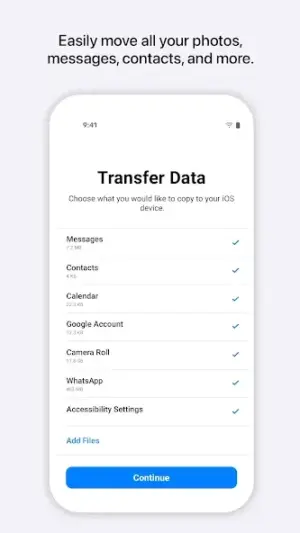
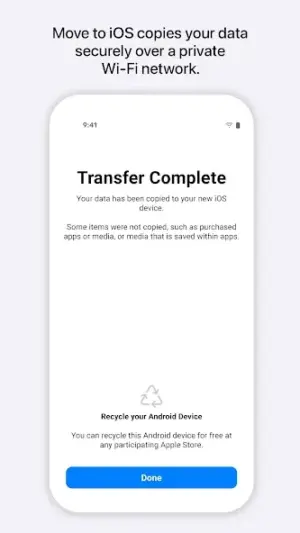
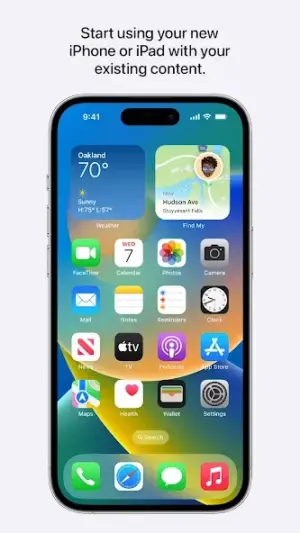
About Move to iOS
In a world where mobile ecosystems are fiercely competitive, transitioning between platforms can feel daunting. Apple's Move to iOS app provides a lifeline for users looking to switch from Android to iPhone or iPad with ease and security, bolstered by the trustworthy name of Apple.
Related in Tools: Google Translate · NordVPN – fast VPN for privacy · Gboard – the Google Keyboard
| App Name | Move to iOS |
|---|---|
| Version | Latest |
| Developer | Apple |
| Package Name | com.apple.movetoios |
| Category | Tools |
| Size | Varies with device |
| Downloads | N/A |
| Rating | 3.6 |
| Android Version | Varies |
| Updated | May 19, 2025 |
Overview
As a recognized leader in technology, Apple has built a reputation for quality and user-centric design, which is evident in its Move to iOS application. Released as a free tool designed specifically for data migration, the app capitalizes on Apple's commitment to seamless user experiences while ensuring the highest standards of privacy and security are maintained. The latest update came on May 19, 2025, highlighting the company’s dedication to refining its offerings based on user feedback and technological advancements.
The Move to iOS app empowers Android users by allowing them to effortlessly transfer their content—contacts, messages, photos, and more—directly to their new Apple device. This feature is particularly beneficial for individuals who may be overwhelmed by the idea of setting up a new phone from scratch or losing cherished data during migration. Given Apple's rigorous approach to maintaining its software ecosystem, prospective users can rest assured that they are dealing with a reputable developer clearly focused on customer satisfaction.
Notably, this app is universal and adapts its size based on the device it is installed on; thus making it accessible across different Android devices running various versions of the operating system. While the app currently carries a mixed rating of 3.6 stars, overseen by millions of satisfied customers over the years, it remains crucial for users contemplating installation to verify authentic publisher identities before proceeding with any downloads.
Who Is Move to iOS For?
Move to iOS is designed primarily for users transitioning from an Android smartphone or tablet to an Apple device such as an iPhone or iPad. This app caters particularly well to those who prioritize data integrity during their transition and seek a hassle-free setup experience without needing advanced technical skills.
Real-World Use Cases
- A person switching careers and needing their personal information transferred smoothly.
- A student upgrading from an outdated Android phone prior to college.
- A family member gifting an iPhone or iPad but wanting all previous data included.
- A professional migrating work contacts securely when moving jobs.
Features
- Secure data transfer tailored specifically for Android-to-iOS migrations
- Seamless integration of contacts, calendars, photos, videos, web bookmarks
- Migrates mail accounts effortlessly
- Intuitive setup process minimizes transition stress
- Backed by Apple’s robust privacy policy and security standards
- Universal compatibility across various Android devices
- No complex configurations required—app works out-of-the-box
- Ongoing updates enhance functionality and user experience
Performance & Battery
Performance-wise, Move to iOS delivers a straightforward interface that guides users through each step of migrating files between devices. It has been noted that transfer speeds can vary depending on your internet connection and device specifications; generally speaking though, most users report efficient transitions without significant downtime.
Privacy & Permissions
Privacy concerns are alleviated as Apple maintains stringent policies regarding user data protection. There are no explicit permissions listed within the application itself; however, best practices dictate verifying developer identity through legitimate download channels to ensure safety throughout your usage.
What’s New
While specific details about recent updates are not provided through the changelog notes available to users at this time, frequent updates from Apple suggest an ongoing commitment to improving functionality based on evolving tech trends and user needs. Regular maintenance reflects Apple's proactive stance towards ensuring optimal performance and compatibility with current devices.
How to Install
- Download Move to iOS from the Google Play Store.
- Open the app once installed.
- Select ‘Continue’ when prompted; read terms carefully.
- Select what you want to transfer (contacts, messages etc.).
- Follow on-screen instructions until transfer is complete.
Pros
- High-level data security during transfers
- User-friendly interface makes for easy navigation
- Direct support for essential file types
- No fees associated with app usage
- Reliable updates from a trusted developer
Cons
- Mixed reviews indicate room for improvement
- No detailed permissions indicate potential unknown risks
- Limited support documentation beyond basic usage
- Not suitable for non-Apple device transfers
Download Move to iOS APK
Download Move to iOS vLatest APK
Free · Safe · Opens Google Play / APK source
Frequently Asked Questions
Can I use Move to iOS if I have multiple Android devices?
Yes! You can install the app on any compatible Android device.
What types of data can I transfer?
You can transfer contacts, messages, photos/videos, email accounts, calendars.
Do I need internet access during migration?
An active Wi-Fi connection may be required for both devices.
Final Thoughts
Ultimately, Move to iOS stands as a strong offering from Apple aimed at easing platform transitions while safeguarding user data integrity. With ongoing updates hinting at improvements driven by user feedback and underlying company values celebrating privacy-first principles, it remains advisable for anyone considering a switch from Android devices.
Related Apps
Disclaimer
*This review is an independent assessment not affiliated with Apple Inc., and responsibility lies solely with readers when downloading APKs.
All Versions of Move to iOS
Frequently Asked Questions
Yes. Move to iOS is scanned before publishing. Our pipeline verifies each file.
Download the APK, enable 'Install from Unknown Sources' in Settings > Security, then tap the file.
Latest version is Latest.
Requires Android 5.0+.
Yes, completely free.
APKs let you install apps not in your region, use specific versions, or install without Google Play.
More from Apple

Move to iOS Alternative
Apps similar to Move to iOS that you may also like.


User Reviews
Compatibility Checker
Move to iOS requires Android 5.0+ or higher. Select your device version to check.
Write a Review