
Bose APK
Bose CorporationVaries with device · Free · Safe · Verified
Share This App
Scan to Download
Scan with Android camera
Screenshots

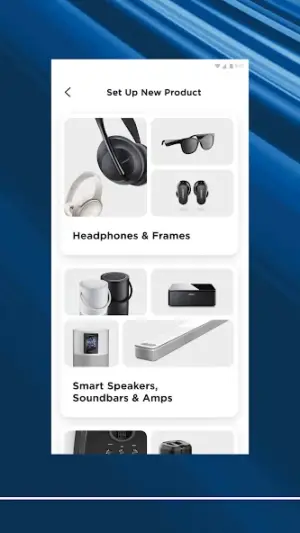

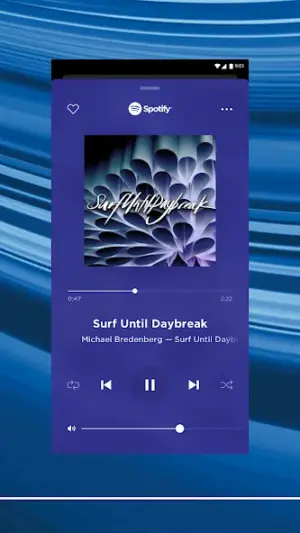
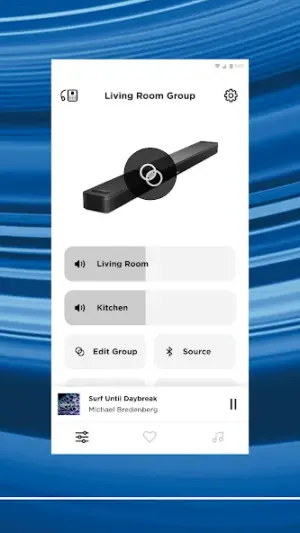
About Bose
The Bose app is a user-friendly tool designed for managing and controlling Bose smart audio devices. With its latest update, significant enhancements aim to improve user experience and add functionality that matters in everyday use. Upgrade now to discover how these changes elevate your audio experience.
Related in Music And Audio: Spotify: Music and Podcasts · Phonk Music – Song Remix Radio · Offline Music Player: Play MP3
| App Name | Bose |
|---|---|
| Version | Latest |
| Developer | Bose Corporation |
| Package Name | com.bose.bosemusic |
| Category | Music And Audio |
| Size | Varies with device |
| Downloads | N/A |
| Rating | 3.8 |
| Android Version | Varies |
| Updated | Jun 30, 2026 |
Overview
Bose Corporation has consistently been at the forefront of innovation in sound technology, and their app reflects this commitment by allowing users to control and optimize various Bose products seamlessly. The interface is intuitive, making it easy even for those who may not be tech-savvy. This version integrates new features focused on simplifying interactions with your sound system while providing deep customization options.
Who Is Bose For?
The Bose app is perfect for audiophiles and casual listeners alike who own Bose smart products. It caters to anyone looking to elevate their audio experience through convenient controls and personalized settings. Whether you’re hosting a party or enjoying some quiet time alone, this app enhances every moment with exceptional sound quality.
Real-World Use Cases
- Using voice commands through a connected speaker via the Bose app during hands-free cooking sessions.
- Easily adjusting EQ settings when transitioning between genres while entertaining friends at home.
- Playing calming sounds through a soundbar during yoga or meditation practices using preset playlists available in the app.
- Simplifying device management by remotely controlling multiple Bose speakers throughout different rooms in a house during parties or gatherings.
Features
- Control multiple Bose devices from one central hub.
- Personalize sound settings to match your unique listening preferences.
- Manage playlists effortlessly with an integrated music library.
- Stream music directly from popular services like Spotify and Apple Music.
- Receive updates about new product features and software improvements.
- Easily connect through Bluetooth or Wi-Fi for quick setups.
- Access helpful guides and FAQs within the app for troubleshooting.
- Enjoy an enhanced user interface designed for smoother navigation.
Performance & Battery
Overall performance remains robust across various devices due to its universal architecture. Users have reported snappy responses when switching between functionalities and controlling multiple devices simultaneously. Updates have focused on optimizing resource management, leading to smoother operation even with resource-intensive tasks such as streaming high-definition audio.
Privacy & Permissions
While specific permissions are not outlined, safe APK habits recommend always downloading applications directly from reputable sources like Google Play Store. It's crucial to review permissions requested by any app carefully to understand data usage fully. The developers maintain strict compliance with privacy standards ensuring user data remains protected throughout usage.
What’s New
In the latest update, users will notice a series of noteworthy improvements that enhance both functionality and usability. Previously, navigating through audio settings could be cumbersome; now, the layout has been streamlined for easier access to essential features, allowing users to adjust settings without hassle. The integration with streaming services has also seen enhancements, ensuring that listeners can quickly jump into their favorite tracks with minimal delay.
How to Install
- Open the Google Play Store on your Android device.
- Search for ‘Bose’ using the search bar at the top of the screen.
- Select the Bose app from the search results.
- Tap ‘Install’ and wait for the download process to complete.
- Once installed, open the app from your app drawer or home screen.
- Create or log into your Bose account if prompted, then follow any instructions to set up your devices.
Pros
- User-friendly interface makes navigation simple.
- Wide compatibility with various Bose products.
- Deep customization options enhance listening experiences.
- Regular updates improve functionality over time.
- Strong community support through FAQs within the app.
Cons
- Some advanced features may require learning curve.
- Occasional connectivity issues reported by users.
- Not all devices support every function available within the app.
Download Bose APK
Free · Safe · Opens Google Play / APK source
Frequently Asked Questions
What devices are compatible with the Bose app?
The Bose app is compatible with most modern Bose smart speakers, soundbars, headphones, and other audio devices.
Is there a cost associated with using this application?
'No, the Bose app is free to download and use.'
'Can I control my music through voice commands?'
'Yes, if you have a compatible smart speaker that supports voice commands.'
'Does it work offline?'
'Certain functionalities may be limited offline; however, saved playlists can typically still be accessed.'
'How often does Bose release updates for this app?'
'Updates are released regularly based on feature improvements and bug fixes.'
Final Thoughts
'This update signifies another leap forward in enhancing user interactions within an already powerful ecosystem of smart devices. By prioritizing usability alongside rich features, it reaffirms Bose's commitment to delivering top-notch audio experiences no matter where you are.'
Related Apps
More apps coming soon.
Disclaimer
'This article was created independently of official resources. Users should exercise caution when downloading APKs and ensure installations occur through trusted platforms only.'
All Versions of Bose
Frequently Asked Questions
Yes. Bose is scanned before publishing. Our pipeline verifies each file.
Download the APK, enable 'Install from Unknown Sources' in Settings > Security, then tap the file.
Latest version is Latest.
Requires Android 5.0+.
Yes, completely free.
APKs let you install apps not in your region, use specific versions, or install without Google Play.
Related News Articles


Bose Alternative
Apps similar to Bose that you may also like.


User Reviews
Compatibility Checker
Bose requires Android 5.0+ or higher. Select your device version to check.
Write a Review