Musicolet Music Player APK
KrosbitsVaries with device · Free · Safe · Verified
Share This App
Scan to Download
Scan with Android camera
Screenshots
About Musicolet Music Player
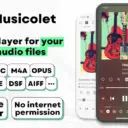
In the era where music is a vital part of student life, having a capable and versatile music player can significantly enhance your campus experience. Musicolet Music Player stands out as a lightweight yet powerful option for students who seek an intuitive interface coupled with advanced features, making it perfect for both study sessions and social gatherings.
Related in Music And Audio: TREBEL: Music, MP3 & Podcasts · iHeart: Music, Radio, Podcasts · edjing Mix – Music DJ app
| App Name | Musicolet Music Player |
|---|---|
| Version | Latest |
| Developer | Krosbits |
| Package Name | in.krosbits.musicolet |
| Category | Music And Audio |
| Size | Varies with device |
| Downloads | N/A |
| Rating | 4.7 |
| Android Version | Varies |
| Updated | May 19, 2026 |
Overview
Musicolet Music Player, developed by Krosbits, offers an impressive array of functionalities that cater to diverse musical tastes without straining your device's resources. This application is designed with students and young adults in mind, ensuring accessibility across various Android devices—particularly those that are budget-friendly. Whether you're jamming alone or sharing tunes with friends, Musicolet streamlines the listening experience through its unique approach to music management.
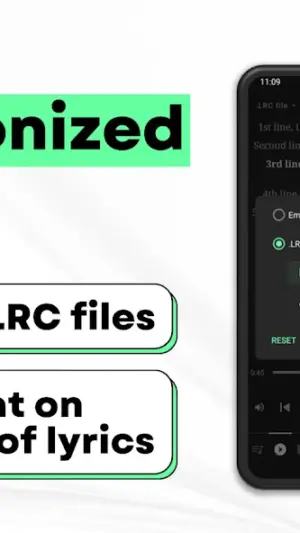
One of the standout features of Musicolet is its support for multiple queues and separate equalizers, allowing for tailored listening experiences depending on your mood or activity. The ability to create synchronized lyrics enhances the overall engagement with songs, making it easier to learn lyrics for that next karaoke night or just sing along during group hangouts. These attributes make it more than just a music player; it becomes an essential companion in shared and solo experiences alike.
Another highlight is its intuitive user interface; even if you’re not tech-savvy, you'll find navigating through playlists, albums, and favorite tracks effortless. The app accommodates various audio formats too, ensuring compatibility regardless of how you’ve stored your music library. Plus, it is regularly updated—last seen in May 2026—to keep up with user needs and expectations.
Whether you’re burning the midnight oil or enjoying downtime between classes, Musicolet's myriad functions are crafted to enhance focus while providing high-quality sound performance without sacrificing device storage space. It's this blend of fun and practicality that solidifies Musicolet’s place as an indispensable tool for modern learners.
Who Is Musicolet Music Player For?
Musicolet Music Player is perfectly suited for students who love listening to their favorite tunes while managing their busy academic lives. It caters especially well to those using lightweight devices since its minimal design ensures smooth performance even on less powerful hardware—a practical choice for anyone pursuing studies within a budget.
Real-World Use Cases
- A student preparing for exams can create focused playlists that boost concentration without distractions.
- A group project meeting can be enhanced by sharing synced songs effortlessly via Musicolet during brainstorming sessions.
- Darting between classes? Engaging musical breaks become easier when there’s offline playback available—even without Wi-Fi!
< li>Singing along at home becomes interactive fun with synchronized lyrics when practicing for events!
Features
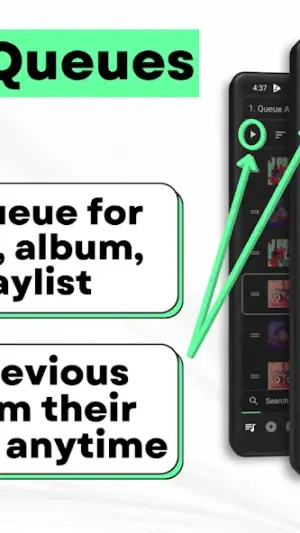
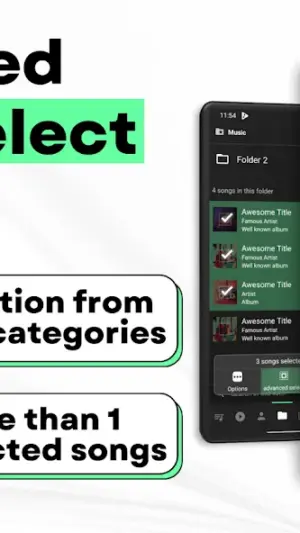
- Multiple Queues: Seamlessly manage different playlists for different moods.
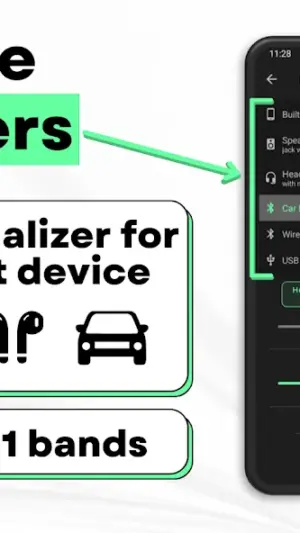
- Separate Equalizers: Customize sound profiles tailored to specific genres or personal preferences.
- Synchronized Lyrics: Sing along effortlessly with on-screen lyrics that sync perfectly with tracks.
- User-Friendly Interface: Navigate easily through playlists and libraries without any hassle.
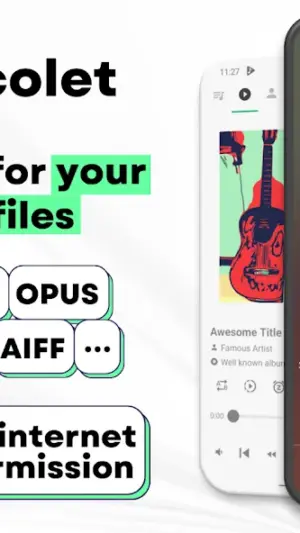
- Supports Various Formats: Enjoy diverse audio file formats including MP3, WAV, FLAC, etc.
- Lightweight Design: Optimized for performance on low-end devices—ideal for budget-conscious students.
- Offline Playback: Listen without internet access—perfect for commutes or study sessions in quiet places.
- No Advertising Interruptions: Focus on your music without distractions from ads.
- Playlist Management: Create and organize personalized playlists easily.
- Background Playback Support: Keep the tunes playing while you switch apps or multitask.
Performance & Battery
Musicolet maintains optimal performance across various Android devices thanks to its lightweight architecture. Users can expect quick loading times and smooth transitions regardless of their music library size—making it ideal even when multitasking during study periods.
Privacy & Permissions
Currently listed permissions are not specified within the app details; however, it's generally advisable to download APKs only from trusted sources like official app stores such as Google Play Store. Users should always exercise caution by checking permissions requested during installation against what is necessary for functionality.
What’s New
While specific notes were not provided regarding the latest updates, ongoing enhancements indicate Krosbits’ commitment to improving user experience continuously. Regular updates suggest bug fixes and possibly new features aligning with user feedback are anticipated.
The absence of explicit update details doesn't take away from the app's utility; instead, it amplifies the expectation of future enhancements aimed at optimizing student interaction with the platform.
How to Install
- Open the Google Play Store on your Android device.
- Search for ‘Musicolet Music Player’ using the search bar.
- Select the app from the results list to view its details page.
- Tap ‘Install’ to download and install Musicolet on your device.
- Once installed, open the app from your app drawer or home screen.
- Allow necessary permissions required by the app (if prompted).
- Start exploring your music library by importing tracks!
Pros
- Lightweight design suits lower-end devices well.
- No ad interruptions provide an uninterrupted listening experience.
- Multiple queues allow better organization of playlists.
- Synchronized lyrics enhance engagement during playback.
- Supports various audio formats adding flexibility.
Cons
- Lack of detailed change logs may leave users guessing about updates.
- Some advanced features may require familiarity which could be daunting initially.
- Absence of community features limits social interaction around music.
- Limited customization options compared to some competitors.
Download Musicolet Music Player APK
Download Musicolet Music Player vLatest APK
Free · Safe · Verified APK download
Frequently Asked Questions
Is Musicolet Music Player free?
Yes! It is entirely free to use.
Does it require internet access?
No! It supports offline playback.
Can I create custom playlists?
Absolutely! You can create and manage personalized playlists.
What audio formats are supported?
'Musicolet' supports a variety including MP3, WAV, FLAC amongst others.
Is there any advertisement present?
'Musicolet' prides itself on being ad-free.
Final Thoughts
Musicolet Music Player remains a practical choice in the Music And Audio space. If you need the latest build (Latest) for Android, use the download section below and follow the installation guide.
Related Apps
More apps coming soon.
Disclaimer
AndroidKnight is not affiliated with Krosbits. All trademarks belong to their respective owners. Download and use APKs at your own risk and respect local laws and app licenses.
All Versions of Musicolet Music Player
Frequently Asked Questions
Yes. Musicolet Music Player is scanned before publishing. Our pipeline verifies each file.
Download the APK, enable 'Install from Unknown Sources' in Settings > Security, then tap the file.
Latest version is Latest.
Requires Android 5.0+.
Yes, completely free.
APKs let you install apps not in your region, use specific versions, or install without Google Play.
Related News Articles


Musicolet Music Player Alternative
Apps similar to Musicolet Music Player that you may also like.


User Reviews
Compatibility Checker
Musicolet Music Player requires Android 5.0+ or higher. Select your device version to check.
Write a Review