
Peachy: Face App & Body Editor APK
InShot Video EditorVaries with device · Free · Safe · Verified
Share This App
Scan to Download
Scan with Android camera
Screenshots
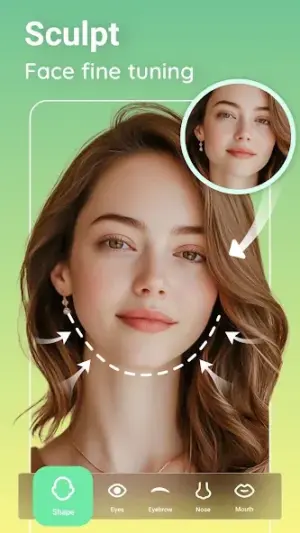
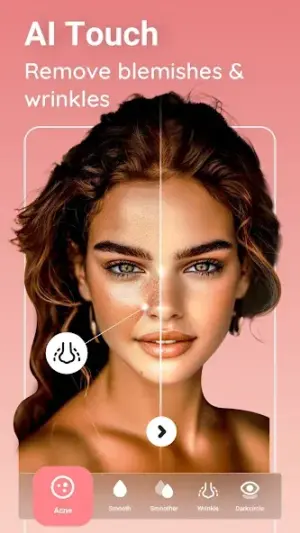
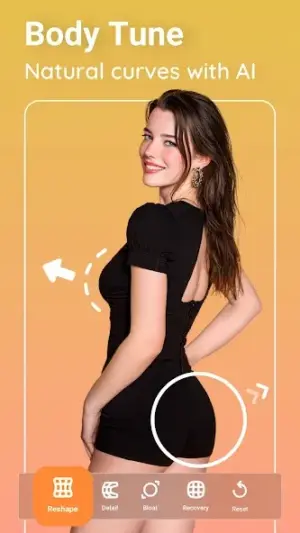
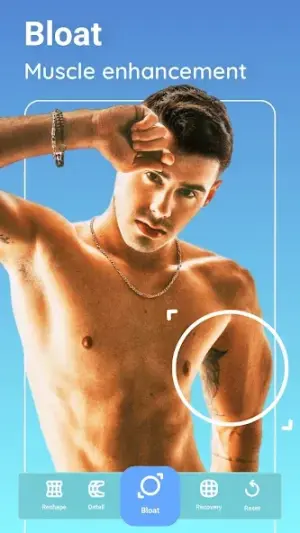
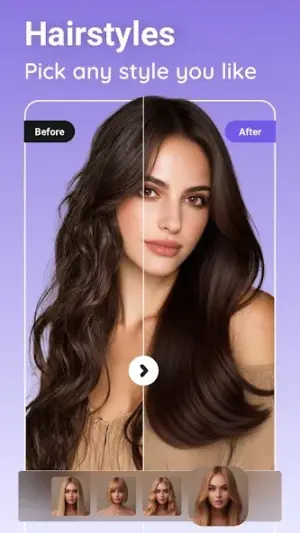
About Peachy: Face App & Body Editor
For those looking to elevate their photography game, Peachy: Face App & Body Editor is a treasure trove of AI-driven enhancements. This app caters directly to advanced users eager to refine their images with precision tools and features that can redefine your approach to photo editing.
Related in Photography: Reface: Face Swap AI Generator · Picsart AI Photo Editor, Video · FaceLab: Future Face Aging App
| App Name | Peachy: Face App & Body Editor |
|---|---|
| Version | Latest |
| Developer | InShot Video Editor |
| Package Name | peachy.bodyeditor.faceapp |
| Category | Photography |
| Size | Varies with device |
| Downloads | N/A |
| Rating | 4.6 |
| Android Version | Varies |
| Updated | Jul 6, 2026 |
Overview
Peachy stands out in the crowded photography category thanks to its powerhouse suite of editing tools designed not just for quick fixes but for comprehensive photo transformations. With an intuitive user interface, even the most intricate tasks become achievable without a steep learning curve. The app blends artificial intelligence with creativity, allowing users to proactively enhance their portraits by adjusting facial features and body shapes seamlessly.
Moreover, integration with existing workflows is smooth; advanced multitasking capabilities let you quickly switch between Peachy and other apps, ensuring a fluid editing experience. Whether you're tweaking selfies or creating polished profile pictures for social media, every adjustment feels effortless yet impactful.
The customization options are vast — from fine-tuning skin texture to applying vibrant makeup effects. This means you can cater your edits specifically to the context of where you’ll share your photos, whether it's Instagram, a professional portfolio, or personal blogs.
Despite being free, the app strikes a balance between functionality and user experience. Its universal architecture ensures compatibility across a wide array of devices, meaning virtually any Android user can benefit from its features.
Who Is Peachy: Face App & Body Editor For?
Peachy caters expertly to avid photographers seeking enhanced imagery while catering equally well to casual users who enjoy fun photo tweaks for social sharing. It’s perfect for anyone looking for sophisticated effects without diving into overly technical software like Photoshop.
Real-World Use Cases
- Create stunning social media posts with personalized beauty touches using AI filters that elevate selfies instantly.
- Edit group photos before sharing them with friends — perfect for social events!
- Design professional-looking profile pictures that reflect personal branding goals through tailored photo enhancements.
- Utilize makeup tools during virtual meetings or video content creation for polished appearances on camera.
Features
- AI-powered photo enhancements for superior quality.
- Refine silhouettes effortlessly; sculpt your body shape like never before.
- Extensive makeup tools that offer realistic looks at your fingertips.
- Seamless adjustments for facial features including eyes, lips, and cheekbones.
- User-friendly interface enabling quick navigation and editing.
- Dynamic layering system allows for complex edits without losing original integrity.
- One-touch filters that can instantly beautify your photos in seconds.
- High-resolution outputs suitable for both digital sharing and printing.
Performance & Battery
Users will appreciate how quickly images render after edits are made. While processing speed may vary depending on device specifications, the clean output remains consistent across various Android models. The application manages memory efficiently enough that multitasking while using it doesn't slow down device functionality significantly.
Privacy & Permissions
Currently, Peachy does not list extensive permissions required upon installation. However, as a general practice, ensure you're downloading apps from trusted sources such as Google Play Store to minimize risks involving personal data security. Always review requested permissions critically if they seem excessive relative to app functionality.
What’s New
While specific changelog details are sparse, Peachy's latest updates strive at enhancing performance stability and refining existing functionalities based on user feedback. Keeping the app updated allows users access to improved algorithms which enhance AI accuracy in edits.
As with every update pushing toward version stability, expect smoother experiences when accessing tools or saving edited images.
How to Install
- Open the Google Play Store on your device.
- Search for ‘Peachy: Face App & Body Editor’.
- Select the app from the search results screen.
- Tap ‘Install’ to download Peachy onto your device.
- Once installed, open the app and allow necessary permissions when prompted.
(Permissions might include camera access).
Pros
- Advanced AI tools deliver exceptional image enhancement capabilities.
- Wide range of aesthetic options keeps creativity flowing.
- User-friendly design makes advanced editing accessible.
- Universal compatibility stretches across diverse devices.
- Regular updates hint at developer support and improvement.
Cons
- Lack of detailed change logs limits transparency on updates.
- Absence of advanced manual controls might frustrate expert users.
- Some core features may remain locked behind advertising or in-app purchases.
- Performance varies based on device age and specs.
Download Peachy: Face App & Body Editor APK
Download Peachy: Face App & Body Editor vLatest APK
Free · Safe · Verified APK download
Frequently Asked Questions
Is there a premium version available?
Currently no premium subscription is listed; all features appear free.
Can I use Peachy offline?
Editing functions require internet access primarily due to AI processing.
How does Peachy's AI work?
The AI analyzes facial structures and body shapes to suggest enhancements automatically.
Does it support video editing?
This app focuses solely on photography rather than video content.
Are there tutorials available within the app?
Currently, no built-in tutorials exist—users rely on experimentation.
What file formats does it support?
Standard image formats such as JPG and PNG are supported.
Final Thoughts
"Peachy: Face App & Body Editor opens new avenues in mobile photography editing that can satisfy both creatives looking for flair and professionals needing precision. This tool empowers power-users while still offering versatility suitable even for beginners."
Related Apps
Disclaimer
"AndroidKnight is not affiliated with InShot Video Editor or any third parties related to this APK. Downloading APK files comes with inherent risks; please exercise caution by downloading only from verified sources."
All Versions of Peachy: Face App & Body Editor
Frequently Asked Questions
Yes. Peachy: Face App & Body Editor is scanned before publishing. Our pipeline verifies each file.
Download the APK, enable 'Install from Unknown Sources' in Settings > Security, then tap the file.
Latest version is Latest.
Requires Android 5.0+.
Yes, completely free.
APKs let you install apps not in your region, use specific versions, or install without Google Play.
Related News Articles

More from InShot Video Editor


Peachy: Face App & Body Editor Alternative
Apps similar to Peachy: Face App & Body Editor that you may also like.


User Reviews
Compatibility Checker
Peachy: Face App & Body Editor requires Android 5.0+ or higher. Select your device version to check.
Write a Review