Starbucks México APK
Starbucks Coffee CompanyVaries with device · Free · Safe · Verified
Share This App
Scan to Download
Scan with Android camera
Screenshots
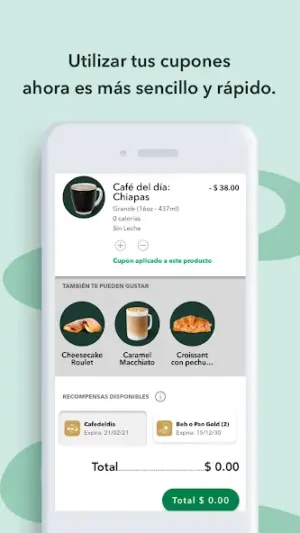
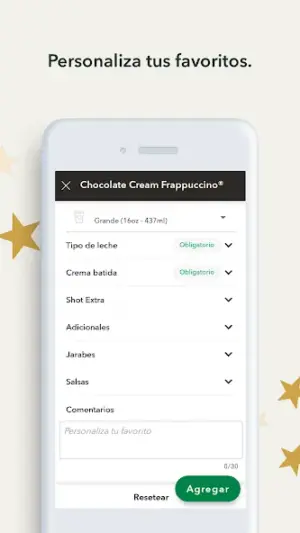
About Starbucks México
Navigating the world of mobile apps can be daunting, especially when it comes to popular platforms like Starbucks Mexico. This user-friendly app offers an exciting way to earn rewards and manage orders from your favorite coffee shop, but installation and updates can sometimes present challenges. In this guide, we provide a comprehensive troubleshooting-first approach to ensure a smooth experience.
Related in Food And Drink: Yelp: Food, Delivery & Reviews · Trendyol Go: Food & Groceries · Papa Johns Pizza & Delivery
| App Name | Starbucks México |
|---|---|
| Version | Latest |
| Developer | Starbucks Coffee Company |
| Package Name | com.starbucks.mx |
| Category | Food And Drink |
| Size | Varies with device |
| Downloads | N/A |
| Rating | 3.7 |
| Android Version | Varies |
| Updated | Jun 29, 2026 |
Overview
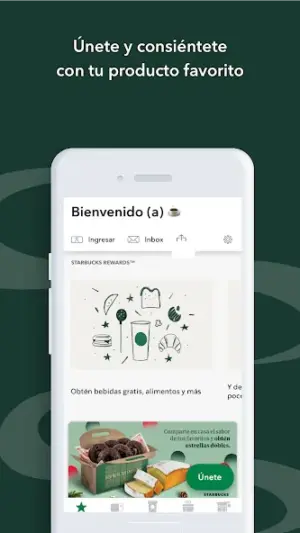
The Starbucks México app is designed to enhance your coffee experience by allowing users to order ahead, collect loyalty stars, and redeem them for exciting rewards. With its straightforward interface, this application makes it easy for both new and returning customers to engage with their local Starbucks stores across Mexico.
Powered by the renowned Starbucks Coffee Company, the app brings all the features you'd expect from a leading beverage brand’s mobile presence: personalized offers, store locator services, and flexible payment options so you can enjoy your coffee without any fuss.
Despite its benefits, some users may encounter occasional installation issues or performance hiccups. To address these concerns proactively, this article will walk you through common troubleshooting scenarios while outlining how best to leverage the app's features optimally.
With an evolving user base and frequent updates aimed at improving functionality, staying informed about the latest changes will enhance your overall experience. The current version is continuously being improved upon since its last update on June 29, 2026.
This all-in-one solution truly caters to coffee aficionados looking for convenience and efficiency in their daily caffeine rituals.
Who Is Starbucks México For?
The Starbucks México app is ideal for regular coffee drinkers who value convenience in their busy lives. It also suits anyone who enjoys collecting rewards through loyalty programs while indulging in high-quality beverages. Whether you're a consistent visitor or casual customer of Starbucks locations throughout Mexico, this application aims to enhance each visit significantly.
Real-World Use Cases
- A busy professional wanting quick access to pre-order their morning coffee before work.
- A college student on a budget looking to earn rewards points with every caffeine fix.
- A family planning a weekend outing that includes a visit to their local Starbucks for treats and drinks.
- A tech-savvy individual who prefers digital payments over cash transactions for added security.
Features
- Earn stars with every purchase for rewards.
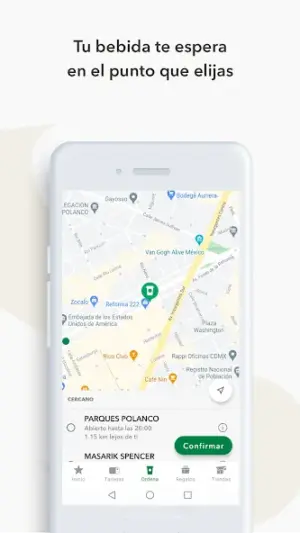
- Order ahead for pickup and avoid waiting in line.
- Access exclusive deals tailored to your preferences.
- Find nearby stores quickly using GPS functionality.
- Manage payment methods securely within the app.
- Get real-time notifications about promotions.
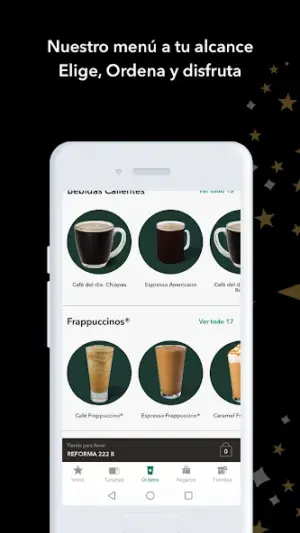
- Easily customize your drink orders.
- Check your balance of stars and track reward redemption processes.
Performance & Battery
Users generally report efficient performance metrics when using the Starbucks México app; however, occasional slowdowns might occur if multiple background processes compete for resources. Keeping your operating system updated alongside the app itself tends to result in optimal performance outcomes without typical friction.
In some instances where devices run on lower-end configurations or older operating systems, slight lag may be experienced during startup or navigation between menus. Regular maintenance checks on device performance can help mitigate such issues.
Privacy & Permissions
Currently detailed permissions have not been disclosed specifically; however, standard practices suggest that user data such as location may be utilized for store finders or customization purposes within the app. Users should opt-out of non-essential permissions whenever possible while ensuring overall security by downloading apps directly from reputable sources only.
Maintaining an understanding of what information is shared could help you better control personal data usage within applications like this one.
What’s New
While detailed changelog notes are not currently provided, it's essential to regularly check for updates as they may introduce new features or improvements aimed at optimizing the user experience. The Starbucks México app frequently evolves to better meet customer needs with enhanced stability and usability characteristics.
How to Install
- Check that your device meets the minimum Android specifications required for installation.
- Search for ‘Starbucks México’ in Google Play Store or download from a trusted APK site if available.
- Tap ‘Install’ and review any permissions requested during installation carefully.
- If you encounter an error message during installation, restart your device and try again.
- Should installation fail due to storage issues, clear unnecessary files or applications from your device to free up space.
- If problems persist after installation attempts, uninstall the app completely and reinstall from scratch.
- Ensure you’re connected to a stable internet connection during both installation and updates to prevent any interruptions.
Pros
- User-friendly interface enhances ease of navigation.
- Rewards program incentivizes repeat purchases effectively.
- Quick access allows pre-ordering capabilities.
- Regular updates improve functionality over time.
- Secure payment methods offer peace of mind.
Cons
- Occasional bugs may impact user experience temporarily.
- Detailed permission list was not made available.
- Some older devices might face compatibility issues.
- Error messages can sometimes lack clarity.
Download Starbucks México APK
Download Starbucks México vLatest APK
Free · Safe · Opens Google Play / APK source
Frequently Asked Questions
What should I do if I encounter an installation error?
Restart your device and ensure there's sufficient storage space before retrying.
Why does my app crash after I open it?
This could indicate incompatibility with your Android version; try updating both.
How do I clear up space if I'm running low?
Consider uninstalling unused apps or transferring media files off-device.
Can I use this app without creating an account?
'Yes', but an account unlocks full benefits including rewards tracking.
What happens if I change my phone?
'You can install the app anew on your new phone with existing accounts intact.'
Final Thoughts
'In conclusion,' while navigating potential hiccups when installing or using the Starbucks México app can seem daunting initially, following these guidelines provides clarity and promotes confidence in leveraging its full range of functionalities without frustration. Your morning cup of joe should always be just a few taps away!
Related Apps
More apps coming soon.
Disclaimer
'This article is intended purely as an informational tool regarding the Starbucks México APK; we are not affiliated with Starbucks Coffee Company.' Users are encouraged to exercise caution when downloading APKs from external sites.
All Versions of Starbucks México
Frequently Asked Questions
Yes. Starbucks México is scanned before publishing. Our pipeline verifies each file.
Download the APK, enable 'Install from Unknown Sources' in Settings > Security, then tap the file.
Latest version is Latest.
Requires Android 5.0+.
Yes, completely free.
APKs let you install apps not in your region, use specific versions, or install without Google Play.
Related News Articles


Starbucks México Alternative
Apps similar to Starbucks México that you may also like.


User Reviews
Compatibility Checker
Starbucks México requires Android 5.0+ or higher. Select your device version to check.
Write a Review