Transparent clock and weather APK
MACHAPP Software LtdVaries with device · Free · Safe · Verified
Share This App
Scan to Download
Scan with Android camera
Screenshots
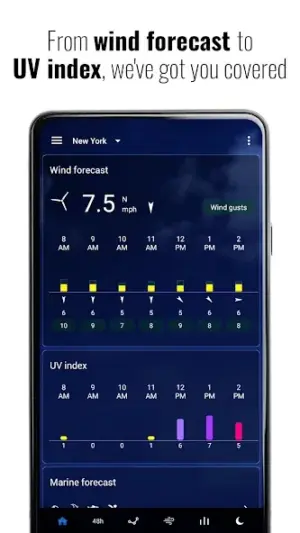
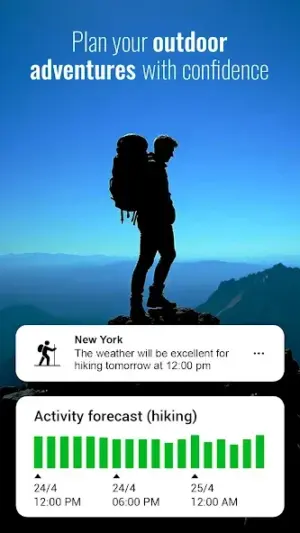
About Transparent clock and weather
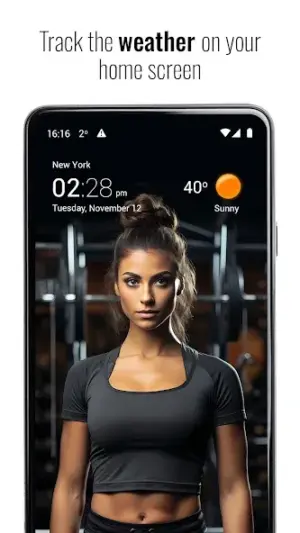
In an era where real-time information is crucial, tracking weather conditions has never been easier. The app 'Transparent Clock and Weather' offers an intuitive interface combined with live updates, making it a must-have for anyone looking to stay ahead of changing conditions.
Related in Weather: Weather Radar, Live Radar · Live Weather: Weather Forecast · 1Weather Forecasts & Radar
| App Name | Transparent clock and weather |
|---|---|
| Version | 7.0 |
| Developer | MACHAPP Software Ltd |
| Package Name | com.droid27.transparentclockweather |
| Category | Weather |
| Size | Varies with device |
| Downloads | N/A |
| Rating | 4.2 |
| Android Version | Varies |
| Updated | Jul 19, 2026 |
Overview
Developed by MACHAPP Software Ltd, 'Transparent Clock and Weather' provides users with accurate weather forecasts and live tracking displays that can seamlessly integrate with your device’s home screen through customizable widgets. With a user-friendly design, this app caters not only to the tech-savvy but also to casual users who seek essential weather information in a straightforward format.
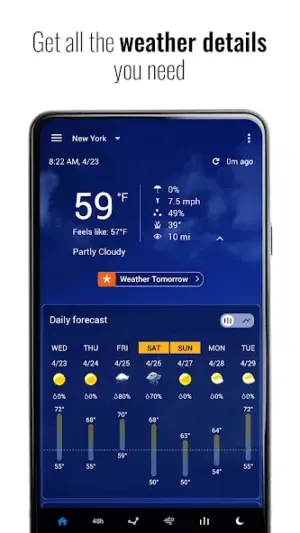
The app is universal, meaning it supports various Android devices without compatibility issues. This is particularly beneficial as it ensures that users across a plethora of devices can enjoy its features without limitations. The application promises all key functionalities desired in a weather app — daily forecasts, storm radar, rain tracking, and temperature readings — all packaged neatly in one versatile application.
Despite its core functionality centered on meteorological data, the software incorporates added convenience through features such as visually-enhanced widgets that keep you informed at a glance. Given its frequent updates and high user ratings of 4.2, transparency regarding performance is fundamental to maintaining trust among users who rely on timely updates.
This app's ability to cater to different device architectures ensures adaptability across various screen sizes—making it suitable for both smartphones and tablets alike. As the last update was made on July 19, 2026, users can expect ongoing support and improvements over time.
With climate variability affecting everyday life more than ever before, having reliable access to current weather conditions is indispensable. 'Transparent Clock and Weather' stands out by merging functionality with aesthetic appeal while ensuring accessibility for all types of users.
Who Is Transparent clock and weather For?
'Transparent Clock and Weather' is ideal for anyone who relies on accurate weather data—from commuters needing real-time travel information to outdoor enthusiasts planning activities based on forecasted conditions. Its appealing design makes it accessible even to those who may be less technologically inclined.
Real-World Use Cases
- A parent looking out for sudden rain showers while planning school pickup.
- An outdoor runner ensuring safe conditions during evening workouts.
- A business traveling team staying updated on climate variations during conferences.
- A gardener assessing watering schedules based on recent precipitation reports.
Features
- Real-time local weather updates
- Comprehensive daily forecasts
- Interactive radar maps for storms and rainfall
- Customizable widgets for quick access
- Multiple themes for personalized UI experience
- Automatic location detection for on-the-go accuracy
- User-friendly navigation for effortless use
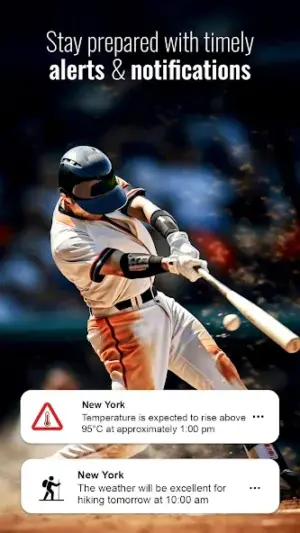
- Notifications for severe weather alerts
Performance & Battery
Overall performance remains consistent across different devices due to its universal architecture design. Users often report smooth transitions between screens with minimal lag when loading data-rich visualizations like radar maps or notifications.
Privacy & Permissions
'Transparent Clock and Weather' does not publicly list permissions; therefore exercise caution upon installation. Maintain good security practices such as regular malware scans and verifying sources before downloading any APK files.
What’s New
While specific details regarding recent changes have not been provided, regular updates typically enhance the stability and functionality of the application. Users can anticipate improvements based on feedback from the community as well as bug fixes that ensure smoother operation.
How to Install
- Enable Unknown Sources: Go to Settings > Security > Enable ‘Unknown Sources’ to allow installation from sources other than Google Play.
- Download the APK: Obtain the Transparent Clock and Weather APK file from a reputable source.
- Verify Package: Before installation, check the APK integrity using a hash verification tool if available.
- Scan for Malware: Utilize a trusted antivirus or malware scanner application to scan the downloaded file.
- Install the APK: Tap on the downloaded file and follow prompts to complete installation.
- Revoke Permissions: After installation, consider revoking ‘Unknown Sources’ permission for security reasons.
Pros
- Accurate real-time weather tracking
- Customizable widget options
- User-friendly interface
- Multiple themes enhance personalization
- Informative storm radar feature
Cons
- Permissions are unclear
- No explicit changelog data provided
- May require frequent updates due to environmental changes
- Limited support documentation online
Download Transparent clock and weather APK
Download Transparent clock and weather v7.0 APK
Free · Safe · Opens Google Play / APK source
Frequently Asked Questions
Is this app free?
Yes, 'Transparent Clock and Weather' is available free of charge.
What do I need before installing?
Ensure you enable Unknown Sources in your Android settings.
Does it support my device?
'Transparent Clock and Weather' is designed as a universal application compatible with most Android devices.
Can I customize notifications?
'Yes', you can modify notification settings within the app's preferences.
'What happens if I encounter problems during installation?
If issues arise during installation, verify your download source or consider reinstalling after clearing cache.
'How frequently does this app get updated?
While no specific schedule exists publicly, updates occur regularly based on user feedback.
Final Thoughts
'Transparent Clock and Weather' exemplifies how technology can keep us prepared against unpredictable elements. By following best practices during installation and use, you equip yourself better against potential threats while enjoying high-quality weather forecasting right at your fingertips.
Related Apps
More apps coming soon.
Disclaimer
'AndroidKnight' holds no affiliation with MACHAPP Software Ltd nor guarantees any aspects of this APK's functionality or safety; ultimately responsibility falls upon users when sideloading applications.
All Versions of Transparent clock and weather
Frequently Asked Questions
Yes. Transparent clock and weather is scanned before publishing. Our pipeline verifies each file.
Download the APK, enable 'Install from Unknown Sources' in Settings > Security, then tap the file.
Latest version is 7.0.
Requires Android 5.0+.
Yes, completely free.
APKs let you install apps not in your region, use specific versions, or install without Google Play.
Related News Articles


Transparent clock and weather Alternative
Apps similar to Transparent clock and weather that you may also like.


User Reviews
Compatibility Checker
Transparent clock and weather requires Android 5.0+ or higher. Select your device version to check.
Write a Review