Auto Clicker - Automatic tap APK
True Developers StudioVaries with device · Free · Safe · Verified
Share This App
Scan to Download
Scan with Android camera
Screenshots
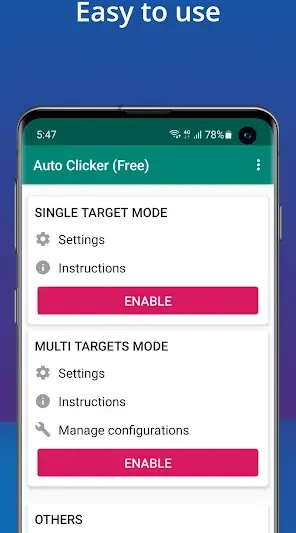
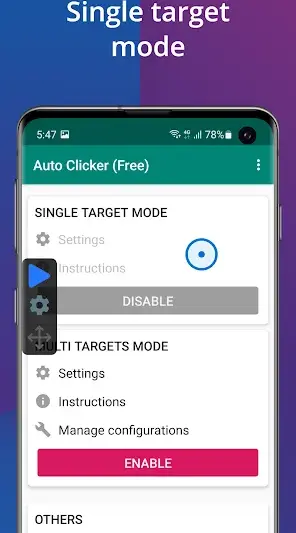
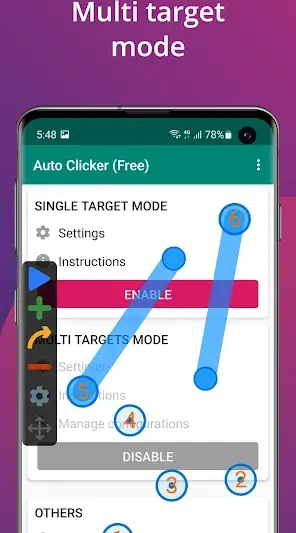
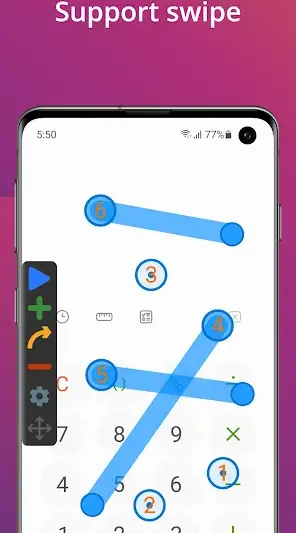
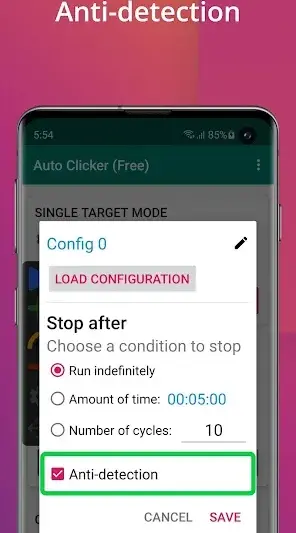
About Auto Clicker - Automatic tap
Are you tired of repetitive tapping on your Android device? Meet Auto Clicker – Automatic Tap, the ultimate solution to automate your taps and enhance your daily interactions with various apps. With its intuitive design and powerful functionalities, this tool can revolutionize how you engage with your smartphone.
Related in Tools: Gboard – the Google Keyboard · TeraBox: 1TB Cloud & AI Space · Turbo VPN – Secure VPN Proxy
| App Name | Auto Clicker – Automatic tap |
|---|---|
| Version | Latest |
| Developer | True Developers Studio |
| Package Name | com.truedevelopersstudio.automatictap.autoclicker |
| Category | Tools |
| Size | Varies with device |
| Downloads | N/A |
| Rating | 4.6 |
| Android Version | Varies |
| Updated | Sep 26, 2025 |
Overview
Imagine breezing through mobile games without the hassle of constant tapping or effortlessly automating tedious tasks like form filling. Auto Clicker caters to a variety of use cases that make it indispensable for both casual users and power users alike. Whether you're looking to optimize your gaming experience, streamline operations within applications, or simply reduce finger fatigue, this app rises to the occasion beautifully.
The beauty of Auto Clicker lies in its flexibility. Users can set specific intervals for taps, providing a tailored experience that fits individual needs perfectly. This means no more waiting anxiously between actions; it allows for continuous engagement without manual input. This feature shines especially during long videos or presentations where uninterrupted playing is desired.
Taking online exams? Utilizing Auto Clicker's capabilities means you can focus on answering questions without the burden of touching the screen constantly. As you navigate through multiple-choice questions, automatic tapping lends a helping hand in selecting answers while you strategize and think critically.
Moreover, gamers might find themselves in a blissful state when using Auto Clicker during monotonous grinding sessions. Why tire out your fingers when you can have the app do the hard work? The seamless integration into various gaming environments showcases the app's adaptability across genres and platforms, ensuring an agile experience with every use.
Who Is Auto Clicker – Automatic tap For?
Auto Clicker – Automatic Tap is perfect for anyone looking to simplify their digital interactions through automation. Whether you're a busy professional managing tasks on-the-go, a seasoned gamer wanting an edge in gameplay efficiency, or someone who frequently uses apps requiring repetitive inputs—this tool enhances productivity effortlessly.
Real-World Use Cases
- Easily fill out online forms by automating text selection and button presses.
- Simplify tedious mobile gaming experiences where tapping is essential for success.
- Assist individuals studying or taking online assessments by reducing distraction caused by physical interaction with their device.
- Avoid finger fatigue during extended viewing sessions of videos or slideshows by setting timed taps for play/pause functions.
Features
- Customizable Tap Interval: Adjust tap speed to suit your needs.
- Multi-Click Functionality: Automate multiple taps at once for enhanced efficiency.
- User-Friendly Interface: Easy navigation designed for all skill levels.
- One-Touch Activation: Start or stop auto clicks with a simple tap.
- Recording Feature: Capture complex tap sequences for repeated use.
- Floating Control Panel: Easily access controls without leaving your current app.
- Battery Efficient: Designed to minimize power consumption while running.
- Universal Compatibility: Works on diverse devices regardless of screen size.
- No Root Access Required: Enjoy full functionality without needing advanced permissions.
- Auto Restart Options: Ensure clicks resume automatically after interruptions.
Performance & Battery
Users will appreciate Auto Clicker's lightweight nature that ensures minimal impact on device performance. It runs smoothly even on older models due to its streamlined coding approach tailored for various Android versions.
Privacy & Permissions
Auto Clicker does not explicitly require extra permissions that may compromise user privacy, making it a safe choice for those cautious about what data they share. Always ensure downloads come from reputable sources like the Google Play Store to maintain security.
What’s New
While detailed changelog notes are not provided, recent updates focus on enhancing user experience and improving stability across all supported devices. Users can expect optimizations that refine overall performance and ensure reliability during intensive use scenarios.
How to Install
- Open Google Play Store on your Android device.
- Search for ‘Auto Clicker – Automatic Tap’.
- Select the application from the search results.
- Tap ‘Install’ to download and install the app.
- Once installed, open the application by selecting its icon from your app drawer.
Pros
- Highly customizable tap settings
- Intuitive user interface
- No root access required
- Efficient battery usage
- Floating control panel enhances multitasking
- Works across different apps seamlessly
Cons
- Absence of detailed changelog limits clarity on updates
- Learning curve may exist for novice users
- Some features may take time to explore fully
- Occasional stability issues reported by users
Download Auto Clicker – Automatic tap APK
Download Auto Clicker – Automatic tap vLatest APK
Free · Safe · Verified APK download
Frequently Asked Questions
Does Auto Clicker require root access?
No, you do not need root access to use Auto Clicker.
Can I customize my tap speed?
Yes! You can adjust the interval between taps to fit your needs.
Is it free to use?
Absolutely! Auto Clicker is free without hidden charges.
Does it work with games?
Yes! It's particularly effective in automating repetitive tasks in games.
Final Thoughts
Auto Clicker – Automatic tap remains a practical choice in the Tools space. If you need the latest build (Latest) for Android, use the download section below and follow the installation guide.
Related Apps
More apps coming soon.
Disclaimer
AndroidKnight is not affiliated with True Developers Studio. All trademarks belong to their respective owners. Download and use APKs at your own risk and respect local laws and app licenses.
All Versions of Auto Clicker - Automatic tap
Frequently Asked Questions
Yes. Auto Clicker - Automatic tap is scanned before publishing. Our pipeline verifies each file.
Download the APK, enable 'Install from Unknown Sources' in Settings > Security, then tap the file.
Latest version is Latest.
Requires Android 5.0+.
Yes, completely free.
APKs let you install apps not in your region, use specific versions, or install without Google Play.
Related News Articles


Auto Clicker - Automatic tap Alternative
Apps similar to Auto Clicker - Automatic tap that you may also like.


User Reviews
Compatibility Checker
Auto Clicker - Automatic tap requires Android 5.0+ or higher. Select your device version to check.
Write a Review