CamScanner- scanner, PDF maker APK
INTSIG PTEVaries with device · Free · Safe · Verified
Share This App
Scan to Download
Scan with Android camera
Screenshots

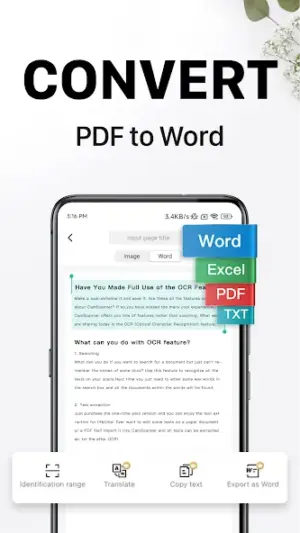
About CamScanner- scanner, PDF maker
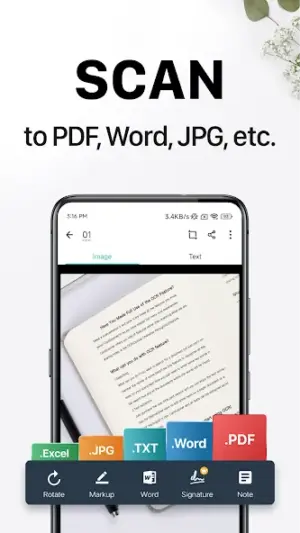
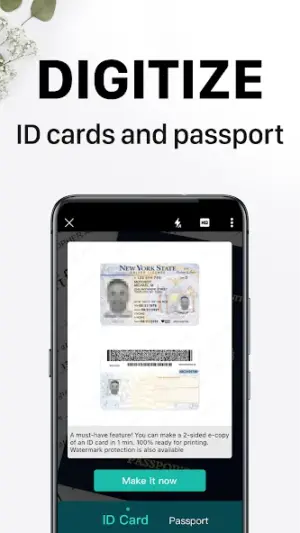
In today’s fast-paced world, having a reliable tool to manage important documents on your device can be a game-changer. CamScanner allows users to scan paperwork directly into PDF or JPG formats, making document sharing easier than ever, even for those with limited storage and data plans.
| App Name | CamScanner- scanner, PDF maker |
|---|---|
| Version | Latest |
| Developer | INTSIG PTE |
| Package Name | com.intsig.camscanner |
| Category | Productivity |
| Size | Varies with device |
| Downloads | N/A |
| Rating | 4.6 |
| Android Version | Varies |
| Updated | Jul 23, 2026 |
Overview
CamScanner is developed by INTSIG PTE and has established itself in the productivity category as an essential tool for both personal and professional use. It is particularly advantageous for users on mid-range or low-end Android devices who may find themselves constrained by storage space or data limitations. The app’s functionality extends beyond basic scanning; it allows you to create e-signatures and send faxes or emails directly from the application.
Designed with universal architecture compatibility, CamScanner adapts to various devices, ensuring that it remains accessible to a wide array of users despite differences in hardware capabilities. The APK size varies with the device which means that it's essential for users to be mindful of their storage capacity when installing new apps.
With regular updates, including the latest one as of July 23, 2026, users can enjoy continuous improvements that enhance usability while ensuring they stay connected without excessive battery usage or data consumption. For those relying on prepaid mobile plans, this means you can efficiently manage scans and documents without a worry about draining your resources.
The app simplifies what could be a cumbersome task of document management and makes it accessible for anyone needing efficiency in their day-to-day activities. Its features are designed not just for scanning but also for giving you control over your documents wherever you are.
Who Is CamScanner- scanner, PDF maker For?
CamScanner is ideal for students, professionals working remotely, small business owners requiring efficient paperwork management, and anyone who needs to digitize physical documents quickly. It serves well in situations where document accessibility is crucial but resources like storage space or data limits are tight.
Real-World Use Cases
- A student taking notes from textbooks can scan pages directly into PDFs to organize study materials digitally.
- A small business owner can generate invoices on-the-go by scanning paper receipts and emailing them instantly.
- A remote worker needing to sign contracts can create an e-signature quickly and send signed PDFs back within minutes.
- An individual traveling abroad may need to fax important legal forms without locating a physical fax machine.
Features
- Quickly scan documents into high-quality PDF or JPG formats.
- Create customized e-signatures for legal documentation.
- Fax documents directly through the app without needing additional equipment.
- Email scanned files seamlessly from within the application.
- Intuitive interface making navigation easy even on older Android versions.
- Cloud integration options for backups and access across devices.
- Image processing features like cropping, filtering, and enhancing scanned images.
- Secure document sharing options safeguarding sensitive information.
Performance & Battery
CamScanner performs admirably even on older Android versions due to its optimized design aiming at lower-end hardware capabilities. However, users should keep in mind that performance might vary based on device specifications. Regular updates help maintain compatibility while ensuring efficient operation without consuming excess battery life.
Privacy & Permissions
While explicit permissions aren’t listed here, typical aspects include accessing camera function for scanning documents and internet connectivity for cloud services. As always practice safe APK habits: ensure automatic updates are enabled when using Wi-Fi, avoid installing apps from unverified sources, and consider reviewing permissions periodically.
What’s New
While specific details about new features are not listed in the changelog, consistent updates typically include performance enhancements and bug fixes aimed at improving user experience. Users can expect smoother operation with each upgrade, which is crucial as you rely on this app daily.
How to Install
- Go to the Google Play Store on your device.
- Search for ‘CamScanner’ using the search bar.
- Select ‘CamScanner – scanner, PDF maker’ from the results.
- Tap on ‘Install’ to download the app (ensure you’re connected to Wi-Fi if you’re concerned about data usage).
- Once downloaded, open the app and grant necessary permissions as prompted to start scanning your documents.
Pros
- User-friendly interface suitable for all experience levels.
- Ability to create high-quality scans quickly.
- Cloud backup options enhancing document safety.
- Integrated e-signature feature saving time.
- Suitable even for low-end devices.
- Fuel-efficient during operation conserving battery life.
Cons
- Size variations might play havoc with limited storage setups.
- Some advanced features may require a premium subscription.
- Not all permissions are clear which might raise privacy concerns.
- Potential performance lags on very old Android OS versions.
Download CamScanner- scanner, PDF maker APK
Download CamScanner- scanner, PDF maker vLatest APK
Free · Safe · Opens Google Play / APK source
Frequently Asked Questions
What types of files can I scan with CamScanner?
You can scan any paperwork into high-quality PDF or JPG formats.
Can I use CamScanner offline?
Yes! You can scan documents offline but will need internet access to share them.
How does cloud backup work?
You can set up cloud services like Google Drive or Dropbox within the app to secure your scanned documents.
What should I do if I experience issues while scanning?
Ensure your camera lens is clean and check if you have sufficient storage space available.
Does CamScanner require frequent updates?
Typically yes; regular updates ensure better performance and security.
'How does one generate an e-signature?
'You can easily create an e-signature through an option available in app settings under signing tools.
Final Thoughts
CamScanner- scanner, PDF maker remains a practical choice in the Productivity space. If you need the latest build (Latest) for Android, use the download section below and follow the installation guide.
Related Apps
More apps coming soon.
Disclaimer
This review is independent; AndroidKnight has no affiliation with INTSIG PTE. Use this APK at your discretion.
All Versions of CamScanner- scanner, PDF maker
Frequently Asked Questions
Yes. CamScanner- scanner, PDF maker is scanned before publishing. Our pipeline verifies each file.
Download the APK, enable 'Install from Unknown Sources' in Settings > Security, then tap the file.
Latest version is Latest.
Requires Android 5.0+.
Yes, completely free.
APKs let you install apps not in your region, use specific versions, or install without Google Play.
Related News Articles


CamScanner- scanner, PDF maker Alternative
Apps similar to CamScanner- scanner, PDF maker that you may also like.


User Reviews
Compatibility Checker
CamScanner- scanner, PDF maker requires Android 5.0+ or higher. Select your device version to check.
Write a Review