EDGE Lighting -LED Borderlight APK
Pixel Kraft StudiosVaries with device · Free · Safe · Verified
Share This App
Scan to Download
Scan with Android camera
Screenshots
About EDGE Lighting -LED Borderlight
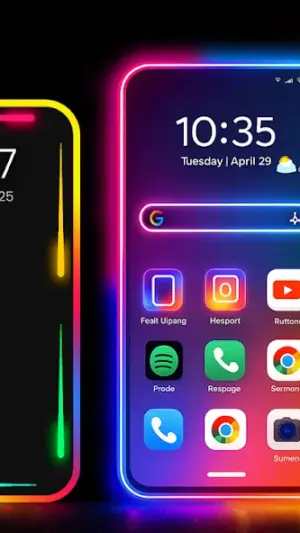
Are you looking for an innovative way to enhance your smartphone experience? The EDGE Lighting – LED Borderlight app by Pixel Kraft Studios offers a sleek personalization solution that transforms your screen edges into captivating visuals. Perfect for anyone wanting to add flair to their daily interactions, this app fits seamlessly into your routine.
Related in Personalization: Microsoft SwiftKey AI Keyboard · KWGT Kustom Widget Maker · Launcher and Themes
| App Name | EDGE Lighting -LED Borderlight |
|---|---|
| Version | Latest |
| Developer | Pixel Kraft Studios |
| Package Name | com.pixelkraft.edgelightcolors |
| Category | Personalization |
| Size | Varies with device |
| Downloads | N/A |
| Rating | 4.7 |
| Android Version | Varies |
| Updated | Jul 11, 2026 |
Overview
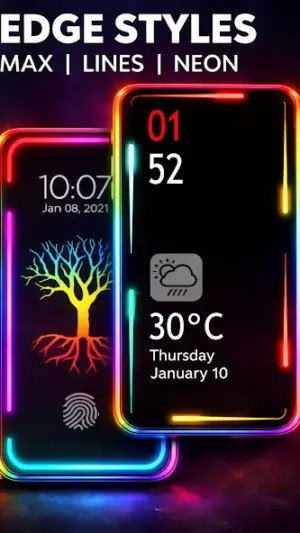
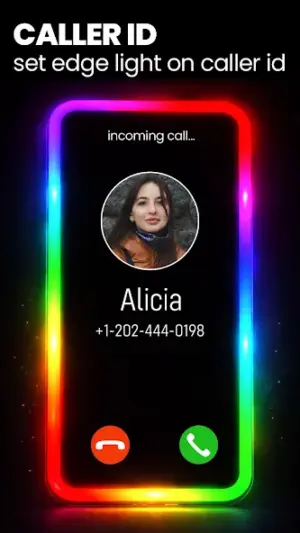
EDGE Lighting – LED Borderlight is a vibrant personalization tool designed to bring color and dynamism to your device. With support for various configurations, it turns your screen edges into an animated light display during calls, notifications, and even while on the lock screen. This unique feature not only enhances aesthetics but also improves usability, capturing attention without disrupting tasks at hand.
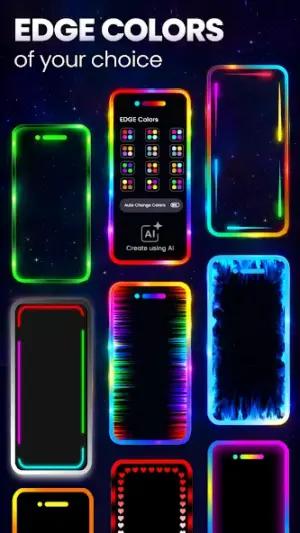
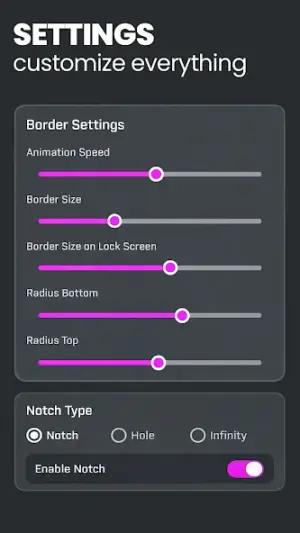
The app features customizable colors and animations, letting users tailor their lighting preferences according to their personal style or mood. Whether you're at work during a crucial meeting or unwinding in the evening, you can adjust the settings for optimal use. No longer will you have to rely solely on sound alerts; with EDGE Lighting, you can be notified visually in an engaging way.
With high ratings reflecting user satisfaction and ease of integration into existing setups, EDGE Lighting stands out among wallpaper and notification tools. It supports universal architecture ensuring compatibility across a wide range of devices while also being lightweight in terms of resource needs.
Regular updates guarantee that users are provided with fresh features and improvements over time. Following its last significant update in July 2026, the app continues enhancing user experience, making it worth considering as part of your digital toolkit.
Who Is EDGE Lighting -LED Borderlight For?
EDGE Lighting is designed for anyone who enjoys personalizing their smartphone experience. It's perfect for those looking to enhance notifications visually without relying solely on sound alerts. Whether you’re a busy professional managing calls discreetly or an individual who loves aesthetics, this app caters to diverse user needs.
Real-World Use Cases
- Mornings: Start your day right by setting up colorful borders that alert you when it’s time to check messages or calendar reminders without needing to unlock your phone.
- Commute: Use the caller ID feature as you’re on public transport—letting incoming call alerts draw attention subtly yet effectively amidst hustle and bustle.
- Work: During meetings or presentations, maintain professionalism while still receiving call notifications through non-intrusive edge lighting instead of loud ringtones.
- Evenings: Wind down after work by utilizing live wallpapers creatively paired with edge lighting reflecting a calming color palette as background ambiance while browsing social media.
Features
- Customizable edge lighting colors
- Animated visual notifications
- Caller ID lights for incoming calls
- Lock screen edge alerts
- Live wallpapers synced with edge lighting
- User-friendly interface for easy navigation
- No additional permissions needed for basic functionality
- Compatible with most Android devices
Performance & Battery
Users report that EDGE Lighting operates smoothly on various devices without significant lag or excessive battery consumption. The app is designed to maximize efficiency while providing vivid visual alerts based on user configurations.
Privacy & Permissions
EDGE Lighting requires minimal permissions which helps maintain user privacy and security. As it does not ask for sensitive data like location access or contacts management, users can feel confident knowing their information remains private.
What’s New
The latest version showcases a refined user interface and improved performance stability during peak usage times. Users can also expect enhancements in visual effects that contribute to a smoother overall operation when transitioning between modes.
How to Install
- Open the Google Play Store on your Android device.
- Search for ‘EDGE Lighting – LED Borderlight’ by Pixel Kraft Studios.
- Select the application from search results.
- Tap ‘Install’ and wait for the download to complete.
- Once installed, locate the app on your home screen or app drawer.
- Launch the app and follow in-app instructions to customize settings.
Pros
- Highly customizable lighting options
- Enhances notification visibility
- User-friendly interface makes setup easy
- Lightweight application performs well
- Complimentary aesthetic matching personal styles
- No intrusive permissions required
Cons
- Limited functionalities compared to full-fledged launcher apps
- Some users may prefer traditional notification sounds
- Requires customization time upfront
- Not all features available on older devices
- Occasional bugs reported after new updates
Download EDGE Lighting -LED Borderlight APK
Download EDGE Lighting -LED Borderlight vLatest APK
Free · Safe · Verified APK download
Frequently Asked Questions
Can I customize individual colors?
Yes, users can select from a variety of colors for different notifications.
Does it work with all Android versions?
EDGE Lighting is compatible with most recent Android versions but may vary based on specific device capabilities.
Is there any cost associated with using the app?
No, EDGE Lighting is completely free to download and use.
How do I change notification settings?
'Settings' within the app provides options for modifying how notifications are displayed.
Can I use this app without internet connection?
'Yes', EDGE Lighting operates independently once downloaded.
Final Thoughts
'Incorporating EDGE Lighting – LED Borderlight into your smartphone routine allows you not only style but also enhanced practicality. By transforming how you interact with notifications throughout various parts of your day—from morning schedules through evening relaxation—it reinvents user engagement effortlessly.'
Related Apps
More apps coming soon.
Disclaimer
'This article is not affiliated with Pixel Kraft Studios nor endorsed by them; all responsibility regarding APK downloads rests solely with the reader.'
All Versions of EDGE Lighting -LED Borderlight
Frequently Asked Questions
Yes. EDGE Lighting -LED Borderlight is scanned before publishing. Our pipeline verifies each file.
Download the APK, enable 'Install from Unknown Sources' in Settings > Security, then tap the file.
Latest version is Latest.
Requires Android 5.0+.
Yes, completely free.
APKs let you install apps not in your region, use specific versions, or install without Google Play.
Related News Articles


EDGE Lighting -LED Borderlight Alternative
Apps similar to EDGE Lighting -LED Borderlight that you may also like.


User Reviews
Compatibility Checker
EDGE Lighting -LED Borderlight requires Android 5.0+ or higher. Select your device version to check.
Write a Review