
Language Learning: Pingo AI APK
Pingo AI, Inc.Varies with device · Free · Safe · Verified
Share This App
Scan to Download
Scan with Android camera
Screenshots
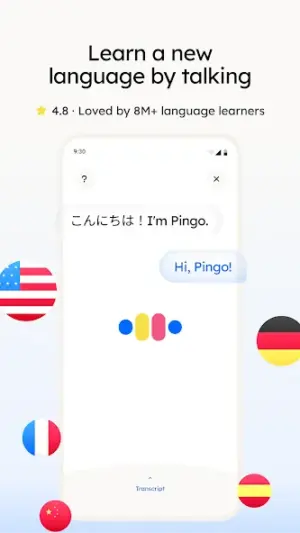
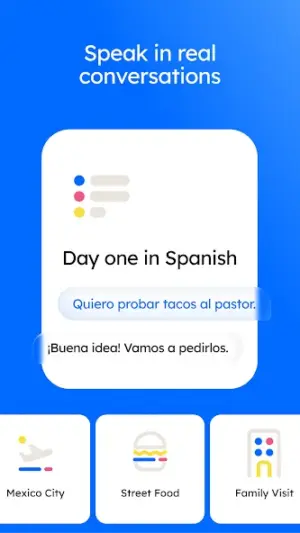
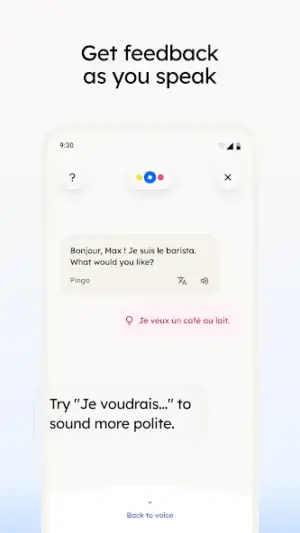
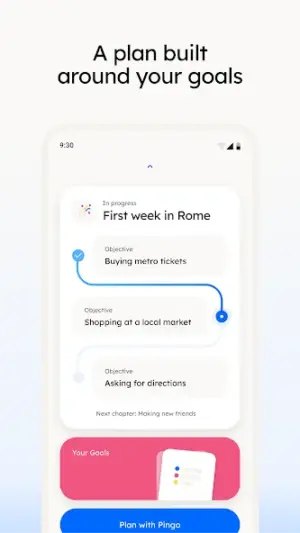
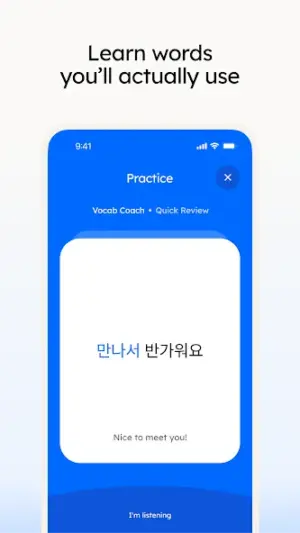
About Language Learning: Pingo AI
Are you looking to explore the world of languages in a fun and engaging way? Look no further than Pingo AI, the friendly language learning app that's perfect for families and casual users alike. With its intuitive interface and a focus on practical phrases, this app makes language learning a delightful experience for everyone.
Related in Education: Coconote – AI Note Taker · Knowt: AI Flashcards & Notes · DMV Permit Practice Test 2026
| App Name | Language Learning: Pingo AI |
|---|---|
| Version | Latest |
| Developer | Pingo AI, Inc. |
| Package Name | com.picoai.languageapp.android |
| Category | Education |
| Size | Varies with device |
| Downloads | N/A |
| Rating | 4.6 |
| Android Version | Varies |
| Updated | Jul 28, 2026 |
Overview
Pingo AI is an innovative language learning application developed by Pingo AI, Inc., designed to cater to learners of all ages and backgrounds. Its universal architecture means you can access it from various devices, making it easy for family members to join in on the learning journey. The app supports multiple languages, including Spanish, Korean, and English, providing diverse options for users wanting to enhance their linguistic skills.
The dynamic approach of Pingo AI combines gamified lessons with advanced AI technology, allowing users to practice speaking and listening through real-time interactive sessions. This makes the app not just educational but also highly enjoyable. Furthermore, the user interface is straightforward, minimizing technical hurdles so that parents can easily assist their children if needed.
As the app is continually updated—last refreshed on July 28, 2026—you can expect ongoing improvements and new features designed to enhance your learning experience. By offering a free license model, Pingo AI makes quality education accessible without any financial burden.
Additionally, the app is tailored for shared-device households. Family members can utilize optional accounts to track individual progress while sharing a single device. It's an excellent solution for parents who want their kids to learn languages without worrying about losing personalized settings or data.
Pingo AI stands out in the crowded field of language apps by emphasizing ease of use while ensuring that even young learners find joy in the process. Whether you're preparing for travel or simply wish to pick up a new skill together with your family, this app is crafted with love for casual users.
Who Is Language Learning: Pingo AI For?
Pingo AI is designed for anyone interested in picking up a new language—whether you’re a parent looking to instill bilingualism in your children or an individual with wanderlust seeking conversational skills for travel abroad. Its ease of use ensures that both adults and children will find value in its offerings without feeling overwhelmed.
Real-World Use Cases
- A family planning a vacation could use Pingo AI together in preparation by practicing essential phrases as a group.
- A busy parent might fit short study sessions into their day while waiting at appointments or during commutes.
- Siblings can share their progress with each other using optional accounts while competing on quiz scores!
- A child interested in culture might find joy speaking with peers online who are native speakers of their target language via guided prompts from the app.
Features
- AI-driven lessons tailored to individual learning speeds.
- Supports multiple languages including Spanish, Korean, English.
- Interactive speaking practice with voice recognition technology.
- User-friendly interface suitable for all ages.
- Optional accounts allow personalized tracking within shared-device households.
- Gamified elements make learning fun and engaging.
- Regular updates ensure fresh content and improved functionality.
- No ads or hidden costs; completely free to use!
Performance & Battery
Pingo AI works seamlessly across various Android devices due to its universal architecture. Users have reported smooth performance even on devices with moderate specifications. This user-friendly aspect allows families to focus more on learning rather than troubleshooting technical issues.
Privacy & Permissions
Though permission details weren't explicitly listed at this time, it's crucial always to download APKs from trusted sources like Google Play Store. Ensuring safe usage habits—like reviewing permissions during installation—can protect personal data while enjoying educational apps like Pingo AI.
What’s New
While detailed changelog notes were not provided by the developer, regular updates hint at continuous improvements and potentially exciting new features. Users can anticipate enhancements in content delivery and additional interactive exercises that keep up with modern educational standards.
How to Install
- Open Google Play Store on your Android device.
- In the search bar, type ‘Language Learning: Pingo AI’ and hit enter.
- Select Pingo AI from the search results list.
- Tap ‘Install’ to download the application onto your device.
- Once installed, open the app from your home screen or app drawer.
- Create an account or sign in if you’re already a user; otherwise, enjoy exploring as a guest until you’re ready!
Pros
- Engaging gamified learning experience.
- Wide range of supported languages.
- Easy-to-use interface suitable for all ages.
- No cost associated—free educational resource!
- Perfect for shared-device households
- Continuous updates keep the material fresh.
Cons
- Requires internet access for full functionality.
- Lack of detailed changelog may leave some features unclear.
- Could benefit from more contextual cultural lessons.
- Limited offline capabilities compared to competitors.
- Voice recognition may not work well in noisy environments.
Download Language Learning: Pingo AI APK
Download Language Learning: Pingo AI vLatest APK
Free · Safe · Verified APK download
Frequently Asked Questions
Can my kids use Pingo AI without creating an account?
Yes! Kids can start exploring as guests without needing an account.
Is there a limit on how many accounts I can create?
You can create separate accounts for each family member without any restrictions.
What happens if we uninstall the app?
'Uninstalling won't delete your progress if you've created an account.'
'Does Pingo AI offer offline lessons?'
'Currently, offline capabilities are limited; it’s best enjoyed online.'
'What age group is this app intended for?'
'Pingo AI is suitable for users of all ages—from young children to adults.'
'How storage-intensive is the app?'
'The size varies based on your device; generally lightweight compared to other education apps.'
Final Thoughts
'For families eager to embark on an exciting language-learning adventure together or casual learners seeking accessible options at home, Pingo AI offers a welcoming space that'll have everyone chatting away in no time! It's truly designed with simplicity and enjoyment at heart.'
Related Apps
More apps coming soon.
Disclaimer
'This review is independent; we do not have any affiliation with Pingo AI or control over its APK distribution or performance.'
All Versions of Language Learning: Pingo AI
Frequently Asked Questions
Yes. Language Learning: Pingo AI is scanned before publishing. Our pipeline verifies each file.
Download the APK, enable 'Install from Unknown Sources' in Settings > Security, then tap the file.
Latest version is Latest.
Requires Android 5.0+.
Yes, completely free.
APKs let you install apps not in your region, use specific versions, or install without Google Play.
Related News Articles


Language Learning: Pingo AI Alternative
Apps similar to Language Learning: Pingo AI that you may also like.


User Reviews
Compatibility Checker
Language Learning: Pingo AI requires Android 5.0+ or higher. Select your device version to check.
Write a Review