
Moodle APK
Moodle Pty Ltd.Varies with device · Free · Safe · Verified
Share This App
Scan to Download
Scan with Android camera
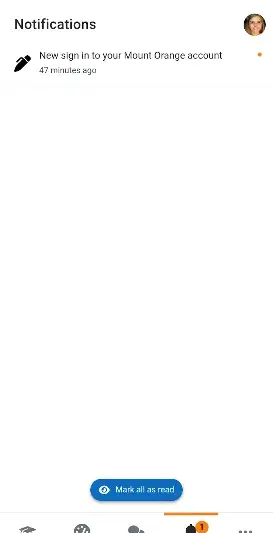
Screenshots
About Moodle
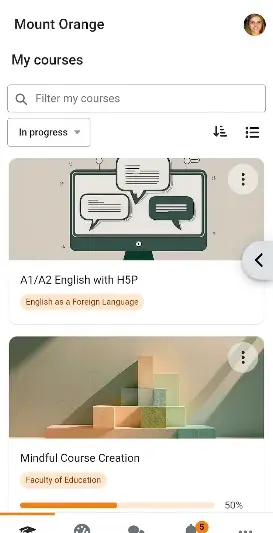
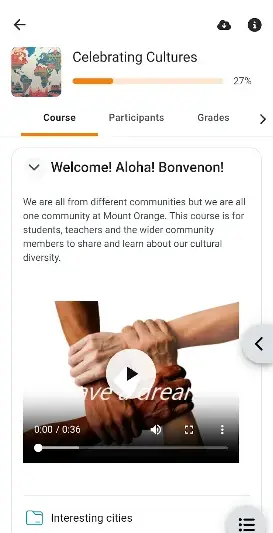
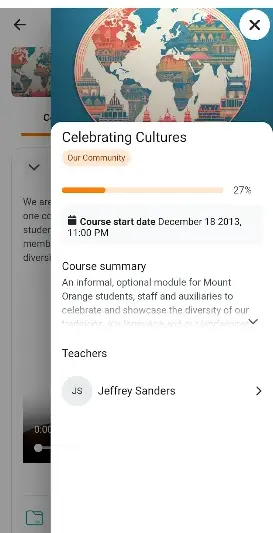
In a world where education increasingly leans towards digital platforms, the Moodle app stands as a powerful tool for learners and educators. With its ability to deliver course materials and facilitate communications dynamically, this application caters to on-the-go users, offering seamless access to the Moodle LMS anytime and anywhere.
Related in Education: British Council EnglishScore · Tandem: Language exchange · ABCmouse: Kids Learning Games
| App Name | Moodle |
|---|---|
| Version | Latest |
| Developer | Moodle Pty Ltd. |
| Package Name | com.moodle.moodlemobile |
| Category | Education |
| Size | Varies with device |
| Downloads | N/A |
| Rating | 4.5 |
| Android Version | Varies |
| Updated | Jul 10, 2026 |
Overview
Moodle, developed by Moodle Pty Ltd., positions itself at the forefront of digital learning solutions within the education category on Android devices. Designed with user experience in mind, this app supports a wide range of Android versions, ensuring compatibility with many devices while providing updates that enhance functionality and performance. As a universal architecture app, it caters to various device sizes and screen resolutions, which is crucial given the diversity within Android hardware.
The latest iteration emphasizes accessibility features that allow learners to download course content for offline use—perfect for those in areas with inconsistent internet connectivity. With an impressive rating of 4.5 from users, Moodle not only showcases its effectiveness but also indicates strong community feedback on usability.
In terms of resource consumption, the app manages background activity efficiently; whether you're engaged in light browsing or more intensive learning sessions involving video lectures or interactive forums, the Moodle app adapts well without overwhelming your device's RAM. However, configuration may vary depending on individual device specifications and installed Android versions.
Users can expect practical battery usage based on their interaction patterns—light usage typically yields extended battery life while heavy engagement might necessitate more frequent charging. This adaptability highlights the importance of knowing how you interact with your educational materials to optimize performance.
Overall, with continuous updates designed to improve stability and feature sets tailored for both students and educators alike, the Moodle app remains committed to enhancing remote learning experiences across varying contexts.
Who Is Moodle For?
The Moodle app is ideal for students keen on maintaining academic momentum regardless of their physical location. It also benefits educators looking to engage with their students in a digital space effectively. Essentially, anyone involved in online learning can take advantage of what this robust platform has to offer.
Real-World Use Cases
- A student studying in a café can download lecture notes beforehand and review them offline during their commute home.
- An educator preparing lesson plans can easily communicate changes via real-time messaging while balancing other responsibilities.
- A group working on a project can collaborate through discussion forums while sharing relevant resources all via one platform.
Features
- Offline access to course materials for uninterrupted learning.
- User-friendly interface tailored for mobile devices.
- Support for discussion forums allowing peer engagement.
- Notification features keeping students updated on assignments.
- Wide compatibility with various Android versions.
- Access to multimedia content including videos and PDFs.
- Customization options for personalizing user experience.
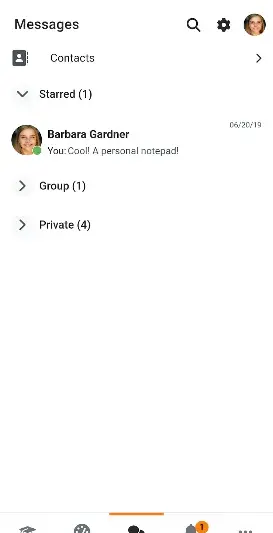
- Real-time messaging between students and educators.
Performance & Battery
In terms of performance management, users will appreciate how well the Moodle app handles both light and heavy usage scenarios. Light users browsing course materials notice negligible impacts on RAM usage or battery life due to efficient background operations. Conversely, heavier involvement such as live discussions or multimedia engagements prompts increased resource usage but remains manageable without severely taxing system resources.
Privacy & Permissions
Currently, specific permissions are not listed in the application details; however, it’s advisable for users always to prioritize downloading applications from secure sources like Google Play Store. Maintaining good practices—such as regularly updating software and checking permissions—ensures a safe experience when using educational applications like Moodle.
What’s New
While detailed change logs were not provided in recent updates, users can expect Spotify’s commitment to continuous improvement reflected in ongoing enhancements aimed at optimizing performance and user interactions. These updates typically focus on bug fixes that improve overall stability and minor UI tweaks designed to streamline navigation within the app.
How to Install
- Open Google Play Store or any trusted APK provider.
- Search for ‘Moodle’ using the search bar.
- Select the Moodle app developed by Moodle Pty Ltd.
- Click on ‘Install’ and wait for it to download completely.
- Once installed, navigate to your apps list and find Moodle.
- Launch the app; configure any necessary settings upon first use.
Pros
- Accessible anytime with offline capabilities.
- User-friendly interface designed specifically for mobile use.
- Encourages collaboration through interactive forums.
- Regular updates improve functionality continuously.
- Comprehensive support across various Android devices.
Cons
- Performance may vary based on device specifications.
- Certain features require stable internet connectivity even when offline mode is available.
- Updates lack specific changelogs detailing improvements explicitly.
Download Moodle APK
Free · Safe · Verified APK download
Frequently Asked Questions
Is there a cost associated with using the Moodle app?
No, the application is free to download and use.
What Android version do I need?
The minimum required version varies; generally compatible with most modern Android iterations.
Can I use it offline?
Yes, you can download course materials for offline access.
How do I update my courses within the app?
Typically automatic; ensure you have an active internet connection before launching.
Does it support multimedia files?
Yes, you can access videos and PDFs as part of your coursework.
What should I do if I experience technical issues?
Reach out directly through support channels within the app or through community forums.
Final Thoughts
Moodle remains a practical choice in the Education space. If you need the latest build (Latest) for Android, use the download section below and follow the installation guide.
Related Apps
More apps coming soon.
Disclaimer
AndroidKnight is not affiliated with Moodle Pty Ltd.. All trademarks belong to their respective owners. Download and use APKs at your own risk and respect local laws and app licenses.
All Versions of Moodle
Frequently Asked Questions
Yes. Moodle is scanned before publishing. Our pipeline verifies each file.
Download the APK, enable 'Install from Unknown Sources' in Settings > Security, then tap the file.
Latest version is Latest.
Requires Android 5.0+.
Yes, completely free.
APKs let you install apps not in your region, use specific versions, or install without Google Play.
Related News Articles


Moodle Alternative
Apps similar to Moodle that you may also like.


User Reviews
Compatibility Checker
Moodle requires Android 5.0+ or higher. Select your device version to check.
Write a Review