Podcast Player APK
Castbox.FM - Radio & Podcast & AudioBooksVaries with device · Free · Safe · Verified
Share This App
Scan to Download
Scan with Android camera
Screenshots
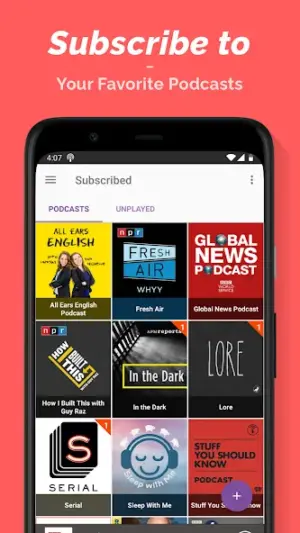
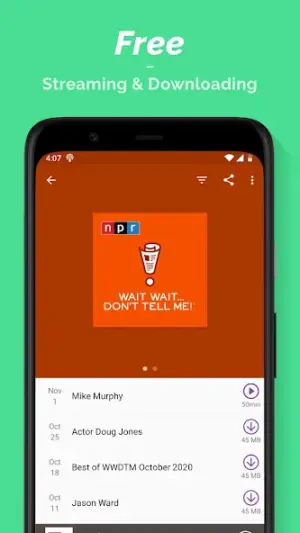
About Podcast Player
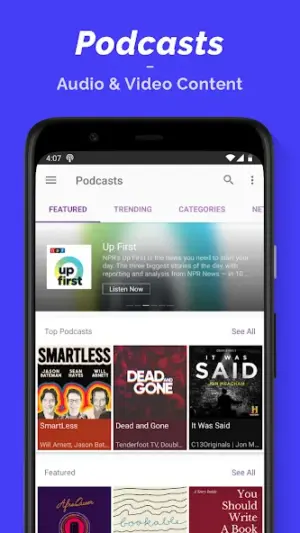
In an era where digital audio content proliferates, having a reliable podcast player is essential for enthusiasts. Castbox.FM has carved out a niche in this space with its aptly named 'Podcast Player'. With a sterling 4.8-star rating, this app aims to consolidate your listening experience across podcasts, audiobooks, and radio stations.
Related in News And Magazines: Повітряна тривога · Breaking News – Live Headlines · X
| App Name | Podcast Player |
|---|---|
| Version | Latest |
| Developer | Castbox.FM – Radio & Podcast & AudioBooks |
| Package Name | com.podcast.podcasts |
| Category | News And Magazines |
| Size | Varies with device |
| Downloads | N/A |
| Rating | 4.8 |
| Android Version | Varies |
| Updated | Dec 4, 2025 |
Overview
The Podcast Player by Castbox.FM stands out not just for its feature-rich offerings but also because of the developer's established reputation in the audio content sphere. Castbox is known for continuously evolving its apps based on user feedback, which offers users peace of mind regarding stability and future improvements. The last update on December 4, 2025, indicates that the developers are committed to refining the app's performance and augmenting user experience with regular enhancements.
As a universal application suitable for various devices, the Podcast Player adapts seamlessly to different screen sizes and Android versions. Although specific permissions for the app are not listed, it’s prudent for users to maintain awareness regarding app permissions as part of their general security practices.
The app operates under a free license model, making it accessible to a broad audience. Whether you’re looking for the latest episode of your favorite podcast or want to explore new genres, Castbox.FM's Podcast Player provides an intuitive interface designed to keep you engaged without overwhelming you.
With features that cater to both casual listeners and hardcore podcast fans alike, this app delivers flexibility alongside powerful functionality—evidence of Castbox’s dedication to excellence in digital audio entertainment. Overall, trust in the developer stems from their consistent update cadence and transparent approach towards software development.
Who Is Podcast Player For?
This app is perfect for anyone who enjoys consuming audio content—be it casual listeners or dedicated podcast aficionados. If you like discovering new shows or need an organized way to manage subscriptions while enjoying audiobooks or radio shows, then Podcast Player is tailored for you.
Real-World Use Cases
- A daily commute transformed into an engaging learning experience through informative podcasts.
- Audiobook lovers can easily incorporate their library into one unified platform.
- Catching up on missed episodes during workouts or household chores.
- Exploring various topics effortlessly without switching between multiple applications.
Features
- Seamless access to numerous podcasts across various genres
- Integration capabilities with audiobooks and radio shows
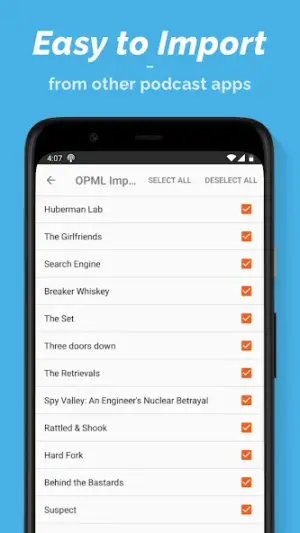
- Easy subscription management for all your favorite podcasts
- User-friendly interface tailored for optimal navigation
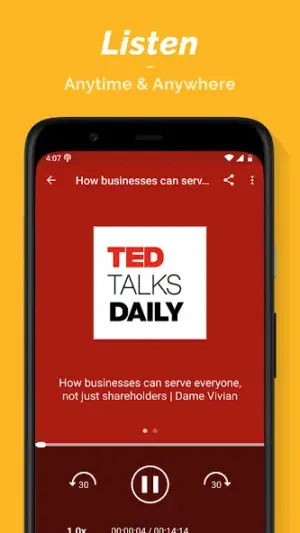
- Offline listening options allowing downloads of episodes
- Personalized recommendations based on listening habits
- Playback speed control to match personal preferences
- Bookmarking feature for saving interesting moments in episodes
Performance & Battery
Feedback regarding performance has been positive so far. Users note that loading times are manageable and playback quality remains high even when streaming over mobile networks. Regular updates are expected to optimize stability further and refine performance issues as they arise.
Privacy & Permissions
While specific permission details aren't disclosed within the app listing itself, users should always remain attentive concerning permissions requested by any APK they install. This includes ensuring they only download from verified sources such as Google Play Store to safeguard against potential risks associated with unauthorized APK distribution.
What’s New
While specific details about recent changes are not provided, regular updates from Castbox suggest ongoing improvements focused on enhancing user experience. This may include bug fixes, upgraded performance metrics, or new features introduced based on user feedback. It underscores the importance of staying current with app versions to benefit from these updates fully.
How to Install
- Open Google Play Store on your Android device.
- Search for ‘Podcast Player’ by ‘Castbox.FM’ in the search bar.
- Select the app from the search results.
- Tap ‘Install’ and wait for the download process to complete.
- Once installed, open the app and follow any setup prompts.
Pros
- High-quality audio playback
- User-friendly interface
- Diverse content offerings including podcasts and audiobooks
- Frequent updates indicate active developer support
- Ability to listen offline after downloading episodes
- Robust personalization options
Cons
- Lack of detailed privacy policy disclosure
- Occasional bugs reported by users post-update
- Not all features available offline
- Some users may find initial setup slightly complex
Download Podcast Player APK
Download Podcast Player vLatest APK
Free · Safe · Verified APK download
Frequently Asked Questions
Do I need an account to use Podcast Player?
No immediate account creation is required; however, creating an account enhances customization.
Is there a charge associated with using Podcast Player?
'Podcast Player' is free but may contain ads.
Can I listen offline?
'Yes', downloaded episodes can be listened to without internet connectivity.
How does Podcast Player recommend shows?
'Recommendations are generated based on your listening habits.'
What if I encounter bugs?
'You can report issues directly via the application interface.'
'Can I share my favorite podcasts?'
Yes, sharing options are available directly within each episode.
Final Thoughts
'Podcast Player' emerges as a solid choice amid a sea of audio applications thanks notably to Castbox.FM’s established credibility and ongoing commitment to improvement through regular updates. This integration not only fosters user trust but also positions it well against competitors in the ever-evolving landscape of digital media consumption.
Related Apps
More apps coming soon.
Disclaimer
'AndroidKnight is not affiliated with Castbox.FM or any third-party entities; readers are encouraged to verify publisher authenticity before downloading any APK files.'
All Versions of Podcast Player
Frequently Asked Questions
Yes. Podcast Player is scanned before publishing. Our pipeline verifies each file.
Download the APK, enable 'Install from Unknown Sources' in Settings > Security, then tap the file.
Latest version is Latest.
Requires Android 5.0+.
Yes, completely free.
APKs let you install apps not in your region, use specific versions, or install without Google Play.
Related News Articles


Podcast Player Alternative
Apps similar to Podcast Player that you may also like.


User Reviews
Compatibility Checker
Podcast Player requires Android 5.0+ or higher. Select your device version to check.
Write a Review