Radarbot: Radar Detector, GPS APK
Radarbot CompanyVaries with device · Free · Safe · Verified
Share This App
Scan to Download
Scan with Android camera
Screenshots
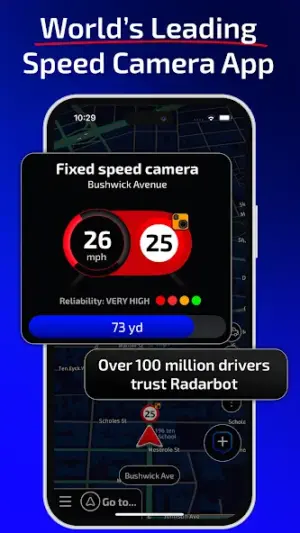
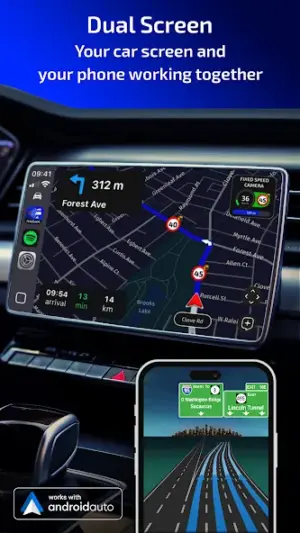
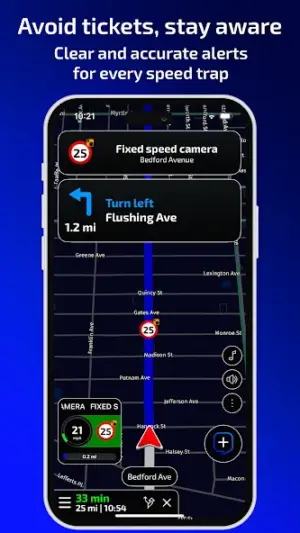
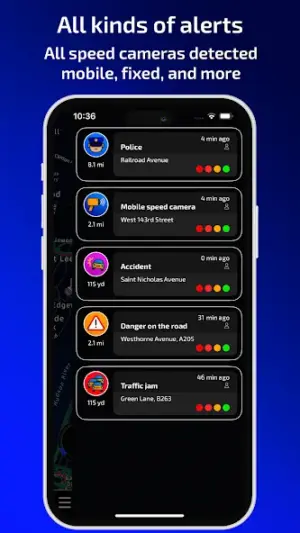
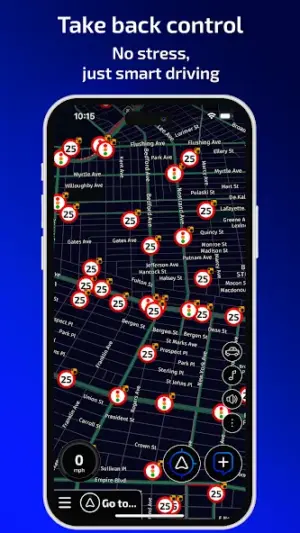
About Radarbot: Radar Detector, GPS
Navigating the roads can be a daunting task, especially when speed cameras are lurking around every corner. Radarbot: Radar Detector, GPS aims to alleviate this stress by providing real-time alerts for speed camera locations while offering reliable navigation features. This review delves into the app's usability, design clarity, and overall functionality.
Related in Maps And Navigation: Transit – Subway & Bus Times · SBB Mobile · Bolt: Request a Ride
| App Name | Radarbot: Radar Detector, GPS |
|---|---|
| Version | Latest |
| Developer | Radarbot Company |
| Package Name | com.vialsoft.radarbot_free |
| Category | Maps And Navigation |
| Size | Varies with device |
| Downloads | N/A |
| Rating | 4.1 |
| Android Version | Varies |
| Updated | Jul 16, 2026 |
Overview
Radarbot stands out in the crowded Maps and Navigation category as a tool specifically designed to enhance drivers' awareness of their surroundings, particularly concerning speed-related enforcement measures. The overall user interface is visually appealing and structured, which significantly aids in achieving its primary function of alerting users to potential hazards on the road. The layout prioritizes essential information through clear visual representations, enabling quick comprehension even in high-pressure driving situations.
The onboarding process introduces users seamlessly to key functionalities without overwhelming them with excessive information. Initial prompts guide users through setting preferences for alerts and notifications that cater to individual driving habits. This intuitive setup ensures that both new and experienced users can adjust the app's settings effectively.
Everyday usability of Radarbot is commendable; regardless of varying device sizes, it maintains a responsive design that adapts well to different screen dimensions. Essential controls are easily accessible and strategically placed for minimal distraction during navigation. Feedback mechanisms such as auditory cues for alerts enhance the user experience further by allowing drivers to keep their eyes on the road.
Accessibility plays an important role in Radarbot’s design approach; it caters to diverse user needs by offering adjustable font sizes and color schemes aimed at improving readability in different lighting conditions. However, some drivers may still find room for improvement regarding voice feedback clarity during navigation.
This app ultimately speaks volumes about user-centered design principles—its focus on clarity, responsiveness, and feedback mechanisms contributes positively to driver safety and confidence on the road.
Who Is Radarbot: Radar Detector, GPS For?
Radarbot: Radar Detector, GPS is designed primarily for everyday drivers who seek enhanced awareness of speed cameras while navigating urban and rural environments. It particularly benefits those who travel frequently or face heavy traffic scenarios where understanding enforcement practices can save them from fines.
Real-World Use Cases
- A commuter uses Radarbot daily to avoid speed traps along their route to work.
- A long-distance traveler relies on real-time alerts for better pace management during road trips.
- A rideshare driver maximizes earnings by navigating efficiently while avoiding fines through timely notifications.
- A parent drives with ease knowing they’re alerted about speed cameras while transporting children safely.
Features
- Real-time speed camera alerts enhance driver awareness.
- GPS navigation guides users with precision.
- User-friendly interface allows swift access to critical information.
- Customizable notifications let users tailor alerts based on preferences.
- Intelligent route recalculation ensures timely updates during journeys.
- Global compatibility supports various geographic locations.
- Community reporting feature fosters engagement among users for shared data updates.
- Clear visual maps improve situational awareness while driving.
Performance & Battery
Users generally report smooth performance with minimal lag during navigation sessions. The app works effectively across various devices due to its universal architecture that accommodates differing specifications well. However, performance may vary slightly depending on GPS accuracy of specific devices or network conditions.
Privacy & Permissions
Radarbot requires several permissions related mainly to location services; however, these are standard in most navigation applications that rely on real-time positioning data. It's essential for users to install the APK from trusted sources only and review permissions carefully before granting access.
What’s New
While specific details about recent updates are not provided, regular updates indicate ongoing improvements aligned with user feedback. Continuous enhancements likely include bug fixes and optimizations that refine the core experience of receiving accurate alerts and navigating efficiently.
How to Install
- Open Google Play Store on your device.
- Search for ‘Radarbot: Radar Detector, GPS.’
- Select the app from search results.
- Tap ‘Install’ to download the application onto your device.
- Once installed, open Radarbot from your app drawer.
- Create an account if prompted or continue as a guest.
- Set up your location preferences and notification settings according to your driving habits.
Pros
- User-friendly interface streamlines navigation tasks.
- Real-time alerts promote safer driving behaviors.
- Customizable settings allow personalization based on user preferences.
- Responsive design adapts well across different devices.
- Engaging community features enhance data richness.
Cons
- Some users may find voice feedback less clear than expected.
- Ability to report new locations depends on active community participation.
- Limited initial onboarding guidance could be an obstacle for new users.
- Dependence on mobile data might hamper use in areas with poor connectivity.
Download Radarbot: Radar Detector, GPS APK
Download Radarbot: Radar Detector, GPS vLatest APK
Free · Safe · Opens Google Play / APK source
Frequently Asked Questions
Is Radarbot free?
Yes, Radarbot is offered as a free application.
Does it work offline?
Some features may require data connection for live alerts.
Can I customize alert types?
Yes! Users can tailor notifications according to their preferences.
What kind of permissions does it require?
Primarily location permissions necessary for GPS functionalities.
Is it available globally?
'Yes' – the app provides global coverage but check local laws.
Final Thoughts
'Radarbot: Radar Detector, GPS’ combines essential features with a thoughtful design tailored specifically for enhancing driver safety through effective communication. While there remain areas ripe for enhancement – particularly regarding voice feedback consistency – its strengths ultimately establish it as a valuable companion on any journey.
Related Apps
More apps coming soon.
Disclaimer
'Radarbot Company’ is not affiliated with AndroidKnight in any capacity. It’s always advisable for users to take caution when downloading APKs from external sources.
All Versions of Radarbot: Radar Detector, GPS
Frequently Asked Questions
Yes. Radarbot: Radar Detector, GPS is scanned before publishing. Our pipeline verifies each file.
Download the APK, enable 'Install from Unknown Sources' in Settings > Security, then tap the file.
Latest version is Latest.
Requires Android 5.0+.
Yes, completely free.
APKs let you install apps not in your region, use specific versions, or install without Google Play.
Related News Articles


Radarbot: Radar Detector, GPS Alternative
Apps similar to Radarbot: Radar Detector, GPS that you may also like.


User Reviews
Compatibility Checker
Radarbot: Radar Detector, GPS requires Android 5.0+ or higher. Select your device version to check.
Write a Review