
Amazon Alexa APK
Amazon Mobile LLCVaries with device · Free · Safe · Verified
Share This App
Scan to Download
Scan with Android camera
Screenshots
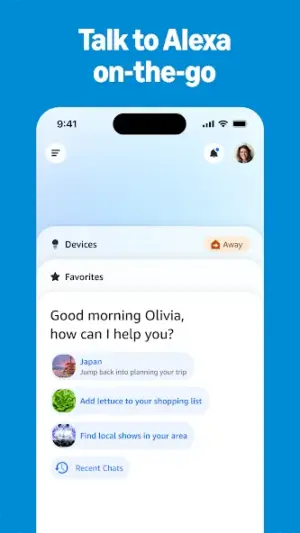
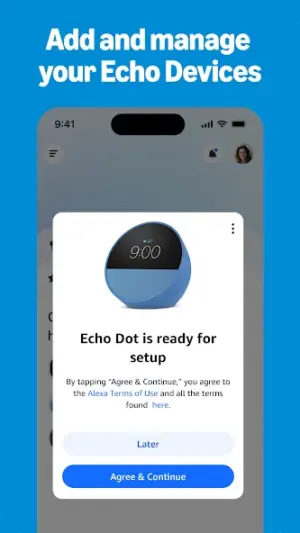


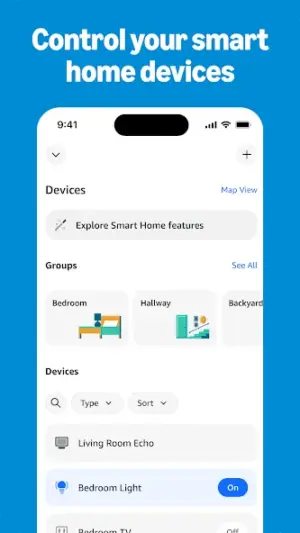
About Amazon Alexa
Are you looking for a way to make everyday tasks simpler and more engaging for your family? The Amazon Alexa app is here to help! This versatile assistant connects you and your household with a wide range of functionalities, turning ordinary moments into extraordinary experiences.
Related in Lifestyle: MR.DIY Club · Astrotalk – Talk to Astrologer · Tuya- Smart Life, Smart Living
| App Name | Amazon Alexa |
|---|---|
| Version | Latest |
| Developer | Amazon Mobile LLC |
| Package Name | com.amazon.dee.app |
| Category | Lifestyle |
| Size | Varies with device |
| Downloads | N/A |
| Rating | 4 |
| Android Version | Varies |
| Updated | Jul 22, 2026 |
Overview
The Amazon Alexa app is designed to work seamlessly across various devices, allowing you to manage smart home setups, play music, set reminders, and access information just by asking. With a user-friendly interface and robust voice recognition capabilities, even the youngest family members can join in the fun without feeling overwhelmed—making it a fantastic tool for casual users.
For parents navigating busy schedules, Alexa can assist with everything from setting timers for homework to easing morning routines with weather updates or breakfast recipes. You can customize the app based on your family's unique needs, including creating multiple accounts for each member. This flexibility ensures everyone feels included and empowered to use Alexa’s remarkable features.
Moreover, the app fosters learning opportunities for kids by answering their questions, reading stories aloud, or engaging them in interactive games. It promotes creativity through voice commands that interact with compatible devices—perfect for inspiring imaginative play.
Being part of the wider Amazon ecosystem means regular enhancements and updates keep the app at its best. Installing new skills or linking content libraries is a breeze, ensuring that both parents and children find useful applications tailored to their interests.
Ultimately, this app caters to families who wish to simplify daily activities while nurturing connections—Alexa's always ready presence bridges any gap between tasks and fun.
Who Is Amazon Alexa For?
The Amazon Alexa app is ideal for casual users who desire convenience without technical hassle. Families with children will appreciate its kid-friendly design encouraging learning through engagement. Shared-device households benefit greatly as each user can personalize their own settings within one application. Parents also find value in its ability to manage daily tasks effortlessly.
Real-World Use Cases
- Asking Alexa about the day’s weather before heading out helps families prepare better.
- Setting up bedtime routines where Alexa reads stories calms children down before sleep.
- Creating collaborative grocery lists ensures no essential items are forgotten during shopping trips.
- A timer function helps kids stay focused during study sessions with visual reminders when time is up!
Features
- Voice-activated assistant responds to queries instantly.
- Control smart devices around your home effortlessly.
- Set personalized routines that cater to every family member.
- Interactive games and quizzes that engage children while they learn.
- Music streaming services provide entertainment options everyone will enjoy.
- Create shopping lists collaboratively with ease.
- Receive news briefings tailored to your preferences.
- Access thousands of skills covering various topics and activities.
Performance & Battery
Users generally report smooth performance across a range of devices. The intuitive interface enhances usability even among less tech-savvy individuals or younger family members learning how to navigate technology efficiently. Voice recognition works well in various environments but may struggle slightly with background noise—a common consideration among digital assistants.
Privacy & Permissions
While specific permissions related to data access have not been outlined clearly within this context, it’s essential always to check what an APK requires before installation. Users should practice safe habits like reviewing settings after installation—this allows you to manage data sharing preferences effectively, ensuring comfortable use within shared-device environments.
What’s New
While detailed changelog notes aren't provided for the latest update as of July 22, 2026, users can expect improvements in functionality based on ongoing feedback. Regular updates typically enhance voice recognition accuracy and expand available skills to improve user experience further.
How to Install
- Open the Google Play Store on your Android device.
- Search for ‘Amazon Alexa’ using the search bar.
- Select the official app from Amazon Mobile LLC from the results list.
- Tap ‘Install’ and wait for it to download on your device.
- Once installed, open the app by tapping ‘Open’ or finding it in your apps menu.
- Create an account or sign in if you already have one; it’s quick and straightforward!
- Follow the prompts to configure settings suited to your household needs.
Pros
- User-friendly interface suitable for all ages
- Integrates seamlessly with smart home devices
- Encourages learning through interactive features
- Allows creation of multiple accounts
- Offers personalized routines for everyday tasks
- Regular updates enhance functionality
- Wide variety of skills caters to diverse interests
Cons
- Voice recognition may falter in noisy environments
- Limited visibility into permission requirements
- Occasional reliance on internet connectivity might hinder use
- May require additional maintenance for optimal performance
- Skill availability may vary by region
- Some functionalities could be complex for non-tech-savvy users
Download Amazon Alexa APK
Download Amazon Alexa vLatest APK
Free · Safe · Verified APK download
Frequently Asked Questions
Can kids use Amazon Alexa safely?
Yes! With parental controls available, kids can explore educational content while parents monitor usage.
How many accounts can I set up within one device?
You can create multiple accounts linked via voice profiles; ideal for households sharing devices.
Does this app take up much storage space?
'Size varies by device', but it's designed not to overwhelm even low-storage smartphones.
'Is my data safe when using Alexa?'
'Amazon prioritizes user privacy; however, always check permission settings post-installation.'
Can I link other services like Spotify?
Absolutely! Linking services adds more personalization options tailored specifically towards your tastes.
What happens if I forget my password?
The app provides straightforward password recovery options through linked emails.
How do I disconnect unwanted devices?
Access settings in the app; there's a simple process for managing connected devices.
Final Thoughts
'Amazon Alexa is not just an assistant; it’s a partner in simplifying life at home. Whether it's helping kids learn or easing daily planning tasks: this easy-to-use application is a delightful addition for any family wanting modern conveniences.'
Related Apps
Disclaimer
'This article is not affiliated with Amazon Mobile LLC or related parties. Users download APKs at their own risk—always ensure you're using verified sources.'
All Versions of Amazon Alexa
Frequently Asked Questions
Yes. Amazon Alexa is scanned before publishing. Our pipeline verifies each file.
Download the APK, enable 'Install from Unknown Sources' in Settings > Security, then tap the file.
Latest version is Latest.
Requires Android 5.0+.
Yes, completely free.
APKs let you install apps not in your region, use specific versions, or install without Google Play.
Related News Articles


More from Amazon Mobile LLC


Amazon Alexa Alternative
Apps similar to Amazon Alexa that you may also like.


User Reviews
Compatibility Checker
Amazon Alexa requires Android 5.0+ or higher. Select your device version to check.
Write a Review