
Discord - Talk, Play, Hang Out APK
Discord Inc.Varies with device · Free · Safe · Verified
Share This App
Scan to Download
Scan with Android camera
Screenshots
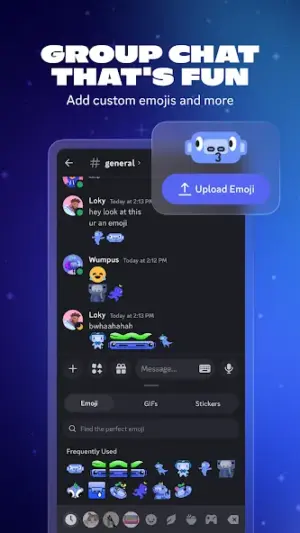
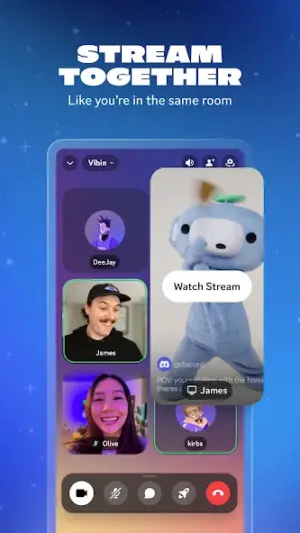
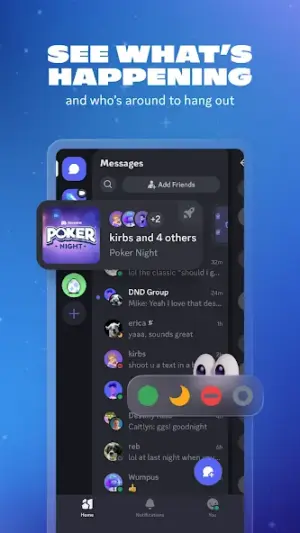
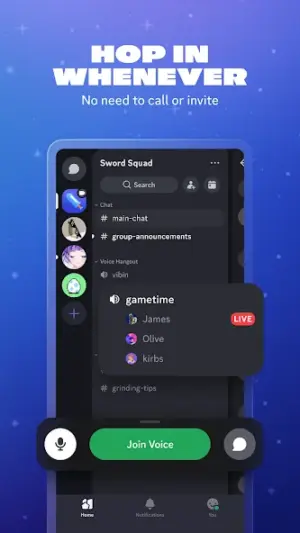

About Discord - Talk, Play, Hang Out
In a world where virtual interactions are becoming increasingly commonplace, Discord stands out as a powerful tool for communication and community building. With its engaging features and user-friendly interface, it’s no wonder that this app is gaining traction among various groups looking to connect, collaborate, or just hang out together online.
Related in Communication: Groundwire: VoIP SIP Softphone · Telegram · WhatsApp Business
| App Name | Discord – Talk, Play, Hang Out |
|---|---|
| Version | Latest |
| Developer | Discord Inc. |
| Package Name | com.discord |
| Category | Communication |
| Size | Varies with device |
| Downloads | N/A |
| Rating | 4.3 |
| Android Version | Varies |
| Updated | Jul 24, 2026 |
Overview
Discord is not just another messaging app; it's a comprehensive platform designed for voice, video, and text communications. Originally built for gamers, it has evolved into a versatile environment that accommodates diverse interests including study groups, art communities, and hobbyist forums. The app allows users to create 'servers', which are individual spaces where members can chat openly or in smaller channels focused on specific topics.
Since its inception by Discord Inc., the app has garnered a solid rating of 4.3 stars in the Google Play Store—an indication of its functionality and user satisfaction. While download numbers may vary across devices, the app's robust growth trajectory is clear: millions of users flock to Discord every day to share ideas, strategies, and simply have fun.
What makes Discord particularly relevant today is its adaptability in accommodating both casual socializing and professional collaborations. With the rise of remote work and virtual events in recent years, platforms that facilitate real-time interactions are more important than ever. Discord serves as a bridge between traditional social media and more structured forms of communication like Zoom or Teams, providing an interactive space for people to connect seamlessly.
Regular updates ensure that the app remains fresh and aligned with user needs. As of July 2026, Discord continues to listen to its community feedback to roll out exciting new features that enhance user experience. From customizable interfaces to integration with other apps, there’s always something new on the horizon.
Overall, whether you're a gamer strategizing with friends or a community organizer planning events, Discord has become an indispensable tool in digital life today.
Who Is Discord – Talk, Play, Hang Out For?
Discord caters not only to gamers but also encompasses various demographic groups such as students forming study circles, professionals working on projects together remotely, content creators engaging with fans through live chats or Q&A sessions. Essentially anyone looking for dynamic group interactions will find value in what Discord offers.
Real-World Use Cases
- A gaming clan coordinating strategies before an online battle.
- A group of friends catching up during weekend movie nights via voice chat.
- A study group discussing course material over organized text channels.
- An artist community sharing tips through tutorials streamed live.
Features
- Voice channels for seamless real-time communication
- Text chat options ranging from private messages to public channels
- Video call capabilities for face-to-face interaction
- Customizable server settings tailored to your community’s needs
- Screen sharing functionality perfect for collaborative projects
- Integration with popular gaming platforms and streaming services
- Rich bot support for automation and enhancing server interaction
- User roles management allowing tailored permissions
- Support for multimedia sharing like images, GIFs, and videos
- An intuitive mobile experience adaptable across various devices
Performance & Battery
Users have reported smooth performance when using Discord across a variety of devices due to its universal architecture design. The app automatically adjusts quality settings based on your connection speed which enhances usability regardless of bandwidth constraints. Additionally, regular updates help maintain stability when adding new features.
Privacy & Permissions
Privacy considerations are critical while using any communication platform like Discord. Although specific permissions were not listed publicly here, safe APK habits involve regularly checking privacy settings within the app itself. Opting out of data collection where possible ensures your conversations remain private while enjoying all available functionalities.
What’s New
Although specific update notes weren't provided alongside the latest version release date of July 24, 2026, users can generally expect improvements typically seen in application updates—bug fixes, security enhancements, and possibly new features aimed at improving user engagement. These regular refinements ensure that the experience remains smooth and enjoyable while addressing any emerging user concerns.
How to Install
- Open Google Play Store on your Android device.
- Search for ‘Discord – Talk, Play, Hang Out’.
- Select the app from the search results.
- Tap ‘Install’ to download it onto your device.
- Wait for the installation process to complete.
- Once installed, open Discord from your apps list.
- Create an account or log in if you already have one.
Pros
- Highly customizable servers tailored for specific communities
- User-friendly interface easy for everyone to navigate
- Robust voice channel features rivaling dedicated tools
- Integration with other tools enhances overall functionality
- Active developer support responding quickly to feedback
Cons
- Large servers may feel overwhelming without proper organization
- Notification overload can occur if settings aren't managed
- Some advanced features require learning curves for new users
- Consistent internet connection required for optimal use
Download Discord – Talk, Play, Hang Out APK
Download Discord – Talk, Play, Hang Out vLatest APK
Free · Safe · Verified APK download
Frequently Asked Questions
Is Discord free?
Yes! Discord is free to download and use.
Can I use Discord on mobile?
Absolutely! It has apps available for both Android and iOS.
Are there age restrictions?
'Yes; users must be at least 13 years old per COPPA regulations.'
Final Thoughts
Discord – Talk, Play, Hang Out remains a practical choice in the Communication space. If you need the latest build (Latest) for Android, use the download section below and follow the installation guide.
Related Apps
More apps coming soon.
Disclaimer
AndroidKnight is not affiliated with Discord Inc.. All trademarks belong to their respective owners. Download and use APKs at your own risk and respect local laws and app licenses.
All Versions of Discord - Talk, Play, Hang Out
Frequently Asked Questions
Yes. Discord - Talk, Play, Hang Out is scanned before publishing. Our pipeline verifies each file.
Download the APK, enable 'Install from Unknown Sources' in Settings > Security, then tap the file.
Latest version is Latest.
Requires Android 5.0+.
Yes, completely free.
APKs let you install apps not in your region, use specific versions, or install without Google Play.
Related News Articles


Discord - Talk, Play, Hang Out Alternative
Apps similar to Discord - Talk, Play, Hang Out that you may also like.


User Reviews
Compatibility Checker
Discord - Talk, Play, Hang Out requires Android 5.0+ or higher. Select your device version to check.
Write a Review