
Firefox Fast & Private Browser APK
MozillaVaries with device · Free · Safe · Verified
Share This App
Scan to Download
Scan with Android camera
Screenshots

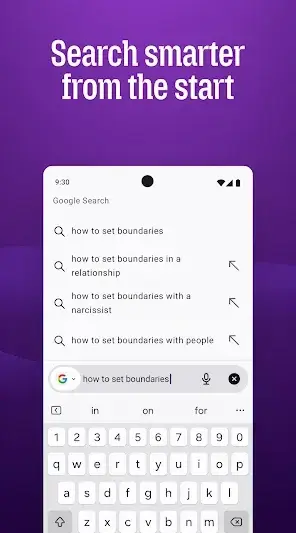


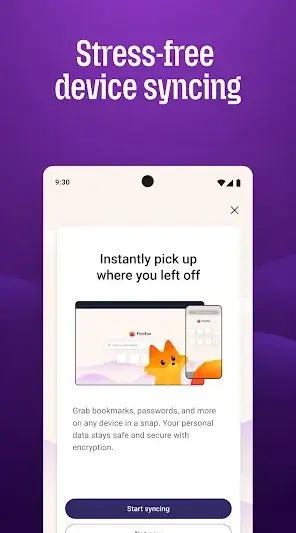
About Firefox Fast & Private Browser
If you're diving into the world of web browsing for the first time, Firefox Fast & Private Browser is a friendly choice. This app not only prioritizes your privacy but also delivers a smooth browsing experience tailored to your needs.
Related in Communication: Telegram · WhatsApp Business · Google Chrome
| App Name | Firefox Fast & Private Browser |
|---|---|
| Version | Latest |
| Developer | Mozilla |
| Package Name | org.mozilla.firefox |
| Category | Communication |
| Size | Varies with device |
| Downloads | N/A |
| Rating | 4.6 |
| Android Version | Varies |
| Updated | Jul 16, 2026 |
Overview
Firefox Fast & Private Browser, developed by Mozilla, is designed for users who value their online privacy and want a dependable solution for daily internet activities. With its commitment to providing a less tracked web experience, it allows users to surf with confidence knowing that their data is safeguarded. The app features an intuitive interface that feels welcoming even for beginners while packing in powerful tools just below the surface.
Who Is Firefox Fast & Private Browser For?
Firefox Fast & Private Browser is perfect for anyone who seeks a safe, fast way to browse the internet without being tracked. Whether you're a casual user looking for a reliable browser or someone more conscious of privacy issues, this app caters to both with ease and efficacy.
Real-World Use Cases
- A student researching online can benefit from private browsing modes that keep personal searches hidden from prying eyes.
- A professional needing quick access to work-related sites will appreciate fast loading times and customizable bookmarks.
- Navigating social media while ensuring personal data remains private is easy with built-in tracking protection.
- Your kids can use Firefox under parental supervision knowing their activities aren’t being monitored by trackers.
Features
- Private browsing mode that minimizes tracking.
- Built-in tracking protection to block unwanted ads and trackers.
- User-friendly interface that’s easy to navigate.
- Customizable settings to tailor your browsing experience.
- Fast page loading for efficient web navigation.
- Syncing capabilities across devices so you can access bookmarks anywhere.
- Supports various add-ons for enhanced functionality.
- Regular updates from Mozilla ensuring security improvements and new features.
Performance & Battery
Users generally report that Firefox performs admirably across different devices. Its page speed tends to be quick due largely to optimizations made by Mozilla. The browsing experience remains smooth even when managing multiple tabs — keeping everything fluid as you browse through various websites.
Privacy & Permissions
As part of its core principles, Firefox focuses heavily on privacy without compromising usability. While specific permissions details aren’t listed in-app, typical permissions like internet access are standard across browsers. Always download APKs from reputable sources and keep track of permissions requested during installation — understanding these helps maintain your security.
What’s New
While specific notes about recent updates are not available, you can expect ongoing improvements thanks to Mozilla's commitment to regular enhancements. Frequent updates typically include better performance, bug fixes, and enhancements for user security.
How to Install
- Before starting, ensure you have permission on your device to install apps from unknown sources; this can usually be found in your device’s settings under Security.
- Download the APK file from a trusted source (like the official Mozilla website) to ensure safety and authenticity.
- Once downloaded, locate the file in your Downloads folder using a file manager app.
- Tap on the APK file to initiate installation; follow prompts that may appear on-screen.
- If prompted about permissions such as access to storage or network, read carefully what each permission entails before accepting them — these are typically essential for the app’s functionality.
- After installation is complete, find Firefox on your home screen or apps drawer and open it!
Pros
- Strong focus on user privacy.
- Intuitive interface suitable for beginners.
- Frequent updates enhance performance and security.
- Fast and responsive even with numerous tabs open.
- Blocking of unwanted ads improves overall user experience.
Cons
- Some users may find advanced features overwhelming at first.
- Occasional compatibility issues with certain websites compared to other browsers.
- Limited availability of certain extensions compared to desktop versions.
Download Firefox Fast & Private Browser APK
Download Firefox Fast & Private Browser vLatest APK
Free · Safe · Opens Google Play / APK source
Frequently Asked Questions
What permissions does Firefox require?
While specific permissions aren’t listed directly within the app, standard requirements would include internet access and storage space.
Is my data safe when using Firefox?
Yes, Firefox is designed with privacy as a priority; it minimizes tracking and protects user information.
Can I update Firefox manually?
Yes! You can check for updates within the app or download a newer version through trusted sources.
Does using Firefox take up a lot of storage?
The storage required varies based on your device setup but generally remains lightweight compared to many other browsers.
Will I lose my bookmarks if I uninstall?
No! If you've synced or exported them beforehand, they'll remain intact even if you uninstall the app.
'Private Browsing' means no one sees what I do online—true?
'Private Browsing' helps reduce traces left behind but cannot ensure total anonymity online; it's part of maintaining privacy.
Final Thoughts
'Getting started with something new can feel daunting but installing and using Firefox Fast & Private Browser opens doors to safer web surfing. Embrace this change with confidence as you enjoy enhanced privacy wherever you go!'
Related Apps
More apps coming soon.
Disclaimer
'This article is not affiliated with Mozilla or its affiliates. Use downloaded APKs responsibly by verifying their sources.'
All Versions of Firefox Fast & Private Browser
Frequently Asked Questions
Yes. Firefox Fast & Private Browser is scanned before publishing. Our pipeline verifies each file.
Download the APK, enable 'Install from Unknown Sources' in Settings > Security, then tap the file.
Latest version is Latest.
Requires Android 5.0+.
Yes, completely free.
APKs let you install apps not in your region, use specific versions, or install without Google Play.
Related News Articles


Firefox Fast & Private Browser Alternative
Apps similar to Firefox Fast & Private Browser that you may also like.


User Reviews
Compatibility Checker
Firefox Fast & Private Browser requires Android 5.0+ or higher. Select your device version to check.
Write a Review