
FaceApp: Perfect Face Editor APK
FaceApp Technology LtdVaries with device · Free · Safe · Verified
Share This App
Scan to Download
Scan with Android camera
Screenshots
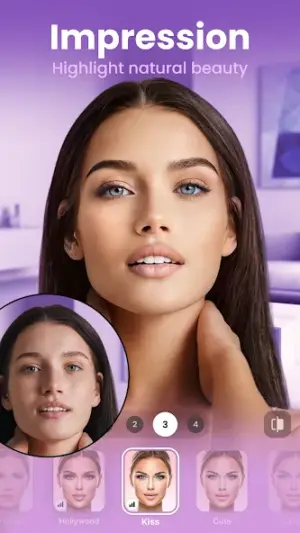

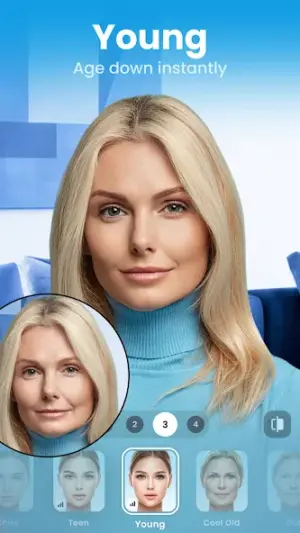
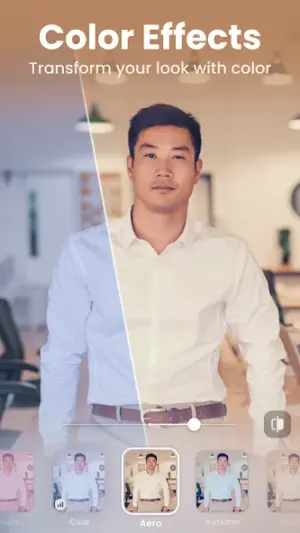

About FaceApp: Perfect Face Editor
In the highly competitive world of photography apps, FaceApp: Perfect Face Editor has emerged as a notable player, boasting over 500 million downloads and a solid average rating of 4.3. Developed by FaceApp Technology Ltd, this app appeals to users looking for an effortless way to enhance their selfies and personal photos.
Related in Photography: Private Photo Vault – Keepsafe · AI Video – AI Video Generator · Camera for Android – Fast Snap
| App Name | FaceApp: Perfect Face Editor |
|---|---|
| Version | Latest |
| Developer | FaceApp Technology Ltd |
| Package Name | io.faceapp |
| Category | Photography |
| Size | Varies with device |
| Downloads | 500M+ |
| Rating | 4.3 |
| Android Version | Varies |
| Updated | Jul 13, 2026 |
Overview
FaceApp stands as a testament to the evolution of mobile photography tools, allowing users to elevate their images with just a few taps. With its rich array of features designed for both casual users and photography enthusiasts alike, it seamlessly combines advanced AI-driven editing capabilities with an easy-to-navigate interface. The developer, FaceApp Technology Ltd, is known for its commitment to quality and innovation, with regular updates—most recently on July 13, 2026—signaling an ongoing investment in user experience and feature enhancement.
The credibility of FaceApp is bolstered by its extensive user base and the persistent popularity of its offerings within the App Store landscape. This app harnesses the power of artificial intelligence to allow for stunning transformations of selfies into polished images that reflect 'natural beauty.' Users can trust that they are downloading a well-maintained application from a reputable developer.
Regularly checking for updates can reinforce confidence in FaceApp Technology Ltd's dedication to security and user satisfaction. It’s beneficial for potential users to verify the developer’s identity prior to downloading any app; in this case, the company focuses primarily on creating engaging photo-editing tools tailored for modern smartphones.
This unique intersection of technology and creativity makes FaceApp more than just another face editor; it’s an essential toolkit for anyone wishing to enhance their visual presence across social media platforms or simply capture memories beautifully. Given its universal compatibility across devices and Android versions, it's accessible to a wide range of users seeking high-quality photo editing solutions at no financial cost.
Who Is FaceApp: Perfect Face Editor For?
FaceApp is ideally suited for anyone wanting quick yet impactful enhancements to their photographs. Whether you're a social media influencer looking to maintain a visually appealing profile or just someone who enjoys taking selfies, this application caters explicitly to those who wish to present their best selves.
Real-World Use Cases
- Edit holiday photos before sharing them online.
- Create shareable content for social media platforms such as Instagram or Facebook.
- Enhance professional headshots or profile pictures used in networking.
- Experiment with different looks using various filters during virtual events or parties.
Features
- AI-powered editing tools for realistic transformations
- User-friendly interface suitable for all skill levels
- Extensive filters and effects tailored specifically for portraits
- Ability to retouch selfies for natural beauty enhancements
- Universal compatibility across various device architectures
- Option to adjust lighting and color settings effortlessly
- Regular updates ensuring fresh features and improved performance
- A chance to engage with community through shared creations
Performance & Battery
While specific performance benchmarks are not disclosed, many users report that FaceApp runs smoothly even on devices with varied specifications. Its universal architecture supports numerous Android versions ensuring broad accessibility without compromising processing speed or user experience.
Privacy & Permissions
Regarding permissions, while FaceApp does not explicitly list them within its metadata, typically such applications may request access to your camera and photo library. Users are encouraged to become familiar with privacy practices by reviewing updated permissions upon installation. Practicing safe APK habits—like downloading from official stores—can enhance your security when using applications like this one.
What’s New
While specific notes about recent updates have not been provided, it's common practice for developers like FaceApp Technology Ltd to incorporate user feedback into their iterative design process. This ensures the continuous improvement of functionalities such as new filter options or enhanced processing speeds.
Maintaining an active update schedule not only keeps the app fresh but also reassures users about ongoing support and security considerations.
How to Install
- Open Google Play Store on your Android device.
- Type ‘FaceApp: Perfect Face Editor’ in the search bar.
- Select the app from the search results.
- Tap ‘Install’ to download the application.
- Wait for the app installation process to complete.
- Once installed, tap ‘Open’ or find it in your applications list.
- Create or log into your account if prompted.
Pros
- Powerful AI-driven enhancements create realistic edits
- Regular updates ensure continuous improvements
- User-friendly interface makes complex editing simple
- Wide range of filters enhances creative expression
- Free version available with optional premium features
Cons
- Some advanced features may be locked behind paywalls
- Limited transparency regarding data privacy policies
- Internet connection required for some functionalities
Download FaceApp: Perfect Face Editor APK
Download FaceApp: Perfect Face Editor vLatest APK
Free · Safe · Verified APK download
Frequently Asked Questions
Is FaceApp free?
Yes, FaceApp is available as a free download with optional premium features.
What types of edits can I make using FaceApp?
You can apply filters, retouch skin tones, change backgrounds, and more.
Does it require internet access?
Certain functions necessitate internet access due to AI processing.
Is my data safe while using FaceApp?
It's advisable always verify developer privacy practices; beware of sharing sensitive images.
How often does FaceApp receive updates?
The developers regularly update the app; check frequently for new features.
Can I use FaceApp without creating an account?
Some features may require account creation while basic edits might not.
Final Thoughts
Navigating through vast choices in photo-editing applications can be challenging. However, with its robust feature set backed by an established developer like FaceApp Technology Ltd., users can enjoy both creativity and functionality confidently. As always, verifying publisher identity before installation remains essential in maximizing your security while enhancing your photographic endeavors.
Related Apps
More apps coming soon.
Disclaimer
This review has no affiliation with any retailers or developers mentioned above. Downloading APKs involves certain risks; always ensure you retrieve files from trusted sources.
All Versions of FaceApp: Perfect Face Editor
Frequently Asked Questions
Yes. FaceApp: Perfect Face Editor is scanned before publishing. Our pipeline verifies each file.
Download the APK, enable 'Install from Unknown Sources' in Settings > Security, then tap the file.
Latest version is Latest.
Requires Android 5.0+.
Yes, completely free.
APKs let you install apps not in your region, use specific versions, or install without Google Play.
Related News Articles


FaceApp: Perfect Face Editor Alternative
Apps similar to FaceApp: Perfect Face Editor that you may also like.


User Reviews
Compatibility Checker
FaceApp: Perfect Face Editor requires Android 5.0+ or higher. Select your device version to check.
Write a Review