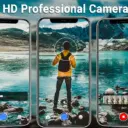
HD Camera for Android APK
Mobile_V5Varies with device · Free · Safe · Verified
Share This App
Scan to Download
Scan with Android camera
Screenshots



About HD Camera for Android
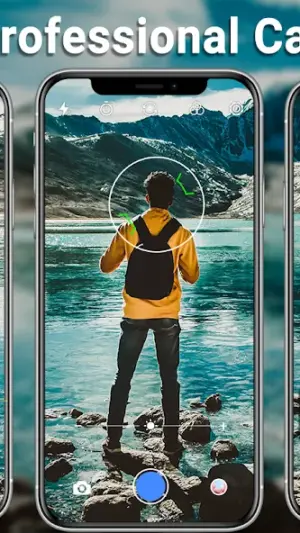
In the realm of mobile photography, the HD Camera for Android stands out as a tool designed to deliver high-quality images with remarkable speed. With its lightweight design and intuitive interface, it aims to capture moments effortlessly, making it an appealing choice for both casual users and photography enthusiasts alike.
Related in Photography: Private Photo Vault – Keepsafe · AI Video – AI Video Generator · Camera for Android – Fast Snap
| App Name | HD Camera for Android |
|---|---|
| Version | Latest |
| Developer | Mobile_V5 |
| Package Name | photo.android.hd.camera |
| Category | Photography |
| Size | Varies with device |
| Downloads | N/A |
| Rating | 4.7 |
| Android Version | Varies |
| Updated | Jul 23, 2026 |
Overview
Developed by Mobile_V5, HD Camera for Android is categorized under photography applications, boasting a user-friendly approach to capturing photos and videos. The app has garnered a commendable rating of 4.7, indicating strong user satisfaction.
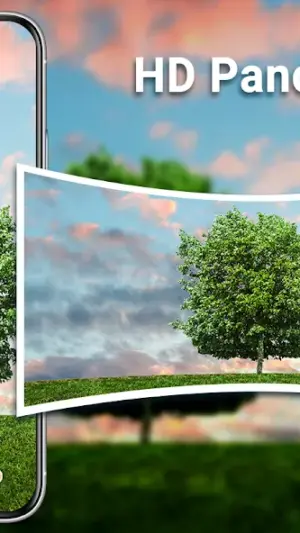
This application is particularly beneficial for users who prefer a straightforward camera experience without unnecessary complexity. Its features range from capturing quick snaps to panoramic shots, supplemented with various filters that enhance the final output.
One notable aspect of this application is its ability to perform efficiently across a variety of devices; however, the performance may vary based on specific Android versions and device specifications. Users should be aware that higher resource demands may occur on older devices or lower-end models, potentially impacting battery life and RAM usage in heavy workloads.
The latest update was rolled out on July 23, 2026, although specific changes have not been detailed. This ongoing support signifies the developer's commitment to enhancing user experience and adapting to evolving technology trends.
Overall, HD Camera for Android presents an accessible option for those looking to improve their mobile photography without overwhelming features or cumbersome navigation.
Who Is HD Camera for Android For?
HD Camera for Android is ideal for both novice photographers seeking simplicity as well as more experienced users who desire quick access to essential functionalities without complex configurations. It suits anyone who values speed and quality in photographic endeavors while maintaining ease of use.
Real-World Use Cases
- Casual outings where quick snapshots are desired without fiddling with settings.
- Travel adventures requiring panoramic captures of landscapes or cityscapes.
- Social events like parties where memorable moments must be captured swiftly.
- A daily companion for bloggers looking for efficient photo documentation on-the-go.
Features
- High-definition image capture for stunning clarity.
- Fast snapping capability to seize fleeting moments.
- Pano mode for breathtaking wide-angle scenes.
- A variety of filters to enhance photos creatively.
- Lightweight installation minimizes resource consumption.
- Universal architecture ensures compatibility across devices.
- User-friendly interface suitable for all skill levels.
- No complicated settings — just point and shoot.
Performance & Battery
The app is optimized for smooth operation even on devices with varying specifications. Users engaging in lightweight usage patterns—like taking occasional photos—will likely find that RAM consumption remains low and background behavior stays minimal. Conversely, those leveraging advanced functions such as panorama may observe slight increases in resource demand; thus managing background applications can enhance performance further.
Privacy & Permissions
While specific permissions are not listed within the app metadata, standard camera applications typically require access to storage and camera functions. Users should only download APKs from trusted sources to mitigate privacy risks. Maintaining updated security measures on devices is also recommended to safeguard personal data when using photography apps.
What’s New
Although no explicit details were provided regarding the most recent updates, users can expect ongoing improvements that align with technological advancements in mobile photography. The developer's regular updates suggest enhancements in stability and performance that could benefit overall usability.
How to Install
- Open your device’s Settings menu.
- Select ‘Security’ or ‘Apps’ depending on your Android version.
- Enable ‘Unknown Sources’ to allow APK installations outside the Play Store.
- Download the HD Camera APK file from a reliable source.
- Locate the downloaded file in your device’s file manager.
- Tap the APK file and follow on-screen instructions to complete installation.
- Once installed, open the app from your app drawer and start capturing beautiful moments!
Pros
- User-friendly design facilitates instant access.
- Excellent photo quality with high-resolution capabilities.
- Quick snapping feature perfect for spontaneous moments.
- Panoramic mode caters to diverse photography needs.
- Frequent updates signal active development.
Cons
- Limited information on specific permissions required.
- Potential performance issues on older devices during heavy use.
- Updates do not provide clear details about new features.
Download HD Camera for Android APK
Download HD Camera for Android vLatest APK
Free · Safe · Verified APK download
Frequently Asked Questions
Is there a cost associated with downloading HD Camera?
No, HD Camera is available as a free download.
What Android versions does this app support?
The minimum supported Android version varies; check device compatibility before installation.
Can I use filters after taking a photo?
Yes, you can apply various filters before capturing images.
'How much storage space do I need available before installation?'
'Storage requirements will vary based on your device; ensure sufficient space beforehand.'
'Can I share my photos directly from the app?'
'Typically yes; sharing options are generally embedded within most photography apps.'
'How often does HD Camera receive updates?'
'While specific schedules aren't disclosed, frequent updates indicate active maintenance.'
Final Thoughts
'In conclusion, HD Camera for Android emerges as a solid option for anyone prioritizing speed and efficiency in their mobile photography experience while ensuring decent quality outcomes. However, potential users should assess their device capabilities if planning extensive use.'
Related Apps
Disclaimer
'This article is an independent review produced by AndroidKnight. We are not affiliated with Mobile_V5 or any other associated entities regarding HD Camera for Android.'
All Versions of HD Camera for Android
Frequently Asked Questions
Yes. HD Camera for Android is scanned before publishing. Our pipeline verifies each file.
Download the APK, enable 'Install from Unknown Sources' in Settings > Security, then tap the file.
Latest version is Latest.
Requires Android 5.0+.
Yes, completely free.
APKs let you install apps not in your region, use specific versions, or install without Google Play.
Related News Articles


More from Mobile_V5

HD Camera for Android Alternative
Apps similar to HD Camera for Android that you may also like.


User Reviews
Compatibility Checker
HD Camera for Android requires Android 5.0+ or higher. Select your device version to check.
Write a Review