Google Docs APK
Google LLCVaries with device · Free · Safe · Verified
Share This App
Scan to Download
Scan with Android camera
Screenshots
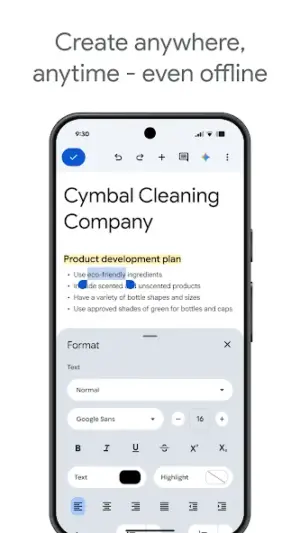
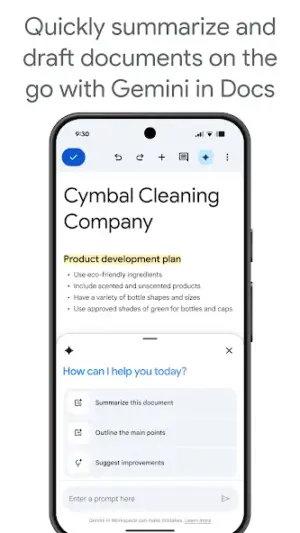
About Google Docs
In an era where collaboration often spans continents, Google Docs stands as a leading tool that fosters real-time document editing and sharing. Developed by the tech giant Google LLC, this versatile app has earned a stellar reputation in the productivity category, providing users with a reliable platform for creating and managing documents seamlessly across devices.
Related in Productivity: Mobizen Screen Recorder · Document Scanner – PDF Creator · WPS Office-PDF, Word, Sheet
| App Name | Google Docs |
|---|---|
| Version | Latest |
| Developer | Google LLC |
| Package Name | com.google.android.apps.docs.editors.docs |
| Category | Productivity |
| Size | Varies with device |
| Downloads | N/A |
| Rating | 4.7 |
| Android Version | Varies |
| Updated | Jul 27, 2026 |
Overview
Google Docs is an integral part of Google Workspace, designed to empower users to easily create, edit, and collaborate on documents from virtually anywhere. With its intuitive interface and robust functionality, this application caters to both casual users and professionals alike. Google LLC enjoys massive recognition as a trusted developer in the tech industry, known for its commitment to innovation, security, and user satisfaction. Regular updates ensure that Google Docs remains relevant; the most recent update was on July 27, 2026, reflecting the company's dedication to maintaining high standards and incorporating user feedback into their products.
Security is paramount for any productivity application today, especially given rising concerns over privacy. Google’s established reputation provides an added layer of confidence: users can trust that their data is handled responsibly within a secure environment. Additionally, the universal architecture allows it to adapt across various devices without compromising functionality or performance.
In terms of accessibility, Google Docs eliminates barriers by being free to use while offering impressive features typically reserved for premium applications. This strategic approach helps attract a wide range of users—from students drafting essays to businesses producing vital reports—ensuring that essential tools are available without financial strain.
Who Is Google Docs For?
Google Docs is ideally suited for anyone who needs efficient document management capabilities regardless of their skill level. Whether you’re a student needing to work on assignments collaboratively or a business professional preparing reports en masse, this application provides necessary tools tailored to enhance productivity across different sectors.
Real-World Use Cases
- Create class assignments that allow peer reviews among students.
- Collaborate on business proposals with team members globally.
- Edit personal projects like blogs or marketing content in real time.
- Draft meeting notes shared instantly across departments during conferences.
Features
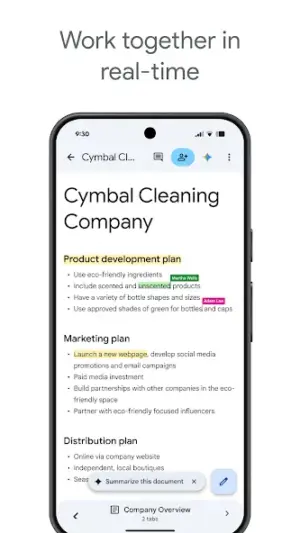
- Real-time collaboration with multiple users
- Access documents from any device with internet connectivity
- Supports voice typing for hands-free editing
- A plethora of templates for various document types
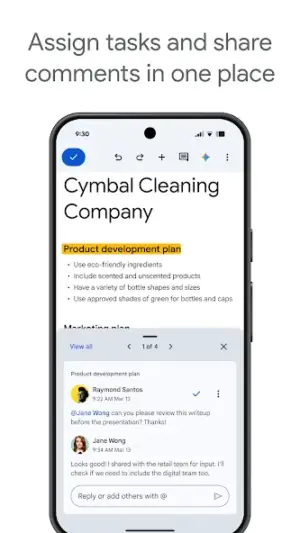
- Built-in commenting feature for seamless feedback
- Automatic saving for peace of mind
- Integration with other Google services like Sheets and Slides
- Customizable sharing permissions ensuring document control
Performance & Battery
Users have generally reported positive experiences with Google Docs regarding responsiveness and reliability. The application's design allows it to run smoothly even when handling large documents or multiple collaborators simultaneously. Google's infrastructure underpins its performance levels assuring users minimal downtime.
Privacy & Permissions
Google maintains rigorous protocols around user privacy; however, it's always prudent when using cloud-based apps like Google Docs. Familiarize yourself with your permissions settings—although specific permission hints aren't provided here—ensuring only necessary access is granted while safeguarding sensitive information during collaborations.
What’s New
While the latest update on July 27, 2026, comes without detailed changelog notes available at present, it typically includes enhancements focused on improving user experience based on community feedback and performance optimizations. Users can expect bug fixes alongside potentially new features aligning with evolving productivity needs.
How to Install
- Open the Google Play Store on your Android device.
- In the search bar, type ‘Google Docs’ and press enter.
- Select ‘Google Docs’ by Google LLC from the search results.
- Tap on ‘Install’ to download and install the app.
- Once installed, open the app and sign in with your Google account or create a new one.
Pros
- Seamless collaboration features
- Cloud-based access enhances convenience
- User-friendly interface catering to all skill levels
- Regular updates improve functionality
- Robust integration within the Google ecosystem
Cons
- Relies heavily on internet connectivity
- Some advanced features require additional training
- Lack of offline functionality can be limiting
- Privacy concerns may arise if not managed properly
Download Google Docs APK
Download Google Docs vLatest APK
Free · Safe · Verified APK download
Frequently Asked Questions
Is Google Docs free to use?
Yes! Google Docs is available for free as part of Google Workspace.
Can I use Google Docs offline?
Yes, but offline capabilities need to be set up beforehand in settings.
How do I share my document with others?
Open your document and click on the 'Share' button to invite others via email.
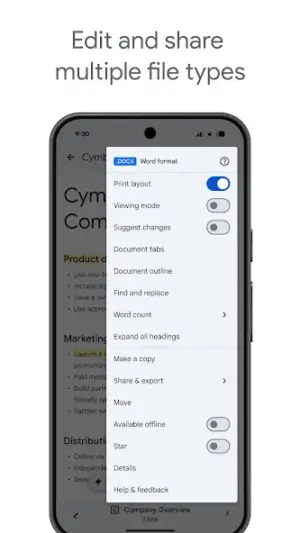
Does it support file formats other than .docx?
.docx files can be imported; alongside PDF conversion options are also available.
Are my documents secure?
Google implements strong security measures but always verify sharing settings.
Can I add images or charts into my document?
Absolutely! Users can insert images directly from their devices or use built-in chart options.
Final Thoughts
Google Docs remains a practical choice in the Productivity space. If you need the latest build (Latest) for Android, use the download section below and follow the installation guide.
Related Apps
Disclaimer
AndroidKnight is not affiliated with Google LLC. All trademarks belong to their respective owners. Download and use APKs at your own risk and respect local laws and app licenses.
All Versions of Google Docs
Frequently Asked Questions
Yes. Google Docs is scanned before publishing. Our pipeline verifies each file.
Download the APK, enable 'Install from Unknown Sources' in Settings > Security, then tap the file.
Latest version is Latest.
Requires Android 5.0+.
Yes, completely free.
APKs let you install apps not in your region, use specific versions, or install without Google Play.
Related News Articles


More from Google LLC


Google Docs Alternative
Apps similar to Google Docs that you may also like.


User Reviews
Compatibility Checker
Google Docs requires Android 5.0+ or higher. Select your device version to check.
Write a Review