Google Wallet APK
Google LLCVaries with device · Free · Safe · Verified
Share This App
Scan to Download
Scan with Android camera
Screenshots
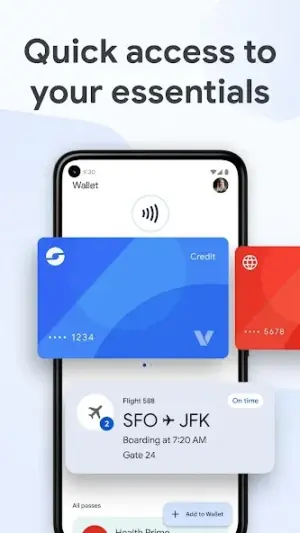
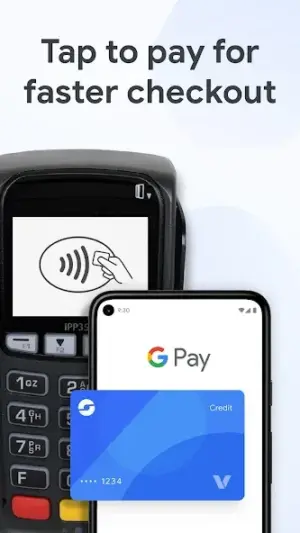
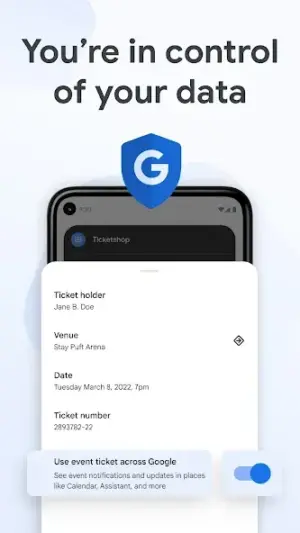
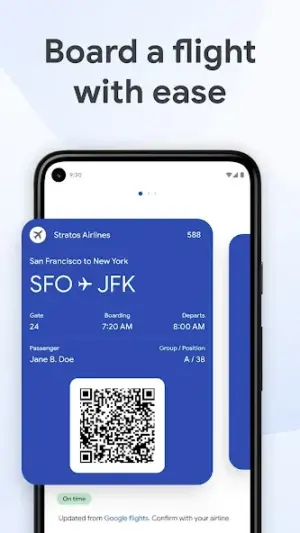
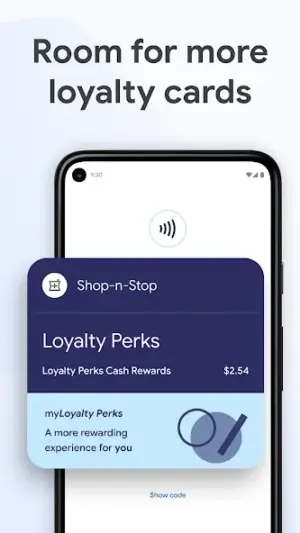
About Google Wallet
In an era where convenience meets innovation, Google Wallet emerges as a quintessential tool for managing your financial essentials. With its user-friendly interface and secure features, this app is shaping how we think about digital finance in everyday life.
Related in Finance: DANA Indonesia Digital Wallet
| App Name | Google Wallet |
|---|---|
| Version | Latest |
| Developer | Google LLC |
| Package Name | com.google.android.apps.walletnfcrel |
| Category | Finance |
| Size | Varies with device |
| Downloads | N/A |
| Rating | 4.4 |
| Android Version | Varies |
| Updated | Jul 27, 2026 |
Overview
Google Wallet is a versatile finance application designed to streamline access to essential payment methods and passes right from your Android device. Whether you're looking to store credit cards, boarding passes, or event tickets, this app offers a centralized platform that caters to the modern user’s lifestyle. Its intuitive design fosters ease of use, making financial transactions not just simpler but also faster than traditional methods. Moreover, with its universal architecture, it ensures compatibility across a wide range of devices, appealing to an extensive audience.
Since its recent update on July 27, 2026, Google Wallet has enhanced its functionality without compromising on security—a critical factor for users entrusting their financial data to a mobile application. The app currently boasts a solid rating of 4.4, reflecting the positive experiences of users who appreciate the seamless integration into their daily transactions. Although download statistics are not disclosed, the reputation of Google as a leading tech company undoubtedly contributes to a substantial user base and ongoing relevance in the finance category.
At its core, Google Wallet is more than just a digital wallet; it's about transforming how we interact with money in our fast-paced world. As contactless payments become increasingly common and necessary—especially post-pandemic—having an app that supports these transactions securely is paramount. Google Wallet stands out by not only offering payment capabilities but also by allowing users to manage loyalty cards and tickets efficiently, all in one place.
With societal trends shifting towards cashless transactions and personal finance management through apps, Google Wallet holds significant cultural relevance. It aligns perfectly with growing consumer desires for speed and simplicity when handling money matters.
Who Is Google Wallet For?
Google Wallet is ideal for anyone seeking an efficient way to manage their financial activities while on-the-go. It caters particularly well to busy professionals who require quick access to payment options during their daily commutes as well as travelers needing seamless ticketing solutions.
Real-World Use Cases
- Quickly pay for groceries at checkout using stored credit cards.
- Easily present boarding passes when flying without printing them out.
- Add loyalty program cards once for automatic tracking of points during purchases.
- Share event tickets with friends directly from your phone.
Features
- Secure storage for credit and debit cards
- Easy management of loyalty cards and gift certificates
- Fast checkout through NFC technology
- Access to ticket confirmations for events or travel
- User-friendly interface that requires minimal setup
- Universal compatibility across various Android devices
- Regular updates ensuring enhanced performance and security
- No hidden fees or subscription charges
Performance & Battery
Google Wallet performs remarkably well across various Android devices due to its universal architecture. Users typically report smooth navigation without lag during transactions—all pivotal aspects given that any delays could affect timely payments or check-ins.
Privacy & Permissions
Though specific permissions are not listed in detail within the app description, maintaining privacy while using financial applications like Google Wallet is crucial. Always ensure you download apps from trusted sources such as official app stores and regularly check for updates which often include important security patches.
What’s New
While specific details on new features were not provided in the latest update notes, users can expect ongoing enhancements aimed at improving both functionality and security. Regular improvements based on user feedback ensure that Google Wallet stays relevant in the highly competitive financial app landscape.
How to Install
- Open the Google Play Store on your Android device.
- In the search bar at the top, type “Google Wallet”.
- Select the app from the search results list.
- Click on “Install” to begin downloading the app.
- Once installed, tap “Open” to launch Google Wallet.
- Create an account or log in using your existing Google credentials.
- Follow prompts to set up payment methods and add relevant cards or tickets.
Pros
- Robust security features ensuring user data safety
- Convenient access to multiple payment options
- Seamlessly integrates with other Google services
- User-friendly interface suitable for all ages
- Regular updates reflect user feedback
Cons
- Occasional connectivity issues may hinder access
- Limited support outside major banks
- Requires sufficient storage space depending on device
- Some features may be unavailable based on geographic location
Download Google Wallet APK
Download Google Wallet vLatest APK
Free · Safe · Verified APK download
Frequently Asked Questions
Is Google Wallet free?
Yes, there are no fees associated with downloading or using Google Wallet.
Can I use Google Wallet internationally?
The availability and functionality may vary based on location.
What kinds of cards can I store?
You can store credit cards, debit cards, loyalty cards, and gift certificates.
Does it work offline?
Certain features may be accessible offline but generally require internet connectivity.
How secure is my financial information?
Google employs industry-standard encryption techniques to protect your data.
Do I need a Gmail account?
Yes, you'll need a Google account to use Google Wallet.
Final Thoughts
As we move further into a cashless society driven by technology and convenience demands, Google Wallet represents an essential tool that adapts fluidly with consumer needs. Its reliable functionality makes it indispensable for those looking to keep their financial dealings organized while navigating busy lifestyles.
Related Apps
Disclaimer
This article is intended solely for informational purposes; AndroidKnight is not affiliated with Google LLC nor responsible for any actions taken related to downloading or using this APK.
All Versions of Google Wallet
Frequently Asked Questions
Yes. Google Wallet is scanned before publishing. Our pipeline verifies each file.
Download the APK, enable 'Install from Unknown Sources' in Settings > Security, then tap the file.
Latest version is Latest.
Requires Android 5.0+.
Yes, completely free.
APKs let you install apps not in your region, use specific versions, or install without Google Play.
Related News Articles

More from Google LLC


Google Wallet Alternative
Apps similar to Google Wallet that you may also like.


User Reviews
Compatibility Checker
Google Wallet requires Android 5.0+ or higher. Select your device version to check.
Write a Review