
Messenger Kids – The Messaging APK
Meta Platforms, Inc.Varies with device · Free · Safe · Verified
Share This App
Scan to Download
Scan with Android camera
Screenshots
About Messenger Kids – The Messaging
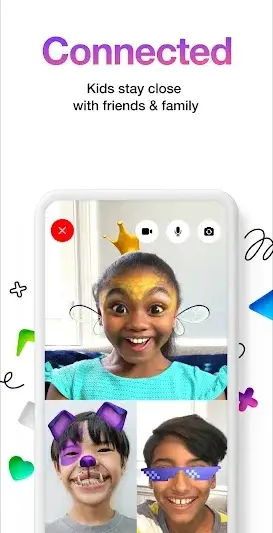
In today's digital landscape, ensuring safe communication for children is of paramount importance. Messenger Kids from Meta Platforms, Inc. aims to provide a secure platform for kids to connect with family and close friends through messaging and video calls, albeit with necessary precautions that parents must keep in mind.
Related in Communication: aka · Google Pixel Watch · Messages – SMS Texting App
| App Name | Messenger Kids – The Messaging |
|---|---|
| Version | Latest |
| Developer | Meta Platforms, Inc. |
| Package Name | com.facebook.talk |
| Category | Communication |
| Size | Varies with device |
| Downloads | N/A |
| Rating | 3.8 |
| Android Version | Varies |
| Updated | Jun 25, 2026 |
Overview
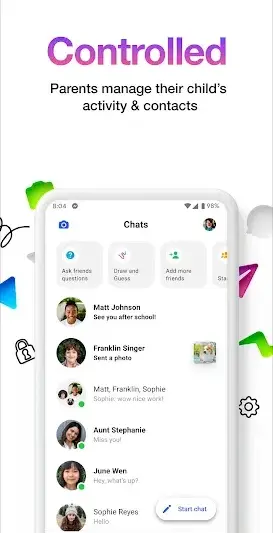
Messenger Kids is designed as a child-friendly communication tool that prioritizes both fun and safety. By allowing direct communication only with approved contacts, it fosters a controlled environment where kids can express themselves freely while parents maintain oversight. This app carefully balances engaging features with the essential need for security, reassuring parents who are wary of their children's online interactions.
The app’s layout is intuitive for younger users, boasting colorful icons and easy navigation that make chatting or video calling a breeze. Based on a universal architecture, it promises compatibility across various Android devices, adapting seamlessly to different screen sizes.
While the popularity of messaging apps continues to soar among older age groups, Messenger Kids stands out by focusing specifically on the needs of a younger audience. Its design caters not just to entertainment but emphasizes parental control—a critical feature in any app involving children.
The application operates under a free licensing model, which makes it accessible for many families looking for effective tools to keep their children connected without incurring additional costs. As it evolves through updates (most recently on June 25, 2026), users can expect new features that enhance usability and security alike.
Who Is Messenger Kids – The Messaging For?
Messenger Kids is primarily targeted towards young children whose parents wish to give them a safe avenue for communication with family members or trusted friends. The app empowers kids by allowing them some autonomy in connecting with loved ones while ensuring that their interactions are monitored and controlled.
Real-World Use Cases
- A parent wants their child to connect with relatives living far away without compromising safety.
- Siblings can use the app to keep in touch while being separated during school hours or after school activities.
- Friends can share moments via video calls when physical playdates aren’t possible.
- The app serves as a medium for shared experiences during interactive group chats with multiple close friends.
Features
- User-friendly interface tailored for children
- Video calling capabilities with up to certain participants
- Direct messaging options limited to pre-approved contacts
- Parental controls for managing contacts and interactions
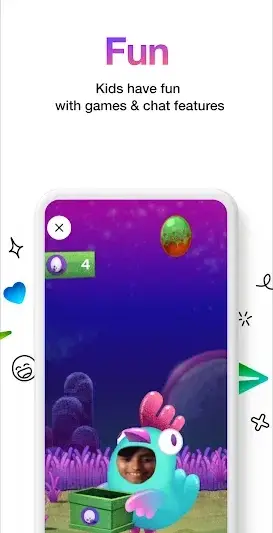
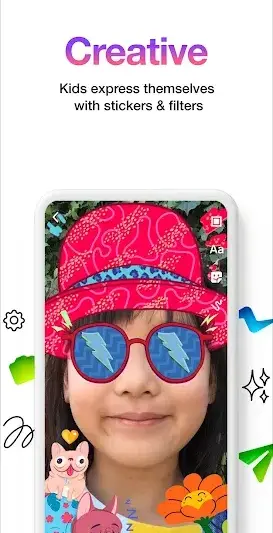
- Fun stickers and effects to enhance conversations
- No advertisements or in-app purchases
- Universal compatibility across devices
- Regular updates focused on enhancing safety features
Performance & Battery
As Messenger Kids is designed to be adaptable across varying device configurations, efficiency remains key. Users generally report smooth performance on most compatible Android devices; however, experiences may vary based on hardware capabilities. Regular updates help ensure ongoing performance reliability.
Privacy & Permissions
Understanding privacy within Messenger Kids is crucial given its target audience of children. While specific permissions haven't been disclosed publicly, standard practice suggests that an app like this would request access primarily related to messaging functions such as microphone access for calls. Parents should remain vigilant about verifying sources when downloading APKs by checking package names—com.facebook.talk—and only obtaining apps from trusted sources like Google Play Store. Remember, no application can ever guarantee complete safety; practicing cautious habits supports safer usage.
What’s New
Unfortunately, specific details regarding recent changes or improvements have not been disclosed within the app's update log. However, updates are expected to revolve around enhancing security measures and possibly adding new fun features aimed at improving user engagement amongst kids.
How to Install
- Open your device’s Google Play Store.
- Search for ‘Messenger Kids’ using the search bar.
- Select the app from the results page.
- Tap ‘Install’ to begin downloading the app.
- Once installed, open the app and follow prompts to set up an account.
Pros
- Child-friendly interface that's easy to navigate
- Allows fun creative expression through stickers
- Built-in parental controls ensure kid safety
- Offers secure communications with approved contacts
- No ads or hidden purchases
- Designed specifically with kids in mind
Cons
- Limited contact list may restrict social interactions
- Lack of comprehensive update notes raises questions about improvements
- Requires constant parental involvement
- User experience varies based on device specifications
Download Messenger Kids – The Messaging APK
Download Messenger Kids – The Messaging vLatest APK
Free · Safe · Verified APK download
Frequently Asked Questions
Is Messenger Kids completely free?
Yes, Messenger Kids is available at no cost.
Can my child communicate with anyone they want?
No; communications are restricted only to pre-approved contacts.
What if I want to remove someone from my child's contact list?
Parents can manage contact lists directly through parental settings.
Are there advertisements in Messenger Kids?
No, there are no advertisements within the Messenger Kids app.
What types of devices support Messenger Kids?
'Universal architecture' means it's compatible across many Android devices.
'What permissions does this app require?'
Specific permission details aren’t listed; however typical permissions may relate to messaging functionalities.
Final Thoughts
By fostering communication between children and trusted individuals while maintaining essential oversight parameters for parents, Messenger Kids provides a unique solution adapted specifically for younger audiences. Always remember the importance of responsible digital habits; while this application aims at creating safe connections, vigilance remains key.
Related Apps
Disclaimer
**Disclaimer:** This review is created independently and does not represent any affiliation with Meta Platforms, Inc., nor does it endorse guaranteed security regarding APK installations.
All Versions of Messenger Kids – The Messaging
Frequently Asked Questions
Yes. Messenger Kids – The Messaging is scanned before publishing. Our pipeline verifies each file.
Download the APK, enable 'Install from Unknown Sources' in Settings > Security, then tap the file.
Latest version is Latest.
Requires Android 5.0+.
Yes, completely free.
APKs let you install apps not in your region, use specific versions, or install without Google Play.
Related News Articles


More from Meta Platforms, Inc.


Messenger Kids – The Messaging Alternative
Apps similar to Messenger Kids – The Messaging that you may also like.


User Reviews
Compatibility Checker
Messenger Kids – The Messaging requires Android 5.0+ or higher. Select your device version to check.
Write a Review