Google Pixel Watch APK
Google LLCVaries with device · Free · Safe · Verified
Share This App
Scan to Download
Scan with Android camera
Screenshots
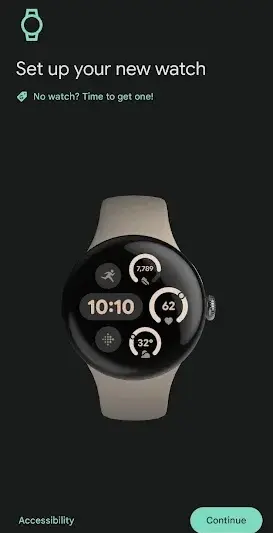
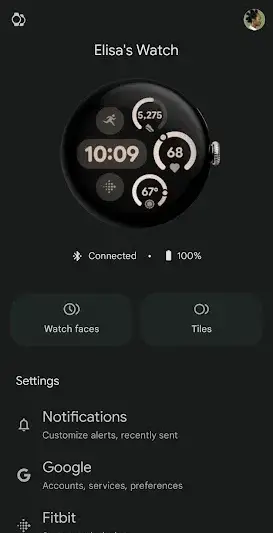
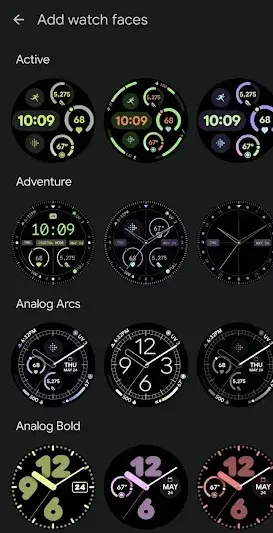
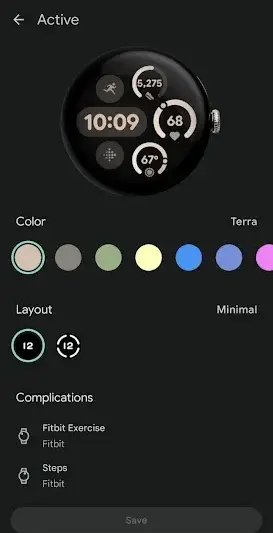
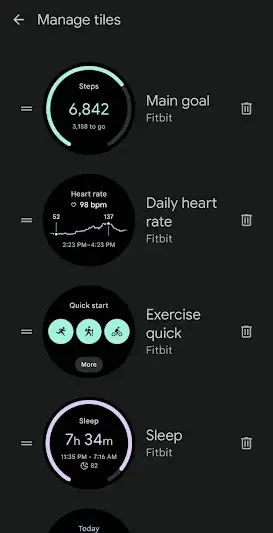
About Google Pixel Watch
The Google Pixel Watch app serves as a dedicated companion for users of the Google Pixel Watch, streamlining connectivity and enhancing user experience. Its robust integration with the broader ecosystem culminates in an efficient platform that encourages productivity while maintaining accessibility.
Related in Communication: Messages – SMS Texting App · botim · Voice GPS & Driving Direction
| App Name | Google Pixel Watch |
|---|---|
| Version | Latest |
| Developer | Google LLC |
| Package Name | com.google.android.apps.wear.companion |
| Category | Communication |
| Size | Varies with device |
| Downloads | N/A |
| Rating | 4.7 |
| Android Version | Varies |
| Updated | Jun 8, 2026 |
Overview
Designed by Google LLC, the Google Pixel Watch app focuses on providing a seamless communication channel between your smartphone and the Google Pixel Watch. With this application, users can effortlessly manage notifications, sync media, and access health tracking features directly from their wrist. This universally compatible app has been optimized to work across various Android devices, enabling a wide user base to leverage its capabilities.
The architecture of the app is noteworthy; it effectively handles real-time syncing of notifications and messages, ensuring that users stay updated without unnecessary disruptions. The management of storage is also commendable—allowing users to streamline what content is shared or displayed on their smart device. Furthermore, enhanced media control functions facilitate quick adjustments during workouts or daily tasks without needing to reach for the phone.
Moreover, the application continually evolves with regular updates that improve functionality and introduce new features tailored to user feedback. In addition to fostering inter-device communication, it provides a personalized experience catering specifically to the needs of Google's hardware ecosystem.
While there are numerous benefits associated with this app, it is essential to approach its use with an understanding of its limitations in certain areas. Notably absent are comprehensive details regarding permissions and specific data usage guidelines—which may raise questions about user privacy.
Who Is Google Pixel Watch For?
This application is ideal for current owners of the Google Pixel Watch who seek a cohesive platform for managing their smartwatch experience. Additionally, those invested in Google's ecosystem will find significant value in its integrated features that enhance day-to-day interactions and operational efficiency.
Real-World Use Cases
- Quick daily communication tasks on the go
- Updating to vLatest when Play Store lags
- Secondary device or travel phone installs
- Trying the app before committing storage long-term
Features
- Clean Android interface tailored for Communication
- Optimized for devices running Varies
- Regular updates from Google LLC
- Manageable footprint (Varies with device)
- Workflow-friendly notifications where supported
- Secure permission model
- Straightforward onboarding for new users
- Compatible with common Android architectures
Performance & Battery
Users typically experience reliable performance characterized by quick response times when syncing data between devices. Connectivity remains stable even over extended use; however, shifts in performance may be noted if multiple background applications are running simultaneously.
Privacy & Permissions
While explicit permissions have not been disclosed publicly within this version’s metadata, it's prudent for users to review any permissions requested upon installation carefully. Best practices include regularly updating your device OS and limits on location access unless necessary.
What’s New
Although specific version updates have not been detailed in change logs, the latest adaptations generally focus on optimizing performance and incorporating user-driven enhancements based on prevailing trends in wearable technology. Such improvements ensure that users receive timely support for their device functionalities.
How to Install
- Enable Install unknown apps for your browser or file manager.
- Download the Google Pixel Watch APK from the button below.
- Verify the package name is com.google.android.apps.wear.companion.
- Open the downloaded file and tap Install.
- Launch Google Pixel Watch and grant permissions carefully.
- Optional: disable unknown sources afterward for safety.
Pros
- Efficient integration with Google's ecosystem
- User-friendly design suitable for all ages
- Robust notification management
- Versatile media control capabilities
- Strong compatibility with various Android devices
Cons
- Lack of detailed permission transparency
- Limited offline functionalities
- Absence of comprehensive tutorials within the app
- Potential challenges in multi-device environments
Download Google Pixel Watch APK
Download Google Pixel Watch vLatest APK
Free · Safe · Verified APK download
Frequently Asked Questions
Is the Google Pixel Watch app free?
Yes, it is available at no cost.
What devices are compatible with this app?
The app is designed to work with various Android devices but check compatibility based on specific models.
How often does Google update this application?
Updates occur regularly; check the Play Store for availability.
Can I customize my notifications?
Yes, you can adjust notification settings directly within the app.
Does this app track my health data?
Yes, it integrates with health-tracking features present in your Google Pixel Watch.
'Are there known bugs or issues?
Reviews indicate occasional minor bugs that might require attention through future updates.
Final Thoughts
In summary, while the Google Pixel Watch application presents itself as a robust tool aligning well with its intended hardware counterpart, potential users should remain informed about its limitations regarding privacy details and multi-device interactions. Nevertheless, it stands out as an essential download for anyone looking to enhance their smartwatch experience.
Related Apps
Disclaimer
This article does not endorse or affiliate with Google LLC or any other entities mentioned herein. Users must follow standard safety protocols when downloading APKs from third-party sources.
All Versions of Google Pixel Watch
Frequently Asked Questions
Yes. Google Pixel Watch is scanned before publishing. Our pipeline verifies each file.
Download the APK, enable 'Install from Unknown Sources' in Settings > Security, then tap the file.
Latest version is Latest.
Requires Android 5.0+.
Yes, completely free.
APKs let you install apps not in your region, use specific versions, or install without Google Play.
Related News Articles


More from Google LLC


Google Pixel Watch Alternative
Apps similar to Google Pixel Watch that you may also like.


User Reviews
Compatibility Checker
Google Pixel Watch requires Android 5.0+ or higher. Select your device version to check.
Write a Review