
Samsung Music APK
Samsung Electronics Co., Ltd.Varies with device · Free · Safe · Verified
Share This App
Scan to Download
Scan with Android camera
Screenshots

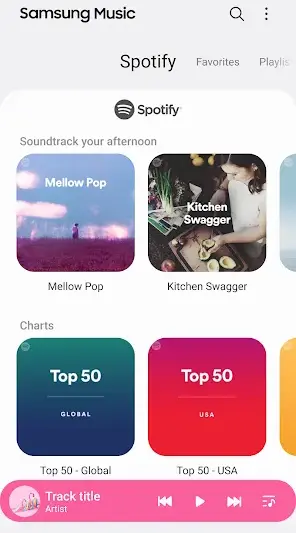
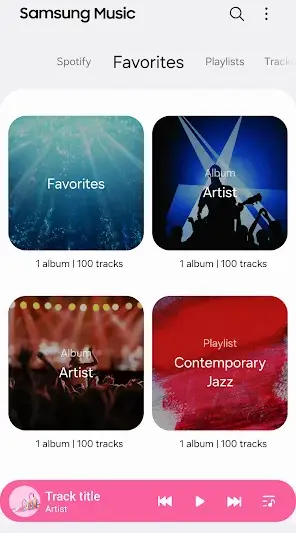
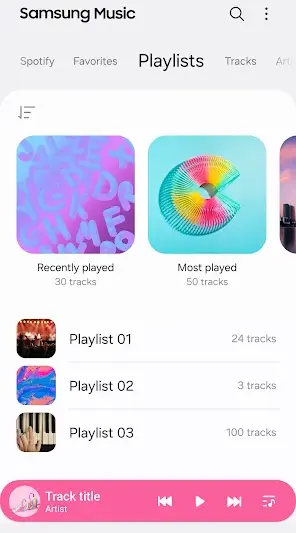
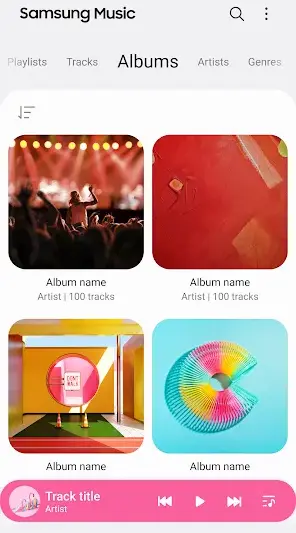
About Samsung Music
Samsung Music combines essential functionalities to serve as a reliable audio companion for users, especially those in the Samsung Galaxy ecosystem. With its user-friendly interface and extensive feature set, this app aims to enhance the music listening experience while catering specifically to Samsung device owners.
Related in Music And Audio: JBL Headphones · Shazam: Find Music & Concerts · Phonk Music – Song Remix Radio
| App Name | Samsung Music |
|---|---|
| Version | Latest |
| Developer | Samsung Electronics Co., Ltd. |
| Package Name | com.sec.android.app.music |
| Category | Music And Audio |
| Size | Varies with device |
| Downloads | N/A |
| Rating | 3.8 |
| Android Version | Varies |
| Updated | Jun 22, 2026 |
Overview
Samsung Music operates as a versatile music player designed for the Galaxy series, leveraging the underlying architecture of Android to deliver a seamless experience across various devices. The app offers an intuitive layout, ensuring quick access to playlists, albums, and tracks without unnecessary complexity. Given its focus on media management, Samsung Music allows users to organize their collections effectively by providing robust sorting features that prioritize ease of use.
One notable architectural strength is the app's syncing capability with music libraries stored locally or streamed via connected services. This ensures that whether you are using your phone or a tablet, your favorite playlists and songs are always within reach. Additionally, notifications from the app integrate smoothly with the Android notification shade, allowing easy playback control without having to navigate away from other tasks.
Storage management is another area where Samsung Music excels. Depending on device settings and preferences, users can choose to store music online or locally. This flexibility caters to different storage constraints among users; one can opt for minimal local space usage by streaming songs while still having offline access to select playlists.
In terms of connectivity, Samsung Music supports a range of audio formats compatible with modern standards and integrates well with Bluetooth speakers and headphones. This feature enables high-quality playback across various audio devices without sacrificing performance. The comprehensive support for Android’s media APIs also means that new features can be expected in future updates, enhancing usability further as the technology evolves.
Who Is Samsung Music For?
Samsung Music is particularly suited for users who own Samsung Galaxy devices looking for a dedicated music player that leverages native features and seamless integration within the device ecosystem. It appeals especially to those who value both local storage options and streaming capabilities.
Real-World Use Cases
- A commuting professional organizing daily podcasts alongside favorite tracks into one playlist using the app’s robust sorting features.
- An audiophile streaming high-fidelity versions of songs over Bluetooth speakers while retrieving metadata information through integrated album artwork.’
- A casual listener creating personalized mixed playlists for gatherings seamlessly accessible through notifications controls during events.
- A student utilizing offline playback while studying in areas with limited internet connectivity by preloading selected songs or albums beforehand.
Features
- Intuitive user interface tailored for easy navigation.
- Integration with Samsung’s ecosystem for smooth functionality.
- Create and manage custom playlists efficiently.
- Robust search feature allowing quick song/artist discovery.
- Support for multiple audio formats ensuring compatibility.
- User-friendly media controls accessible from notifications.
- Seamless synchronization with supported cloud services.
- Offline playback options available for selected tracks.
Performance & Battery
Samsung Music performs efficiently across various devices with varying specifications. Users report stable functionality even when multitasking on more resource-demanding applications. However, any performance degradation may also depend heavily on individual device capabilities rather than inherent flaws within the application itself.
Privacy & Permissions
The app requires standard permissions related to audio playback but remains cautious regarding personal data handling practices typical of Samsung’s commitment to user privacy. Adopting safe APK habits such as downloading only from trusted sources minimizes potential risks associated with unauthorized file alterations or malware infections.
What’s New
The latest update focuses on improving stability metrics and optimizing features that enrich user experience; however, specific changelog details have not been disclosed at this time. Users should note enhancements related to performance that address earlier backend issues ensuring smoother operation overall.
How to Install
- Open Google Play Store on your device.
- Search for ‘Samsung Music’ in the search bar.
- Select the appropriate application from the search results.
- Click ‘Install’ and wait for it to download.
- Once installed, open the app from your applications list.
Pros
- Seamless integration with Samsung hardware
- Wide compatibility with multiple audio formats
- Intuitive navigation ensures quick access
- Efficient playlist management capabilities
- Robust offline playback options available
- Consistent updates promise ongoing improvements
Cons
- Limited advanced features compared to premium players
- Occasional stability issues reported in older versions
- Some users may find UI less customizable
- No detailed changelog provided for recent updates
Download Samsung Music APK
Download Samsung Music vLatest APK
Free · Safe · Opens Google Play / APK source
Frequently Asked Questions
Is Samsung Music free?
Yes, Samsung Music is available at no cost.
Which devices support Samsung Music?
It is primarily optimized for use on Samsung Galaxy series devices.
Can I use it offline?
Yes, you can download songs for offline playback.
What types of audio files does it support?
The app supports various formats such as MP3, WAV, FLAC, etc.
Does it sync with cloud services?
'Yes,' it offers syncing capabilities across supported cloud platforms.
What if I'm not using a Samsung device?
While optimized for Galaxy series devices, it may function well on other Android devices too.
Final Thoughts
'In conclusion,' Samsung Music serves as a solid offering tailored mainly towards existing users within its ecosystem while maintaining simplicity in design and utility. Though some limitations exist concerning advanced features compared to competitors in the market, it remains competent enough for everyday listening needs.
Related Apps
More apps coming soon.
Disclaimer
AndroidKnight is not affiliated with Samsung Electronics Co., Ltd.. All trademarks belong to their respective owners. Download and use APKs at your own risk and respect local laws and app licenses.
App Permissions Explained
Samsung Music requests 1 permission. Auto-fetched from the Play Store.
All Versions of Samsung Music
Frequently Asked Questions
Yes. Samsung Music is scanned before publishing. Our pipeline verifies each file.
Download the APK, enable 'Install from Unknown Sources' in Settings > Security, then tap the file.
Latest version is Latest.
Requires Android 5.0+.
Yes, completely free.
APKs let you install apps not in your region, use specific versions, or install without Google Play.
Samsung Music Alternative
Apps similar to Samsung Music that you may also like.


User Reviews
Compatibility Checker
Samsung Music requires Android 5.0+ or higher. Select your device version to check.
Write a Review