Video Player All Format APK
InShot Inc.Varies with device · Free · Safe · Verified
Share This App
Scan to Download
Scan with Android camera
Screenshots

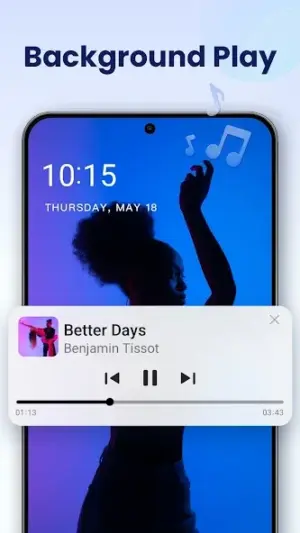
About Video Player All Format
Are you tired of struggling with incompatible video formats on your Android device? 'Video Player All Format' is here to change that landscape. With its broad support for various formats, this app promises to elevate your video viewing experience, but is it as good as they say?
Related in Video Players: Alight Motion · PowerDirector – Video Editor · Edits: Video Editor
| App Name | Video Player All Format |
|---|---|
| Version | Latest |
| Developer | InShot Inc. |
| Package Name | video.player.videoplayer |
| Category | Video Players |
| Size | Varies with device |
| Downloads | N/A |
| Rating | 4.8 |
| Android Version | Varies |
| Updated | Jul 24, 2026 |
Overview
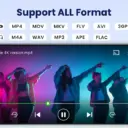
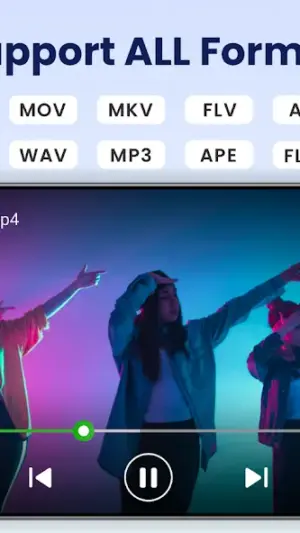
Developed by InShot Inc., 'Video Player All Format' has garnered much attention as a go-to solution for versatile video playback on Android devices. It stands out in the crowded video player space with a claim of supporting all popular file formats while delivering smooth 4K and HD playback. This means from MKV to MP4, you can enjoy your favorite videos without hassle.
Additionally, the integration of powerful features like a built-in video downloader and MP3 player enhances its functionality beyond mere playback. Chromecast support allows users to stream videos directly onto larger screens, making it an exceptional choice for both personal use and gatherings.
While the app's user interface is designed to be intuitive, it also provides options for customization, allowing users to tailor their viewing experience. Regular updates ensure that performance remains optimal and issues are addressed swiftly, contributing further to its high rating of 4.8 in user satisfaction.
However, it's crucial to understand how third-party APKs like this one work compared to official offerings from the Google Play Store. Some users may have concerns regarding safety and permission requests associated with these applications. Let's delve deeper into those points to clarify common myths surrounding APK usage.
Who Is Video Player All Format For?
'Video Player All Format' caters primarily to users who demand versatility in their media consumption. Whether you’re an avid movie watcher or someone who enjoys casual clips from various sources, this app fits right into your lifestyle by providing flexibility across different media formats.
Real-World Use Cases
- Quick daily video players tasks on the go
- Updating to vLatest when Play Store lags
- Secondary device or travel phone installs
- Trying the app before committing storage long-term
Features
- Clean Android interface tailored for Video Players
- Optimized for devices running Varies
- Regular updates from InShot Inc.
- Manageable footprint (Varies with device)
- Workflow-friendly notifications where supported
- Secure permission model
- Straightforward onboarding for new users
- Compatible with common Android architectures
Performance & Battery
The performance of 'Video Player All Format' largely hinges on proper device specifications due to its universal architecture that adapts based on varying hardware capabilities. Users generally report smooth playback without noticeable buffering or lagging issues when running supported files at optimal resolution.
Privacy & Permissions
'Video Player All Format' does not explicitly list its permission requirements; however, common considerations include access to storage and network connectivity necessary for downloading content or playing videos. Always ensure you're downloading APKs only from trusted sources and regularly check permissions post-installation.
What’s New
Although specific details about the latest updates were not provided, 'Video Player All Format' continues to evolve with regular enhancements aimed at providing a better user experience. This includes improvements in stability and possibly new features that align with user demands.
How to Install
- Enable Install unknown apps for your browser or file manager.
- Download the Video Player All Format APK from the button below.
- Verify the package name is video.player.videoplayer.
- Open the downloaded file and tap Install.
- Launch Video Player All Format and grant permissions carefully.
- Optional: disable unknown sources afterward for safety.
Pros
- Wide format compatibility ensures all media files play smoothly.
- High performance with HD and 4K resolution support.
- Built-in features like downloading and MP3 playing boost functionality.
- Regular updates keep the app relevant and bug-free.
- User-friendly interface makes it accessible even for non-tech-savvy individuals.
Cons
- No detailed changelog may leave users unaware of what improvements have been made.
- Size may vary significantly depending on device configurations.
- Permissions needed haven't been clearly stated upfront.
- Some users might prefer official store offerings due to trust issues.
Download Video Player All Format APK
Download Video Player All Format vLatest APK
Free · Safe · Verified APK download
Frequently Asked Questions
Is it safe to download APKs like Video Player All Format?
Safety depends largely on where you download the APK from; always choose reputable sources.
What’s the difference between an official App Store version and an APK?
APKs can offer more features or flexibility but may pose security risks if not sourced correctly.
'Video Player All Format' supports many formats; does it really handle all of them?
'Video Player All Format' claims compatibility with most standard formats widely used today.
How often are updates released?
'Video Player All Format' receives updates regularly but exact frequencies depend on user feedback and technical advancements.
'Video Player All Format' requires permissions; are they necessary?
'Yes', permissions are typically required for accessing storage or internet services necessary for streaming/downloading content.
'Can I use Video Player All Format offline?'
'Yes', once downloaded content is saved locally, you can watch without internet access.
Final Thoughts
'Video Player All Format' proves itself as a versatile choice among video players available today. By understanding its benefits while shedding light on common misconceptions about APK downloads, users can make informed choices about integrating this tool into their media routines.
Related Apps
Disclaimer
'Video Player All Format' is developed by InShot Inc., which is independent of our platform's ownership or operation. Users are responsible for installing APKs at their own discretion after evaluating potential risks associated with unofficial applications.
All Versions of Video Player All Format
Frequently Asked Questions
Yes. Video Player All Format is scanned before publishing. Our pipeline verifies each file.
Download the APK, enable 'Install from Unknown Sources' in Settings > Security, then tap the file.
Latest version is Latest.
Requires Android 5.0+.
Yes, completely free.
APKs let you install apps not in your region, use specific versions, or install without Google Play.
Related News Articles


More from InShot Inc.


Video Player All Format Alternative
Apps similar to Video Player All Format that you may also like.


User Reviews
Compatibility Checker
Video Player All Format requires Android 5.0+ or higher. Select your device version to check.
Write a Review