
VivaVideo - Video Cut & Editor APK
QuVideo Inc. Video Editor & Video Maker AppVaries with device · Free · Safe · Verified
Share This App
Scan to Download
Scan with Android camera
Screenshots

About VivaVideo - Video Cut & Editor
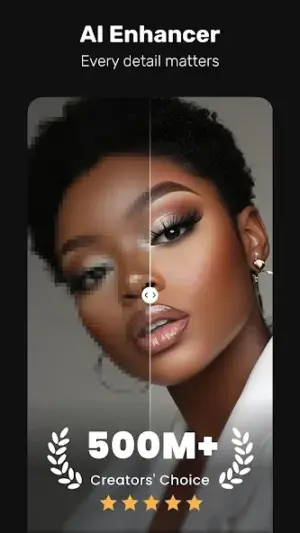
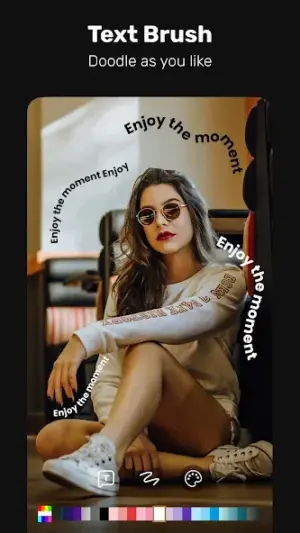
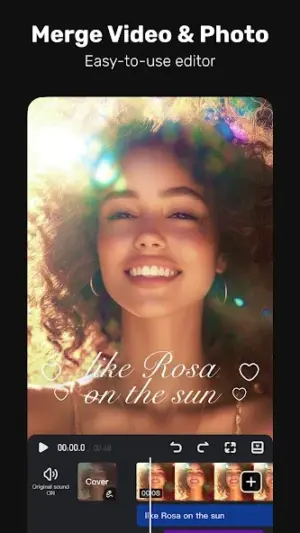
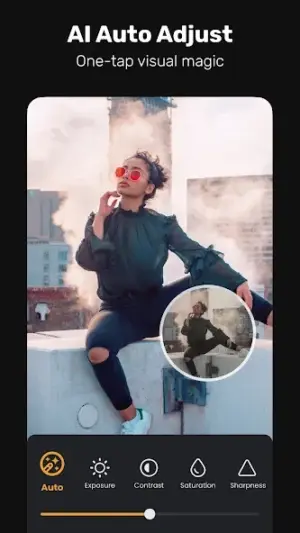
In an age where video content reigns supreme, having a powerful editing tool at your fingertips is essential. VivaVideo – Video Cut & Editor stands out as a versatile companion that enhances your video editing experience through its intuitive AI features, perfect for various daily routines.
Related in Video Players: Video Player All Format · Alight Motion · PowerDirector – Video Editor
| App Name | VivaVideo – Video Cut & Editor |
|---|---|
| Version | Latest |
| Developer | QuVideo Inc. Video Editor & Video Maker App |
| Package Name | com.quvideo.xiaoying |
| Category | Video Players |
| Size | Varies with device |
| Downloads | N/A |
| Rating | 4.3 |
| Android Version | Varies |
| Updated | Jul 15, 2026 |
Overview
VivaVideo is designed with simplicity and effectiveness in mind. The app combines cutting-edge AI technology with user-friendly tools to help you create impactful videos effortlessly. Whether you are capturing fleeting moments during your morning commute or crafting polished content for social media during lunch breaks, VivaVideo streamlines the video editing process.
Who Is VivaVideo – Video Cut & Editor For?
VivaVideo caters to a wide audience, including casual users looking to enhance personal videos and professionals who need quick editing solutions on-the-go. It's suitable for content creators, vloggers, and anyone passionate about storytelling through visuals.
Real-World Use Cases
- Mornings: Capture candid moments with family or pets using fast edits before heading out for the day.
- Commute: Utilize travel time by editing snippets of your previous day’s adventures into engaging stories.
- Work Breaks: Create quick promotional videos or updates efficiently during lunch breaks without needing extensive prep time.
- Evenings: Edit highlights from a weekend trip as you relax at home, sharing them instantly with friends via social media.
Features
- AI-driven video templates for quick creation.
- Text-to-video feature enabling seamless storytelling.
- Audio extraction from existing videos to use in new projects.
- Auto-captioning capabilities to enhance accessibility.
- An array of filters and transitions for professional touches.
- Real-time editing options for immediate modifications.
- User-friendly interface catering to both beginners and pros.
- Share directly to social media platforms after editing.
Performance & Battery
Users report smooth operation across a range of devices. The universal architecture ensures compatibility with various Android models while maintaining efficient processing speeds during typical use cases. Editing large files may vary based on device specifications.
Privacy & Permissions
VivaVideo requires general permissions typical of video applications but does not disclose specifics publicly. To maintain best practices in privacy, users should verify permissions during installation and regularly review application settings post-installation.
What’s New
While specific update notes have not been detailed, ongoing development continues to polish the user experience. Recent advancements likely focus on enhancing the AI features and refining existing tools to ensure optimal performance across various devices.
How to Install
- Open Google Play Store on your device.
- Search for ‘VivaVideo – Video Cut & Editor’.
- Select the app from the search results.
- Tap ‘Install’ and wait for the download to complete.
- Once installed, open the app from your home screen or app drawer.
Pros
- Intuitive interface easy for all experience levels.
- Wide variety of AI-enhanced editing features available.
- Fast processing times enhance productivity.
- Regular updates improve functionality and features.
- Seamless sharing capabilities extend reach.
Cons
- Limited customization options compared to desktop software.
- Some advanced features may be behind paywalls.
- Occasional ads can interrupt workflow.
- Requires internet access for certain AI functions.
Download VivaVideo – Video Cut & Editor APK
Download VivaVideo – Video Cut & Editor vLatest APK
Free · Safe · Verified APK download
Frequently Asked Questions
Is VivaVideo free to use?
Yes, the app is free with optional in-app purchases.
What types of videos can I create?
You can create everything from personal vlogs to marketing content.
Does it support high-resolution video exports?
Yes, it supports various resolutions suitable for different platforms.
Can I add my own music tracks?
Yes, you can upload audio files to incorporate into your videos.
Is there a limit on video length?
Editing limits may depend on the device's capacity rather than app restrictions.
How often is the app updated?
'VivaVideo' receives regular updates; check store listings for details.
Does this app work offline?
'Most features can be used offline; however, some require internet access.'
Final Thoughts
VivaVideo – Video Cut & Editor remains a practical choice in the Video Players space. If you need the latest build (Latest) for Android, use the download section below and follow the installation guide.
Related Apps
More apps coming soon.
Disclaimer
AndroidKnight is not affiliated with QuVideo Inc. Video Editor & Video Maker App. All trademarks belong to their respective owners. Download and use APKs at your own risk and respect local laws and app licenses.
All Versions of VivaVideo - Video Cut & Editor
Frequently Asked Questions
Yes. VivaVideo - Video Cut & Editor is scanned before publishing. Our pipeline verifies each file.
Download the APK, enable 'Install from Unknown Sources' in Settings > Security, then tap the file.
Latest version is Latest.
Requires Android 5.0+.
Yes, completely free.
APKs let you install apps not in your region, use specific versions, or install without Google Play.
Related News Articles


VivaVideo - Video Cut & Editor Alternative
Apps similar to VivaVideo - Video Cut & Editor that you may also like.


User Reviews
Compatibility Checker
VivaVideo - Video Cut & Editor requires Android 5.0+ or higher. Select your device version to check.
Write a Review