
DWG FastView-CAD Viewer&Editor APK
Gstarsoft Co., Ltd.Varies with device · Free · Safe · Verified
Share This App
Scan to Download
Scan with Android camera
Screenshots
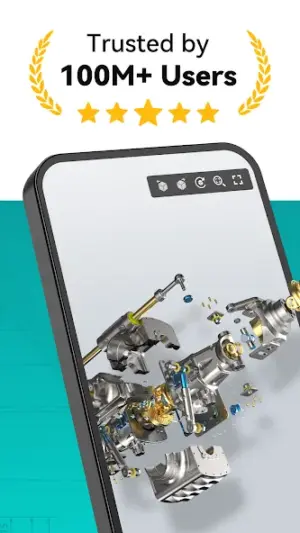
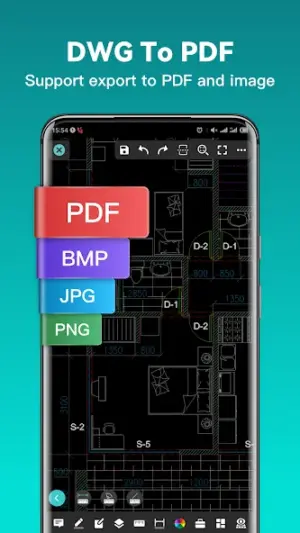
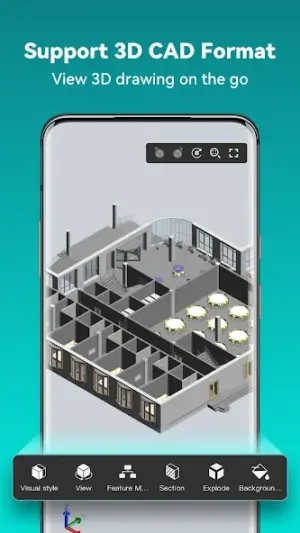
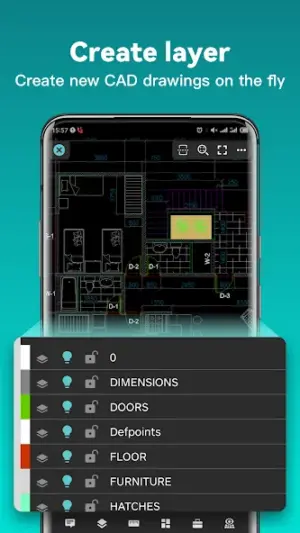
About DWG FastView-CAD Viewer&Editor
Navigating the world of CAD files can be daunting, especially when it comes to mobile solutions. DWG FastView-CAD Viewer&Editor offers a robust platform for opening and editing DXF files, making it an invaluable tool for architects and designers alike. However, as with any app not from the official Play Store, ensuring safe installation is paramount.
Related in Productivity: iLovePDF: PDF Editor & Scanner · Microsoft Excel: Spreadsheets · MobiOffice: Word, Sheets, PDF
| App Name | DWG FastView-CAD Viewer&Editor |
|---|---|
| Version | Latest |
| Developer | Gstarsoft Co., Ltd. |
| Package Name | com.gstarmc.android |
| Category | Productivity |
| Size | Varies with device |
| Downloads | N/A |
| Rating | 3.5 |
| Android Version | Varies |
| Updated | Jul 20, 2026 |
Overview
DWG FastView-CAD Viewer&Editor from Gstarsoft Co., Ltd. provides a comprehensive set of tools tailored for professionals who need to interact with DXF files on their Android devices. The app caters to a wide range of users—from engineers to architects—allowing them to open, view, and edit CAD drawings seamlessly on the go. One of its standout features is the ability to convert intricate drawings into PDFs with just a single tap, significantly enhancing productivity for busy professionals.
The application boasts a universal architecture, meaning it can run on various devices without compatibility issues—a great advantage given the diverse Android ecosystem. Its flexibility also extends to performance; depending on your device's specifications, you can expect a tailored experience that takes advantage of your hardware capabilities. While the ratings hover around 3.5 stars, indicating room for improvement, many users appreciate its functionality that contributes positively to their workflow.
Moreover, DWG FastView emphasizes usability and efficiency by providing powerful editing tools designed specifically for working with CAD formats. The interface is intuitively designed to facilitate quick access to essential features, allowing users to focus more on design rather than grappling with software complexities. Overall, this app stands out as an excellent choice for anyone in need of a sophisticated mobile CAD solution.
Who Is DWG FastView-CAD Viewer&Editor For?
DWG FastView is particularly suited for professionals working in fields such as architecture, engineering, or design who require mobile access to CAD files while maintaining the flexibility to edit them anytime and anywhere. Students or hobbyists looking for reliable CAD software also stand to benefit significantly from this app's capabilities.
Real-World Use Cases
- A civil engineer needing onsite access to construction plans without reliance on bulky laptops.
- An architectural student presenting designs in class using only their smartphone or tablet.
- A designer collaborating with team members by sharing updated PDFs directly from their device.
- An independent contractor reviewing blueprints at meetings or job sites digitally instead of carrying printed versions.
Features
- Open and view DXF and DWG files effortlessly.
- Edit CAD drawings directly from your smartphone or tablet.
- Convert drawings into PDF format in a single action.
- Universal compatibility across various Android devices.
- User-friendly interface enhances overall accessibility.
- Powerful editing tools designed for precision work.
- Supports file sharing options for collaborative projects.
- Regular updates enhance functionality and performance.
Performance & Battery
Users generally report satisfactory performance when operating DWG FastView-CAD Viewer&Editor across varying device specifications. The app adapts well based on hardware capabilities—a feature that enhances user experience significantly during demanding tasks such as large file edits.
Privacy & Permissions
As detailed permissions are not listed within the app metadata, users should remain cautious about granting unverified applications access to sensitive information or device features. Practicing safe APK habits—such as scanning downloaded files before installation—is highly recommended in order to protect personal data.
What’s New
While specific notes on recent changes are sparse, it's assumed that updates prior to July 20, 2026 have focused on improving existing features and potentially addressing user feedback. The developers are likely dedicated to enhancing overall stability and compatibility across multiple device types in their ongoing commitment to delivering a reliable tool for design professionals.
How to Install
- Enable unknown sources: Navigate to your device settings > Security > Unknown Sources and toggle this option on.
- Download the APK file from a trusted source—ensure it’s verified before proceeding.
- Before installing, verify the integrity of the APK using file verification tools if available.
- Install the APK: Open your downloaded APK file and follow on-screen instructions until installation completes.
- Once installed, revoke permission from unknown sources: Return to security settings and disable Unknown Sources once again after installation.
Pros
- User-friendly interface facilitates quick learning.
- Supports both viewing and editing functionalities.
- Strong capability in converting various file formats quickly.
- Universal compatibility across different devices.
- Useful for both professional and academic purposes.
Cons
- Rated only average at 3.5 stars indicating some functionality issues reported by users.
- Lack of detailed permissions may raise privacy concerns.
- Updates appear infrequent with limited information provided.
- Could benefit from additional advanced editing features.
Download DWG FastView-CAD Viewer&Editor APK
Download DWG FastView-CAD Viewer&Editor vLatest APK
Free · Safe · Verified APK download
Frequently Asked Questions
Is DWG FastView free?
Yes, DWG FastView-CAD Viewer&Editor is available for free.
Can I install this app without Google Play Store?
Yes, but you must enable unknown sources in your settings.
Does it support all Android devices?
The app has universal architecture support but performs best depending on your specific device.
Will my drawings be safe when using this app?
Always ensure you download APKs from trusted sources; maintaining good security practices will help protect your data.
Are there any limitations in features compared to desktop versions?
Some advanced functions may be limited compared to comprehensive desktop applications.
Final Thoughts
'DWG FastView-CAD Viewer&Editor offers an inviting blend of functionality and user-friendliness that makes handling CAD drawings portable. Prioritizing safe sideloading practices ensures a secure installation experience while harnessing all the benefits this app provides.'
Related Apps
More apps coming soon.
Disclaimer
'AndroidKnight is not affiliated with Gstarsoft Co., Ltd., nor does it guarantee this APK’s safety or reliability; users assume full responsibility when installing third-party applications.'
All Versions of DWG FastView-CAD Viewer&Editor
Frequently Asked Questions
Yes. DWG FastView-CAD Viewer&Editor is scanned before publishing. Our pipeline verifies each file.
Download the APK, enable 'Install from Unknown Sources' in Settings > Security, then tap the file.
Latest version is Latest.
Requires Android 5.0+.
Yes, completely free.
APKs let you install apps not in your region, use specific versions, or install without Google Play.
Related News Articles

DWG FastView-CAD Viewer&Editor Alternative
Apps similar to DWG FastView-CAD Viewer&Editor that you may also like.


User Reviews
Compatibility Checker
DWG FastView-CAD Viewer&Editor requires Android 5.0+ or higher. Select your device version to check.
Write a Review