Numero: Number - Data - Call APK
Smarteletec S.L.Varies with device · Free · Safe · Verified
Share This App
Scan to Download
Scan with Android camera
Screenshots
About Numero: Number - Data - Call
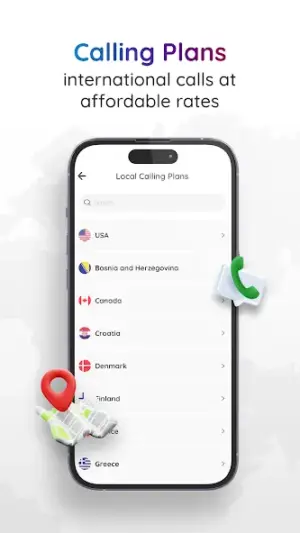
In today’s fast-paced world, having more than one phone number can make life so much easier. Whether you want to separate your personal and work calls or you're seeking international calling options without the hefty fees, Numero: Number – Data – Call is here to help make communication a breeze for everyone in your home.
Related in Communication: Gmail · UC Browser-Safe, Fast, Private · Yolla: International Calling
| App Name | Numero: Number – Data – Call |
|---|---|
| Version | Latest |
| Developer | Smarteletec S.L. |
| Package Name | com.esim.numero |
| Category | Communication |
| Size | Varies with device |
| Downloads | N/A |
| Rating | 4.1 |
| Android Version | Varies |
| Updated | Jul 6, 2026 |
Overview
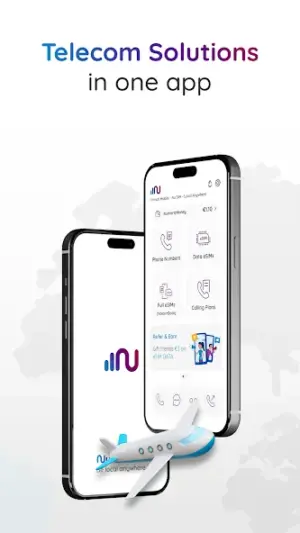
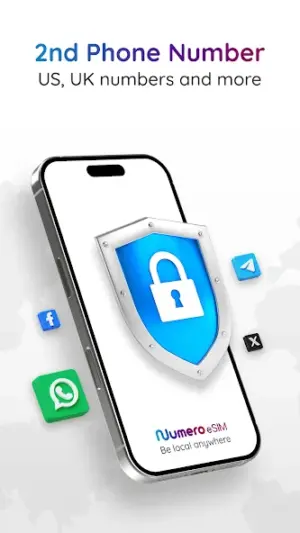
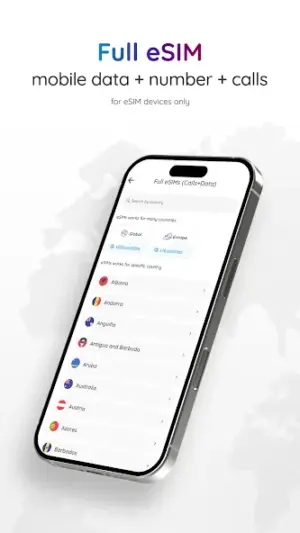
Numero offers an innovative solution for those in need of a second phone number. This app provides not only a virtual number but also eSIM mobile data and affordable VoIP calling options that cater to casual users, families, and shared-device households. With the ability to manage different contacts through a single device, it simplifies communication for busy parents who might share their devices with their kids.
The user-friendly interface ensures that anyone can set up and start using the app without technical know-how. The latest update brings improvements that enhance overall functionality—though specific details were not disclosed, you can expect a smoother experience. Families will appreciate the option to maintain separate accounts while keeping everything easily accessible under one roof.
Whether you’re juggling work calls during the day or switching to family time when evening rolls around, this versatile app is designed with your needs in mind. It even allows for international communication at minimal costs, making it ideal for families with loved ones living abroad.
Beyond just providing another number, Numero empowers users with data coverage suited for on-the-go lifestyles—ideal for tech-savvy kids or parents needing secure connectivity when out and about. With various size requirements based on your device, everyone should find compatibility suitable across their Android devices.
Who Is Numero: Number – Data – Call For?
Numero is perfect for casual users looking for flexibility in their communication methods. Parents will find it particularly beneficial in separating work-related communication from family calls, while also ensuring that their children have safe access to mobile data when needed. Shared-device households will appreciate how easy it is to manage multiple accounts on a single device without hassle.
Real-World Use Cases
- A parent uses Numero to keep business calls distinct from family chats while using one smartphone.
- A college student abroad takes advantage of reduced-rate international calls back home without needing multiple SIM cards.
- A small business owner manages customer inquiries directly via their secondary number within one central location.
- A kid using their parent’s old phone stays connected with friends while utilizing a secure platform through managed accessibility.
Features
- Get a second phone number without needing another SIM card.
- Affordable international VoIP calling rates.
- Seamless switching between personal and work numbers.
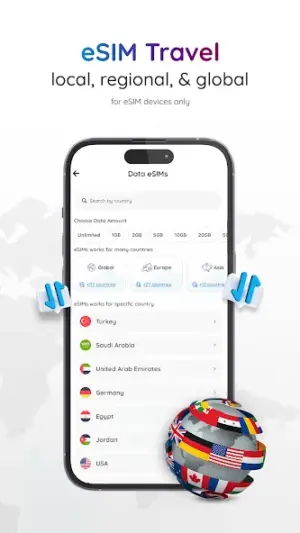
- eSIM mobile data services available directly through the app.
- User-friendly interface designed for all ages.
- Manage multiple accounts easily within one device.
- Stay connected wherever you go with dedicated mobile coverage options.
- No lengthy contracts or hidden fees—pay as you go!
- Secure communications ideal for family use.
Performance & Battery
Users have noted that Numero performs reliably with clear call quality across its VoIP services. The optimization for various devices ensures that whether you're on an older smartphone or one of the newest models, the function remains consistent, guaranteeing seamless interactions no matter where you are.
Privacy & Permissions
While specific permissions were not listed within this version of Numero, it's crucial always to download apps from trusted sources like Google Play Store and review permissions thoroughly before installation. Adopting safe habits such as avoiding unnecessary sharing of sensitive information can further protect your privacy while using such apps.
What’s New
Although detailed notes on what’s new were not provided, recent updates indicate enhancements aimed at improving user experience and overall performance. Users can expect a more streamlined interface along with possibly better call quality and connectivity options as part of this latest release.
How to Install
- Open the Google Play Store on your Android device.
- Search for ‘Numero: Number – Data – Call’ using the search bar.
- Select the app from the list and tap ‘Install.’
- Once installed, open the app from your applications menu.
- Create an account or log in using any existing credentials if prompted.
- Follow the setup instructions to obtain your second phone number.
- If applicable, activate eSIM data through the settings provided within the app.
Pros
- User-friendly interface suitable for all ages
- Cost-effective international calling
- Separation of personal and professional communication
- Ability to manage multiple accounts conveniently
- No additional hardware required
Cons
- Limited information on specific permissions
- Updates may lack detailed change logs
- Initial setup may be confusing for less tech-savvy users
- Functionality might vary by device specifications
Download Numero: Number – Data – Call APK
Download Numero: Number – Data – Call vLatest APK
Free · Safe · Verified APK download
Frequently Asked Questions
Can my child use this app?
Yes! Parents can set up accounts that allow children limited access under supervision.
Do I need multiple accounts if I share my device?
No; you can manage multiple numbers/account profiles all in one application.
What happens if I run out of data?
You can easily top up your data plan directly through the app.
Is there an age restriction?
There are no formal restrictions, but parent supervision is advised for younger users.
Is there any subscription fee?
The app operates mainly on pay-as-you-go basis without subscriptions!
Will this affect my existing phone service?
No; since it uses VoIP technology independently without impacting your current provider.
Final Thoughts
**In conclusion**, Numero: Number – Data – Call provides an excellent solution tailored for anyone looking to simplify their communication landscape while maintaining control over how they connect. With its focus on affordability and convenience, families will likely find this tool invaluable!
Related Apps
More apps coming soon.
Disclaimer
**Disclaimer**: This review is not affiliated with Smarteletec S.L., developers of Numero: Number – Data – Call. All responsibilities regarding usage fall upon individual users.
All Versions of Numero: Number - Data - Call
Frequently Asked Questions
Yes. Numero: Number - Data - Call is scanned before publishing. Our pipeline verifies each file.
Download the APK, enable 'Install from Unknown Sources' in Settings > Security, then tap the file.
Latest version is Latest.
Requires Android 5.0+.
Yes, completely free.
APKs let you install apps not in your region, use specific versions, or install without Google Play.
Related News Articles


Numero: Number - Data - Call Alternative
Apps similar to Numero: Number - Data - Call that you may also like.


User Reviews
Compatibility Checker
Numero: Number - Data - Call requires Android 5.0+ or higher. Select your device version to check.
Write a Review