TeleGuard APK
SwisscowsVaries with device · Free · Safe · Verified
Share This App
Scan to Download
Scan with Android camera
Screenshots
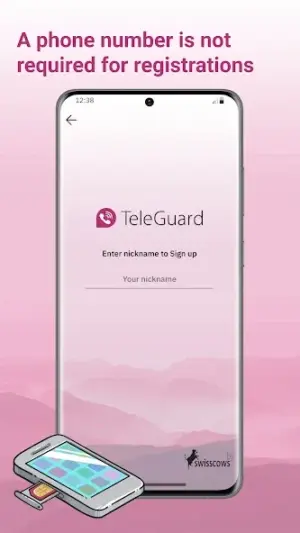
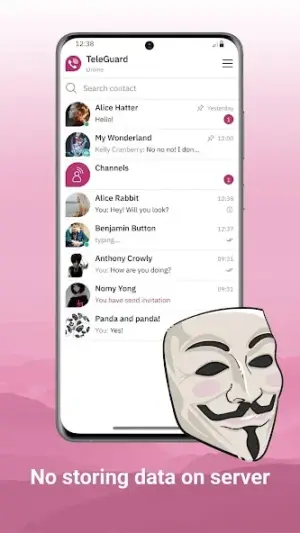
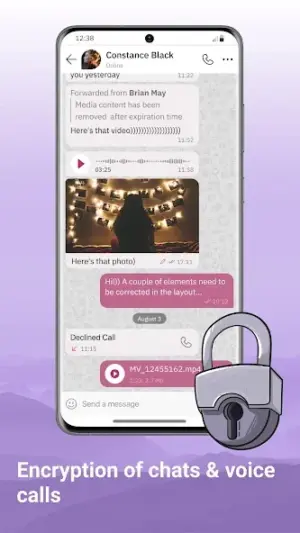
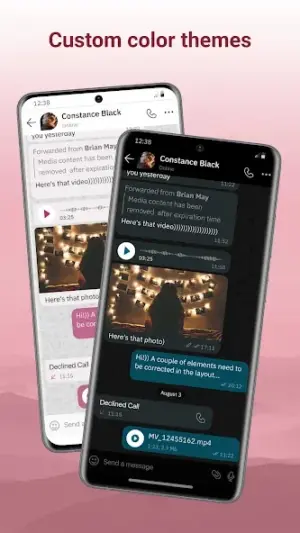
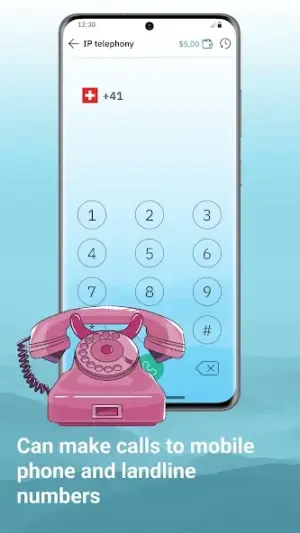
About TeleGuard
In a world where digital privacy is increasingly essential, TeleGuard emerges as a promising communication tool aimed at users seeking secure messaging alternatives. This app combines the functionality commonly found in the likes of WhatsApp and Telegram while focusing on enhanced security features to protect user data.
Related in Communication: Tor Browser · Ecosia: Search to plant trees · TextNow: Call + Text Unlimited
| App Name | TeleGuard |
|---|---|
| Version | Latest |
| Developer | Swisscows |
| Package Name | ch.swisscows.messenger.teleguardapp |
| Category | Communication |
| Size | Varies with device |
| Downloads | N/A |
| Rating | 3.4 |
| Android Version | Varies |
| Updated | Apr 6, 2026 |
Overview
TeleGuard, developed by Swisscows, positions itself within the crowded communication app category as a robust contender for individuals who prioritize security without sacrificing usability. With its latest version released on April 6, 2026, this universal messaging solution is designed to adapt to various Android devices, ensuring accessibility for a broad audience. While it currently holds a rating of 3.4, reflecting mixed user feedback, it's essential to delve into what makes this application stand out among its peers.
Unlike traditional chat apps that may prioritize ease of use over security, TeleGuard offers encryption mechanisms that appeal to those wary of data exploitation. Users looking for an alternative to heavier messaging platforms with excessive features might find this app strikes the right balance between simplicity and security. However, it’s also worth noting that those who prefer minimalist chat apps focused solely on basic functions may not fully appreciate its capabilities.
TeleGuard’s attempt at providing a secure communication environment isn’t just about being different; it caters to users desiring privacy in their messages and calls while maintaining a familiar interface reminiscent of mainstream messaging services. As you explore the nuances of TeleGuard, consider how well it aligns with your communication style and security needs.
Who Is TeleGuard For?
TeleGuard primarily targets individuals who value privacy in their digital communications yet wish for an easy-to-navigate platform. It's particularly suitable for users transitioning from conventional messaging apps searching for enhanced data protection without getting overwhelmed by complex functionalities found in heavier applications.
Real-World Use Cases
- For professionals needing secure channels to communicate sensitive work information without fear of interception.
- Activists requiring ongoing communication in environments where surveillance is prevalent.
- Individuals simply wanting peace of mind while texting family or friends about personal matters.
- Groups organizing events who need instant messaging that’s protected from prying eyes.
Features
- End-to-end encryption for all messages
- User-friendly interface suitable for both tech-savvy and casual users
- Compatibility across multiple devices due to its universal architecture
- No ads or hidden fees – completely free to use
- Customizable settings for personal privacy preferences
- Group chat functionalities for seamless communication with friends or colleagues
- Multimedia sharing options including photos, videos, and documents
- Regular updates to enhance functionality and security features
Performance & Battery
While specific benchmarks are unavailable for performance measurement, users can generally expect smooth operation owing to its universal architecture. The responsiveness may vary slightly depending on device specifications but overall aims to provide a reliable chatting experience without lags during message delivery.
Privacy & Permissions
TeleGuard places strong emphasis on privacy through end-to-end encryption practices that safeguard communications between users. Although permissions required aren't explicitly listed in metadata provided, adopting safe APK habits—such as only downloading from trusted sources—remains critical when dealing with any app related to personal data security.
What’s New
The changelog specifics were not provided; however, regular updates suggest ongoing improvements aimed at refining user experience and enhancing security measures. Staying updated ensures that users benefit from the latest developments in performance and feature set adaptations.
How to Install
- Open the Google Play Store or your preferred APK site.
- Search for ‘TeleGuard’ using the search bar.
- Select the app from the results while ensuring it’s from Swisscows.
- Tap ‘Install’ to download the app onto your device.
- Once installed, open TeleGuard and follow any setup prompts to begin using the app.
Pros
- Robust encryption ensures high-level privacy.
- No advertisements offering an uninterrupted experience.
- User-friendly interface appeals to various demographics.
- Regular updates imply commitment to improvement.
- Free access makes it accessible without hidden costs.
Cons
- Mixed user ratings indicate room for improvement.
- Lacks extensive additional features found in heavyweight competitors.
- Limited integration with other platforms can hinder functionality.
- Updates may introduce initial bugs affecting user experience.
Download TeleGuard APK
Download TeleGuard vLatest APK
Free · Safe · Verified APK download
Frequently Asked Questions
Is TeleGuard really free?
Yes, TeleGuard is completely free without any hidden charges.
How does this app ensure my messages are private?
The app uses end-to-end encryption which secures your messages.
Can I use TeleGuard on multiple devices?
Yes, it supports installation across various Android devices.
What should I do if I encounter bugs?
Report them via the support section within the app.
Does it allow multimedia sharing?
Absolutely! You can share photos, videos, and documents.
How often is TeleGuard updated?
'What's new' notes are unspecified but regular software maintenance occurs.
Final Thoughts
In conclusion, TeleGuard represents a confident choice for users seeking enhanced security in their communications without overcomplicating their experience. While it may not be ideal for everyone—particularly those seeking extensive features—it stands firm among other secure messaging options as an effective tool tailored towards privacy-conscious individuals who still value straightforward usability.
Related Apps
More apps coming soon.
Disclaimer
*AndroidKnight is not affiliated with Swisscows or any associated entities regarding this application. Responsibility for APK downloads lies entirely with the user.
All Versions of TeleGuard
Frequently Asked Questions
Yes. TeleGuard is scanned before publishing. Our pipeline verifies each file.
Download the APK, enable 'Install from Unknown Sources' in Settings > Security, then tap the file.
Latest version is Latest.
Requires Android 5.0+.
Yes, completely free.
APKs let you install apps not in your region, use specific versions, or install without Google Play.
Related News Articles

TeleGuard Alternative
Apps similar to TeleGuard that you may also like.


User Reviews
Compatibility Checker
TeleGuard requires Android 5.0+ or higher. Select your device version to check.
Write a Review