
Uber Eats: Food and Grocery APK
Uber Technologies, Inc.Varies with device · Free · Safe · Verified
Share This App
Scan to Download
Scan with Android camera
Screenshots

About Uber Eats: Food and Grocery
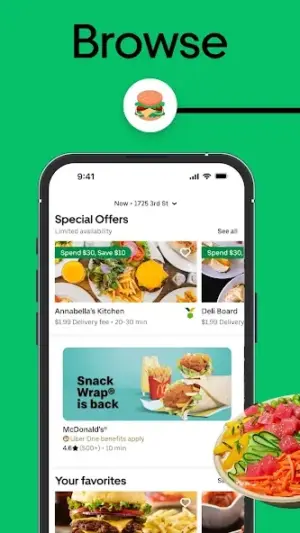
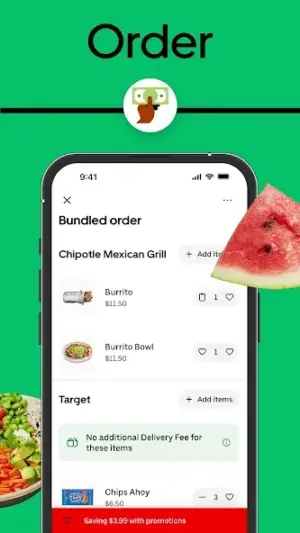
In today's fast-paced world, managing meals efficiently is essential. Uber Eats: Food and Grocery emerges as a versatile solution, combining food delivery with grocery shopping right at your fingertips. With its user-friendly interface, it's designed to fit seamlessly into your daily routine.
Related in Food And Drink: Subway® · Fore – Coffee and Donut · Chipotle
| App Name | Uber Eats: Food and Grocery |
|---|---|
| Version | Latest |
| Developer | Uber Technologies, Inc. |
| Package Name | com.ubercab.eats |
| Category | Food And Drink |
| Size | Varies with device |
| Downloads | N/A |
| Rating | 4.6 |
| Android Version | Varies |
| Updated | Jul 27, 2026 |
Overview
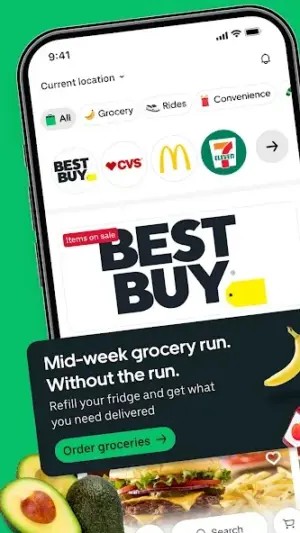
Uber Eats has evolved beyond just delivering meals from your favorite restaurants. The app now enables users to shop for groceries from local supermarkets, making it a one-stop hub for all your food-related needs. Whether you're looking for fresh produce, pantry staples, or ready-to-eat meals, Uber Eats aims to provide convenience without sacrificing quality or variety.
Who Is Uber Eats: Food and Grocery For?
Uber Eats: Food and Grocery is perfect for busy professionals, parents managing household needs, or anyone looking to simplify their meal preparation process. If you want a quick way to access both restaurant-quality food and essential groceries without leaving home, this app is tailored for you.
Real-World Use Cases
- **Morning Routine:** Start your day by ordering a nutritious breakfast from local cafes while still in bed — pick up that morning boost effortlessly before heading out.
- **Commute Convenience:** On your way home from work, use Uber Eats to shop for last-minute grocery items that you may have forgotten earlier in the week; have them delivered upon arrival at your doorstep.
- **Lunch Break:** Make lunchtime exciting with easy access to a variety of healthy meal options delivered quickly during those busy hours at the office — no need to settle for subpar takeout anymore!
- **Evening Dinner Planning:** After a long day, browse through curated lists of groceries needed for dinner; get everything delivered so you can focus on cooking rather than shopping.
Features
- User-friendly interface that simplifies searching and ordering.
- Access to a wide range of local grocery stores in addition to restaurants.
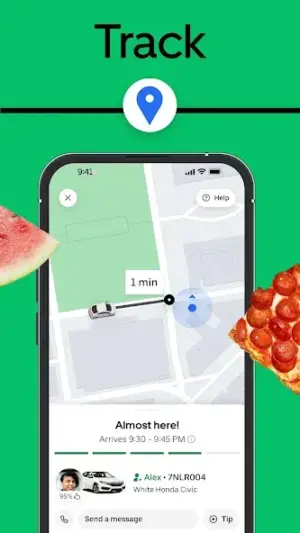
- Real-time tracking of deliveries ensures you know exactly when your order will arrive.
- Customizable shopping lists allow you to save frequently purchased items for quick access.
- Exclusive deals and promotions help you save while enjoying the convenience of delivery.
- Option to schedule deliveries ahead of time for optimal meal planning.
- Curated recommendations based on your previous orders enhance the shopping experience.
- Easy payment options including credit/debit cards and mobile wallets for seamless transactions.
Performance & Battery
Performance-wise, Uber Eats responds efficiently during typical usage scenarios. The app’s design allows it to handle multiple orders concurrently while keeping load times minimal. Users can expect smooth navigation when switching between sections such as grocery lists and restaurant menus.
Privacy & Permissions
While using Uber Eats: Food and Grocery, basic permissions are required to access location services for better order management. It’s advisable always to verify permission settings regularly; this helps maintain control over what information the app accesses. Staying updated with privacy practices can further enhance security during transactions.
What’s New
The latest updates enhance user experience significantly, focusing on improved delivery tracking features and user interface tweaks that streamline ordering processes. Bug fixes have also been implemented to ensure smoother performance during peak hours.
How to Install
- Open the Google Play Store on your device.
- Search for ‘Uber Eats: Food and Grocery’ in the search bar.
- Select the app from the results list.
- Click on ‘Install’ to download the app onto your device.
- Once installed, open the app and grant necessary permissions if prompted.
- Create an account or log in using an existing Uber account.
- Start browsing restaurants or grocery stores near you!
Pros
- Convenient dual functionality of both food delivery and grocery shopping.
- Access to various local supermarkets enhances product availability.
- User-friendly interface that makes browsing simple.
- Real-time delivery tracking adds peace of mind.
- Flexible payment methods cater to diverse consumer preferences.
Cons
- Availability may vary by region affecting selection.
- Delivery fees can accumulate if ordering frequently.
- Not all featured grocery stores may carry every item listed online.
- Customer support response times may vary.
Download Uber Eats: Food and Grocery APK
Download Uber Eats: Food and Grocery vLatest APK
Free · Safe · Verified APK download
Frequently Asked Questions
Can I schedule deliveries?
Yes, Uber Eats allows users to schedule their deliveries ahead of time.
What types of payments are accepted?
The app supports various payment methods including credit/debit cards and mobile wallets.
Are there any subscription fees?
Uber Eats does not charge subscription fees; however, delivery fees may apply depending on distance.
Can I view my past orders?
Absolutely! You can easily access your order history within the application.
Is it available everywhere?
'Uber Eats: Food and Grocery' is available in many urban areas but may be limited in rural regions.
'What should I do if my order is delayed?'
'If there's an issue with delivery timing, contact customer service directly through the app.'
Is it safe to use my card details?
Yes, Uber takes data security seriously with encrypted payment processing.
Can I return items ordered wrong?
Unfortunately, returns are not generally accepted once items are delivered.
Final Thoughts
With its unique combination of food delivery and grocery shopping capabilities, Uber Eats: Food and Grocery excels in convenience tailored for everyday life. It helps users streamline their routines whether they’re busy professionals or families juggling hectic schedules.
Related Apps
Disclaimer
This article is provided solely for informational purposes; AndroidKnight does not affiliate itself with Uber Technologies Inc., nor does it hold any responsibility regarding APK integrity or user experiences.
All Versions of Uber Eats: Food and Grocery
Frequently Asked Questions
Yes. Uber Eats: Food and Grocery is scanned before publishing. Our pipeline verifies each file.
Download the APK, enable 'Install from Unknown Sources' in Settings > Security, then tap the file.
Latest version is Latest.
Requires Android 5.0+.
Yes, completely free.
APKs let you install apps not in your region, use specific versions, or install without Google Play.
Related News Articles


More from Uber Technologies, Inc.


Uber Eats: Food and Grocery Alternative
Apps similar to Uber Eats: Food and Grocery that you may also like.


User Reviews
Compatibility Checker
Uber Eats: Food and Grocery requires Android 5.0+ or higher. Select your device version to check.
Write a Review